ide Memes

Everybody Wants Your Data These Days

Everybody Wants Your Data These Days
You just want to write some code, maybe try out a new editor that promises better autocomplete or faster indexing. But nope—can't even open a file without creating an account, syncing your preferences to the cloud, and probably agreeing to share your coding habits with seventeen analytics platforms. Remember when IDEs were just... software you installed? Now they're "platforms" with "ecosystems" that need to know your email, GitHub account, and possibly your blood type. JetBrains wants you logged in for licenses, VS Code wants you synced across devices, and don't even get me started on the cloud-based IDEs that literally can't function without authentication. Just let me edit text files in peace without becoming part of your user engagement metrics.

Pycharm Or Spooky Graveyard

Pycharm Or Spooky Graveyard
PyCharm's "Updating skeletons..." message has a double meaning that's genuinely hilarious. The IDE is literally updating Python type stubs (called skeletons), but it also feels like you're watching your productivity slowly die while waiting for it to finish. The skeleton raising its hands in celebration perfectly captures that moment when you're just sitting there, completely helpless, watching the progress bar crawl along. Can't code, can't do anything—just vibing with the dead while PyCharm does its thing. At least it's not indexing... right?

Sad Times

Sad Times
The evolution of text editors told through the lens of broken friendships. We've all been there—you started coding with Notepad++ like it was your ride-or-die, then Sublime Text came along with its sleek UI and multi-cursor magic, and suddenly you're acting like Notepad++ never existed. Now Sublime Text is getting the same treatment because VS Code (represented by that orange Sublime logo) showed up with IntelliSense, integrated terminal, extensions for literally everything, and—oh yeah—it's free. No more "unregistered" popup guilt trips. The crossed-out Notepad++ at the bottom really drives home the point: it's not just replaced, it's erased from memory . The text editor graveyard is real, and we're all guilty of moving on without looking back. RIP to the tools that taught us to code before we got fancy with our IDEs.

The Great Gen Z

The Great Gen Z
Gen Z developers out here really using Microsoft Word as their IDE because their parents coded while sipping wine during pregnancy. The causation is crystal clear: alcohol during pregnancy → 20 years later → unironically thinking Word is a legitimate development environment. The video title "Why Microsoft Word is the best IDE for programming" is either the most elaborate troll in tech history or proof that we've failed as a species. Either way, 465K people watched it, which means humanity's curiosity about terrible ideas remains our most consistent trait. At least they're importing libraries properly... in a word processor. Baby steps, I guess?

20 Years Later

20 Years Later
You know how pregnant people are told "don't drink, don't smoke, it won't affect the baby"? Well, turns out some things DO have long-term consequences. Fast forward 20 years and the baby grows up to be someone who genuinely believes Microsoft Word is the best IDE for programming. The video shows someone actually coding in Word with syntax highlighting and everything, making a case for why it's a "superior" development environment. It's like watching someone use a hammer to screw in a lightbulb and then writing a thesis on why it's more efficient than a ladder. The causality here is chef's kiss: something clearly went wrong during development (pun intended), and now we're witnessing the consequences. Next up: "Why Notepad is better than Git for version control" and "Excel: The Ultimate Database Management System."

It Do Be Like That

It Do Be Like That
The bell curve strikes again, proving that the simplest and most overcomplicated solutions somehow meet at the extremes of the intelligence spectrum. The minimalists on the left just want Notepad with syntax highlighting, the galaxy-brain folks on the right have transcended IDE bloat and returned to simplicity, while the middle is having a full meltdown demanding an IDE that probably writes their code, makes coffee, and predicts the future. The real comedy here is that both ends are objectively correct. You don't need a 2GB Electron app that takes 30 seconds to boot just to edit text files. But the middle section? They're convinced they need AI autocomplete, 47 extensions, a built-in browser, and probably a massage chair feature before they can write a single line of code. Meanwhile, Vim users are laughing in 0.001 seconds startup time.

Pepperidge Farm Remembers Code By Hand

Pepperidge Farm Remembers Code By Hand
Back in the dark ages of computer science exams, you'd sit there with a pencil and paper, manually writing out your code like some kind of medieval scribe. No autocomplete, no syntax highlighting, no Stack Overflow to copy from—just you, your brain, and the absolute terror of forgetting a single parenthesis that would make your entire program invalid. The real kicker? You couldn't even test if it worked. You'd hand in your paper code and just pray to the compiler gods that you didn't mess up somewhere on line 47. One missing semicolon and your entire grade goes down the drain. Modern devs with their fancy IDEs that auto-close brackets don't know the struggle of counting parentheses on your fingers like you're doing elementary school math. Fun fact: Studies show that programmers who learned to code by hand developed an irrational fear of whiteboard interviews that persists to this day.

Safe As Fuck

Safe As Fuck
The galaxy brain move right here. Using dark mode isn't just about looking cool or saving battery—it's actually a sophisticated debugging strategy. Light attracts bugs, both the insect kind and the code kind, so naturally switching to dark mode creates a hostile environment where bugs simply cannot thrive. It's basically pest control for your codebase. The "Roll Safe" guy tapping his temple really sells the bulletproof logic: if bugs are attracted to light, and your IDE is pitch black, then mathematically speaking, you've achieved zero-bug nirvana. Forget unit tests, forget code reviews—just invert those RGB values and watch your production issues vanish into the void.

Syntax Highlighting Adds Color To My Life

Syntax Highlighting Adds Color To My Life
You know your life has peaked when the most vibrant thing you see all day is your code editor. While your wardrobe consists entirely of black hoodies and gray t-shirts (let's be honest, they're all free conference swag), your IDE is out here looking like a tropical vacation with its rainbow syntax highlighting. Keywords in purple, strings in green, comments in that soothing gray... it's the only aesthetic choice you've made in years and you didn't even have to pick the colors yourself. The contrast is real: monochrome existence outside the terminal, RGB paradise inside it.

Is This Enough

Is This Enough
When you have 8 different code editors installed because you're still searching for "the one" that will magically make you a better programmer. Antigravity, VS Code, Void, Zed, Cursor, Trae.exe, Windsurf, and Arduino IDE all chilling on the desktop like some kind of IDE support group. The eternal developer struggle: hoarding text editors like they're Pokémon. Spoiler alert: the problem was never the editor. It was always the code. But hey, at least you're prepared for any coding scenario, from web dev to embedded systems. That Arduino IDE really ties the collection together.

If You Know Yuo Know

If You Know Yuo Know
Oh honey, the PTSD is REAL with this one. Before 2022, writing typos in your codebase was basically a death sentence—one wrong character and your entire application would explode into a fiery mess of runtime errors at 3 AM. But then TypeScript became the industry standard and suddenly everyone's living their best life with autocomplete, intellisense, and compile-time error checking catching every single embarrassing typo before it reaches production. Now you can confidently misspell variable names knowing your IDE will passive-aggressively underline them in red before you even hit save. The glow-up from stressed-out nightmare fuel to smug, carefree developer is CHEF'S KISS. Welcome to the future where your typos get bullied by a compiler instead of your users.

Adding Print Statements Everywhere vs Using Debugger

Adding Print Statements Everywhere vs Using Debugger
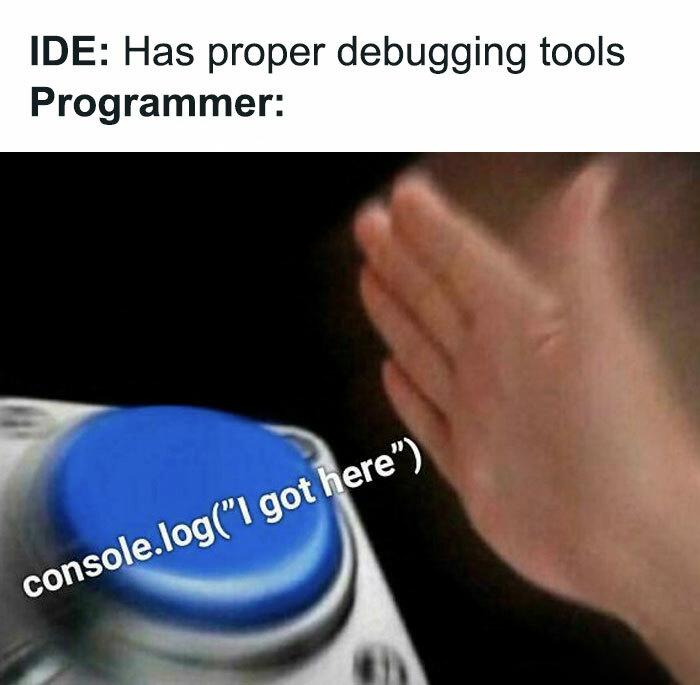
Every developer has that one friend who swears by proper debugging tools with breakpoints, step-through execution, and variable inspection. Meanwhile, the rest of us are out here spamming console.log() , print() , or System.out.println() like we're getting paid per line. Sure, debuggers are powerful and efficient. But there's something deeply satisfying about littering your codebase with print statements, watching the terminal scroll like the Matrix, and somehow figuring out exactly where things went wrong. Plus, you don't have to remember any keyboard shortcuts or set up IDE configurations. The red button gets smashed so hard it's practically embedded in the desk. Why learn a sophisticated tool when print("HERE") , print("HERE2") , and print("WTF") have never let us down?