Login Memes

Posts tagged with Login
Open Sesame!

Open Sesame!
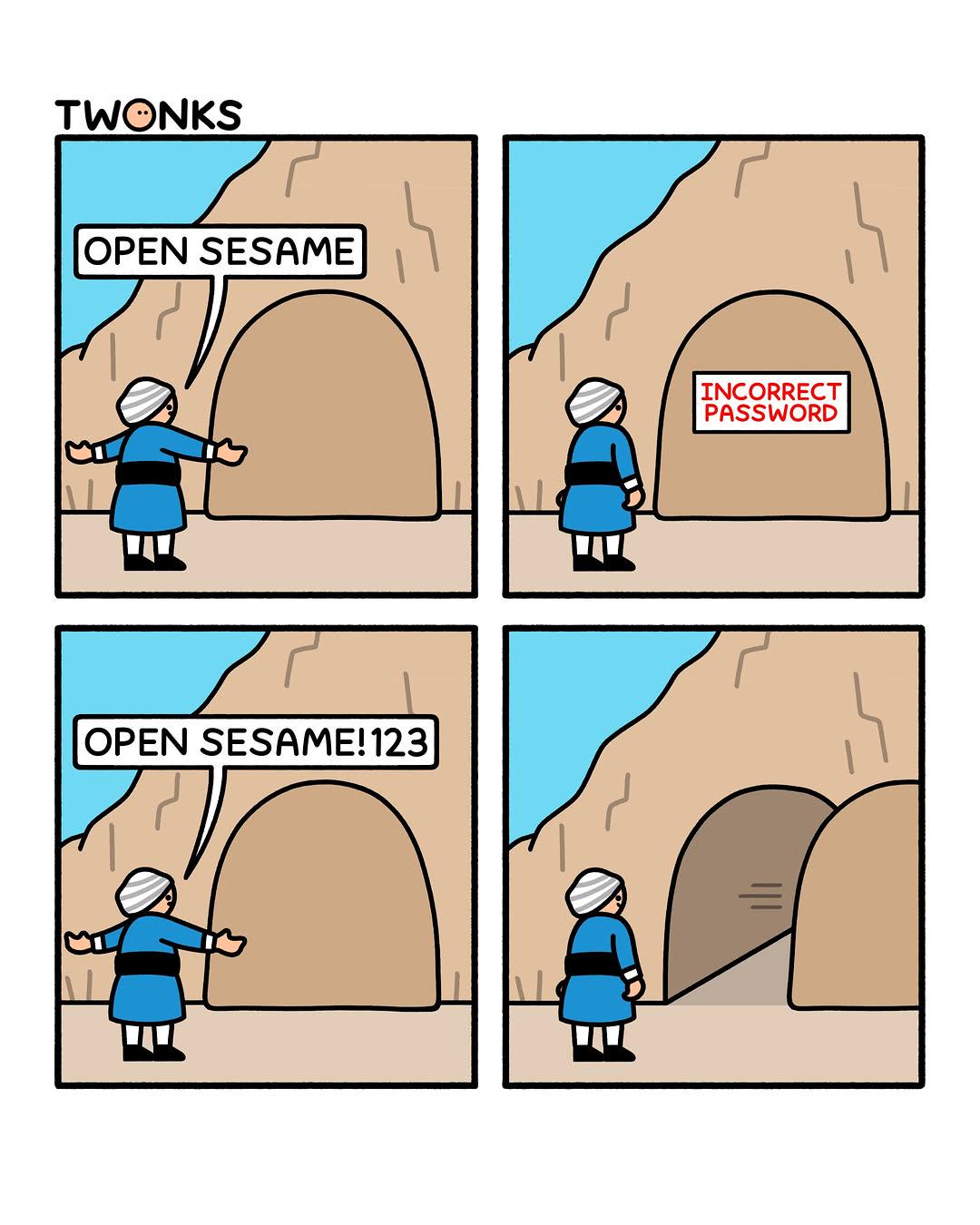
The ancient tale of Ali Baba gets a modern security update. Our hero tries the classic "Open Sesame" password and gets hit with the dreaded "INCORRECT PASSWORD" error. Classic rookie mistake—forgetting that your password requirements demand at least one number, one special character, and probably a blood sacrifice. So naturally, they pivot to "OpenSesame!123" and boom—the cave opens like it's been waiting for that sweet combination of uppercase, lowercase, and numbers all along. The cave door was basically running the same password validation as every corporate login system you've ever encountered. Fun fact: If Ali Baba's cave existed today, it would probably also require him to change his password every 90 days and wouldn't let him reuse any of his last 24 passwords. The treasure would've been long gone before he figured out "OpenSesame!123Winter2024$"

Github When I Login To A New Device

Github When I Login To A New Device
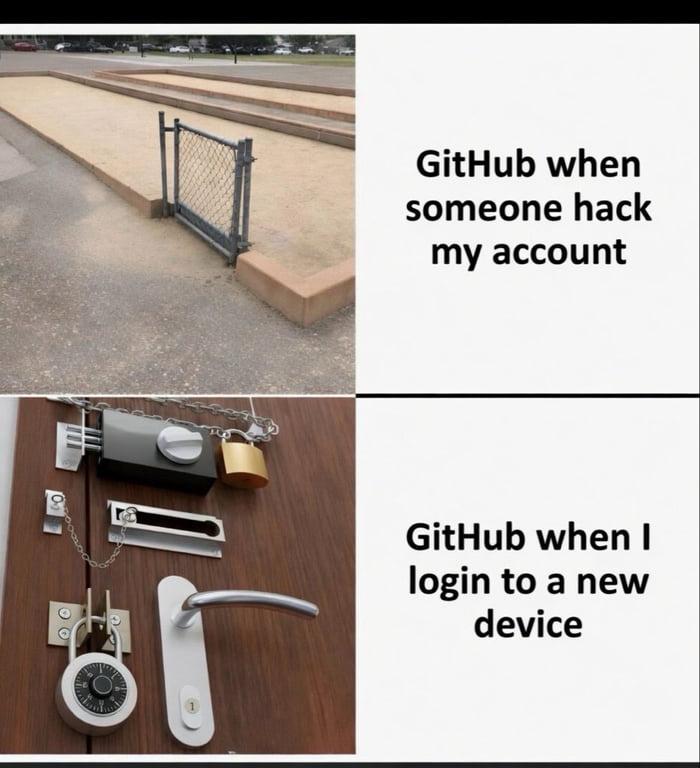
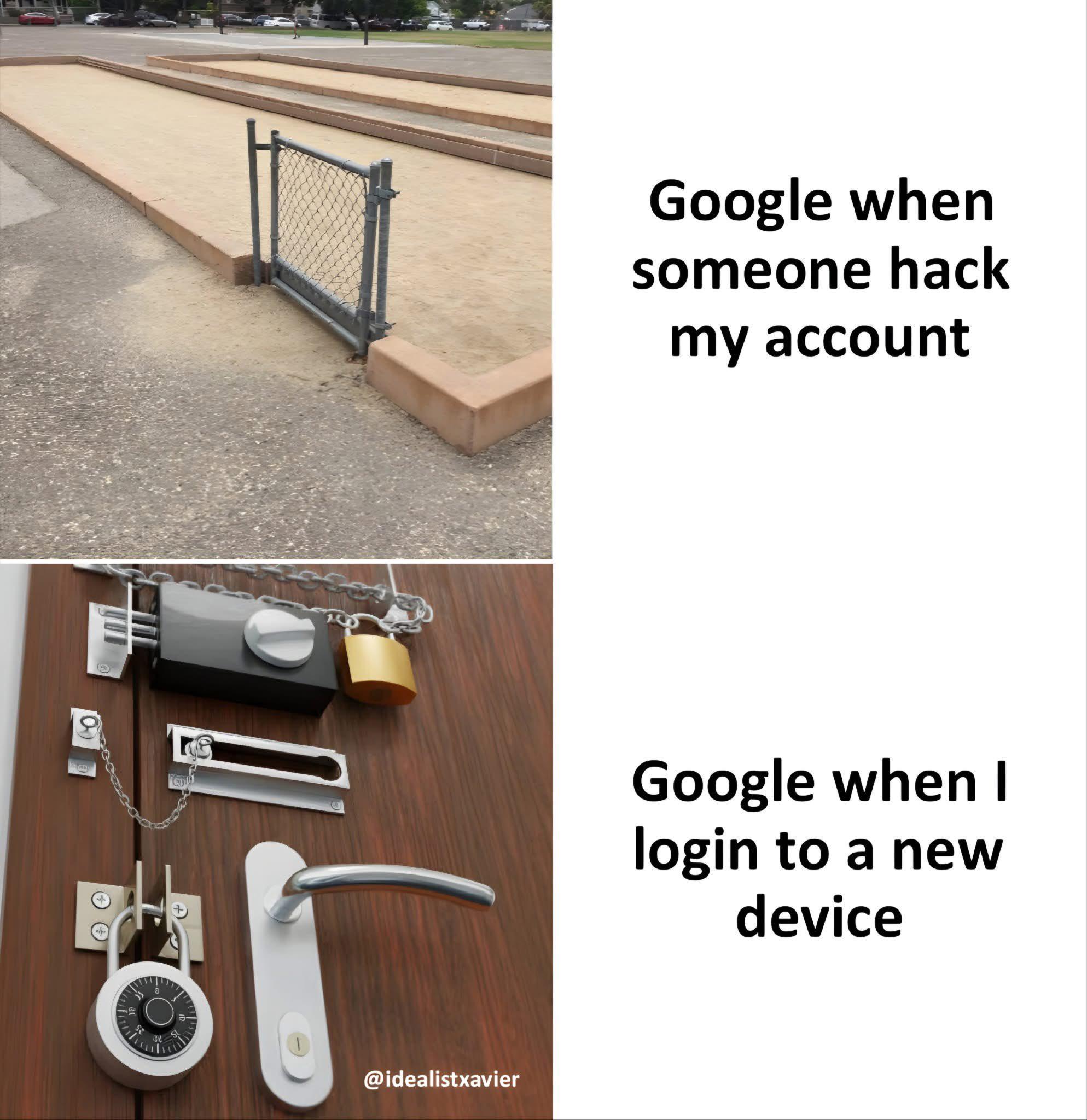
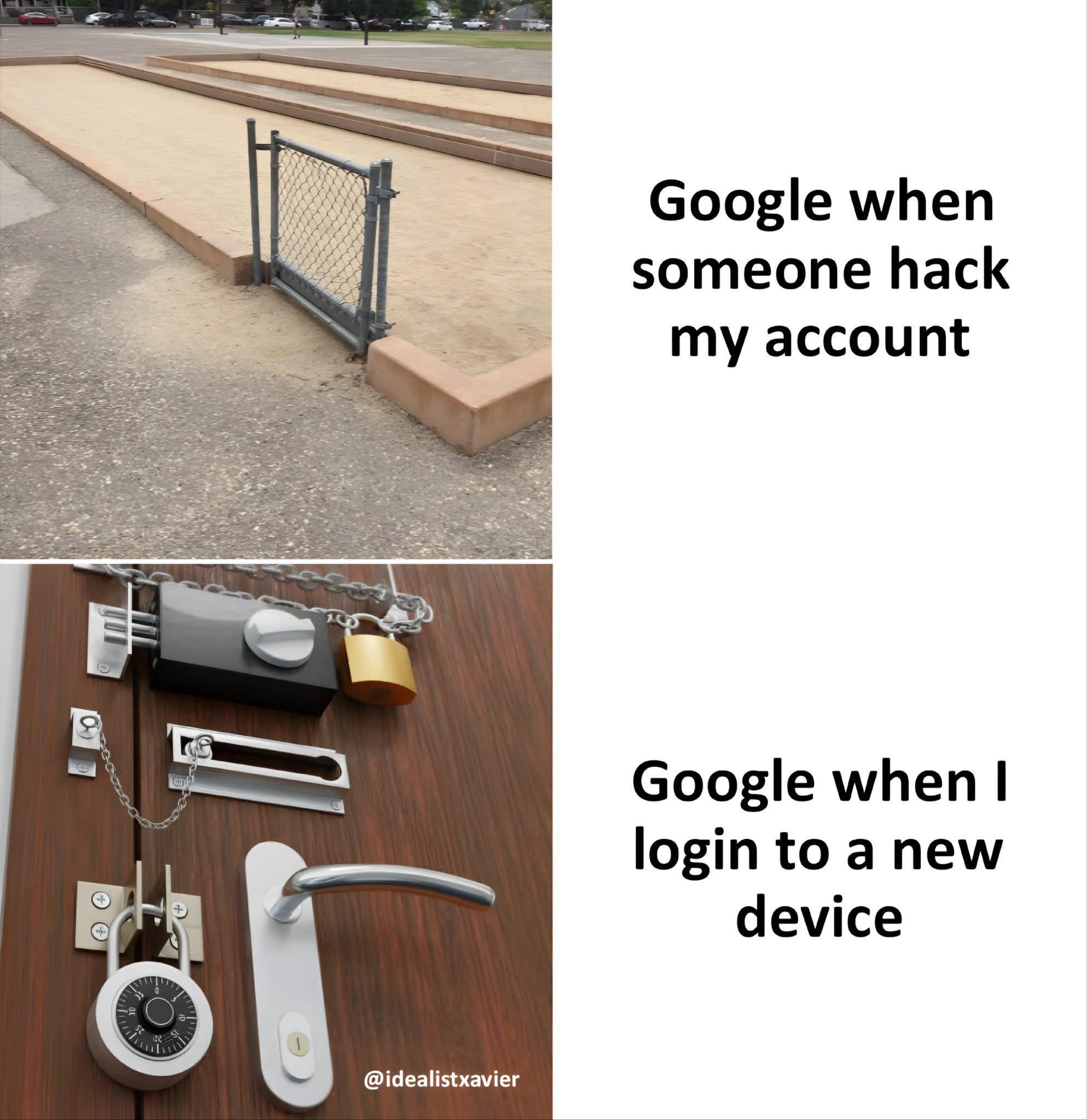
GitHub's security priorities are... interesting. Someone trying to hijack your account? Here's a tiny gate that a toddler could step over. But YOU, the actual account owner, trying to log in from your new laptop? Time to deploy Fort Knox with every lock known to humanity. You'll need your password, your 2FA code, a verification email, possibly a carrier pigeon with a signed affidavit, and GitHub will still send you a suspicious activity alert. Meanwhile, actual attackers are probably just vibing with that decorative fence that wouldn't stop a determined squirrel. The best part? After jumping through all those security hoops, GitHub will ask you to verify this device again in 30 days. Because apparently, your laptop might grow legs and become someone else's property.

When Your OAuth Keeps Breaking

When Your OAuth Keeps Breaking
Nothing quite captures the soul-crushing loop of OAuth debugging like having to re-authenticate for the 47th time in an hour. Your session expired? Token refresh failed? Redirect URI typo? Who knows—but you're definitely logging in again. The best part? Each login attempt takes you through the entire flow: click the button, wait for the redirect, accept permissions, get bounced back, watch it fail, and repeat. It's like Groundhog Day but with more JSON and less Bill Murray. Pro tip: After your 10th login attempt, you start questioning your entire career path. After the 20th, you're googling "how to become a carpenter."

Try Every Password Twice

Try Every Password Twice
The galaxy brain move of defeating brute force attacks by intentionally rejecting the first correct password attempt. Hackers will try it once, see it fail, cross it off their list, and move on like "nope, not that one." Meanwhile you're sitting there knowing full well it was correct, just waiting for them to try it again. It's like telling someone "no" the first time they ask for something just to see if they're serious about it. Sure, your legitimate users will be mildly annoyed having to type their password twice every single time, but that's a small price to pay for... wait, what exactly are we achieving here? Oh right, absolutely nothing except doubling your support tickets and making everyone question their memory. Security through user frustration—truly revolutionary.

Why

Why?
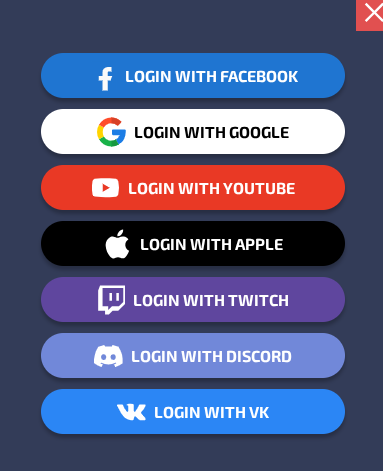
When your app has more third-party login options than actual features. Nothing says "we respect your privacy" quite like giving seven different tech giants access to your data. The real kicker? After all these options, half the users will still click "Create Account" and use "password123" anyway. And you know what's even funnier? The backend dev who had to implement OAuth flows for all of these is probably crying in a corner somewhere, maintaining seven different API integrations that will inevitably break during the weekend. Pro tip: The number of login options is inversely proportional to the developer's remaining sanity.

The Mist Of The Www

The Mist Of The Www
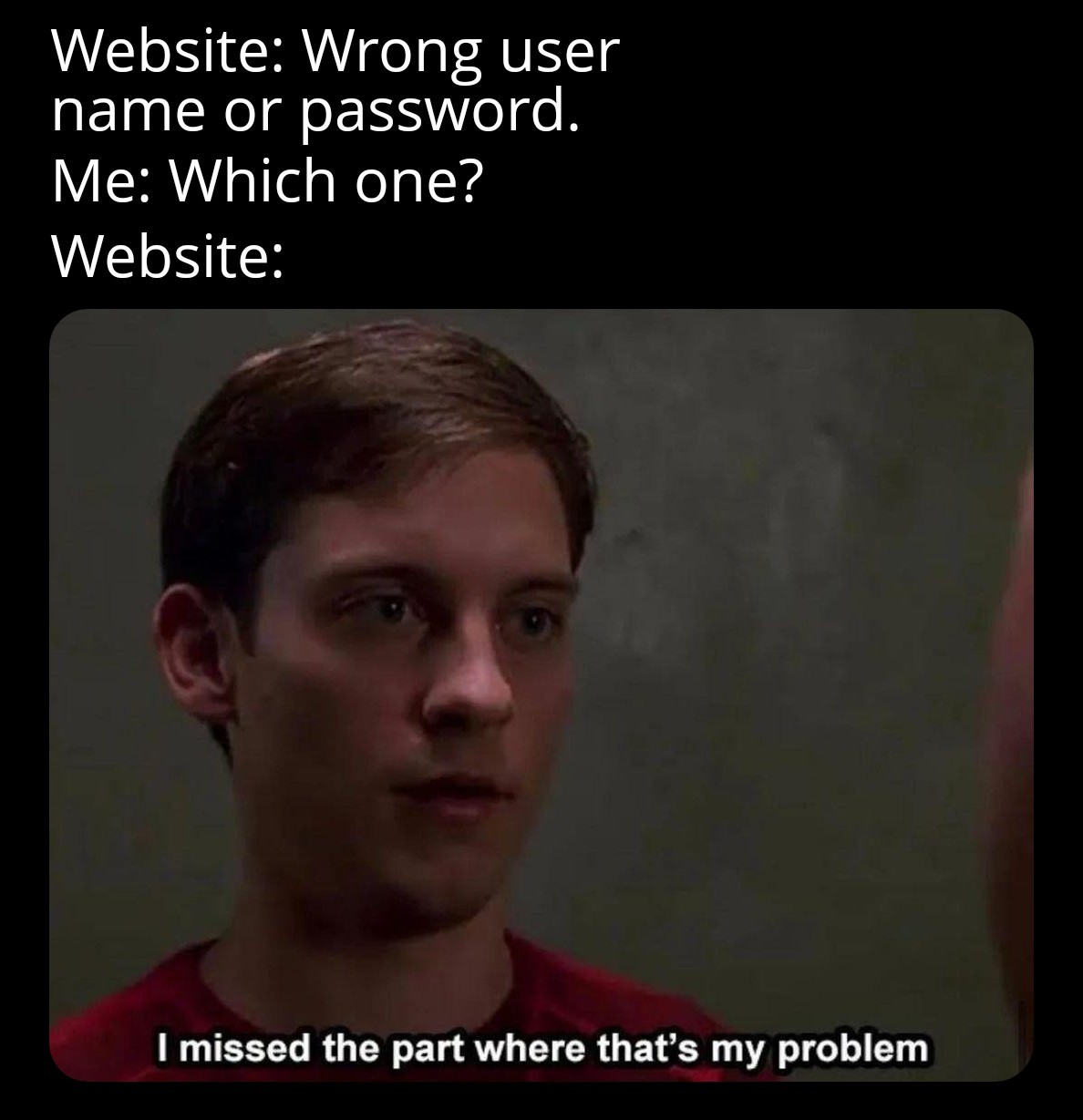
You know that moment when you're frantically trying to log in and the website hits you with the classic "Wrong username or password" error? And you're sitting there like a detective trying to figure out which credential you messed up, but the website just stares back at you with zero helpful information. You ask "Which one did I get wrong?" and the website's response is basically "I missed the part where that's my problem." This is security theater at its finest. Sure, it prevents attackers from knowing whether they got the username right, but it also means you're stuck playing credential roulette with your own accounts. Was it the email? The username? Did I fat-finger the password? Is caps lock on? The website knows exactly what went wrong but chooses violence instead of clarity.

Logitech G Blue Yeti 2 USB Mic for Gaming - Black

Logitech G Blue Yeti 2 USB Mic for Gaming - Black
Move freely while recording: Voice proximity sensor tracks your voice in 3D within a 2-meter radius; ideal for an active gaming microphone or podcast microphone setup · Eliminate background interrupt…

You're Missing At Least Five

You're Missing At Least Five
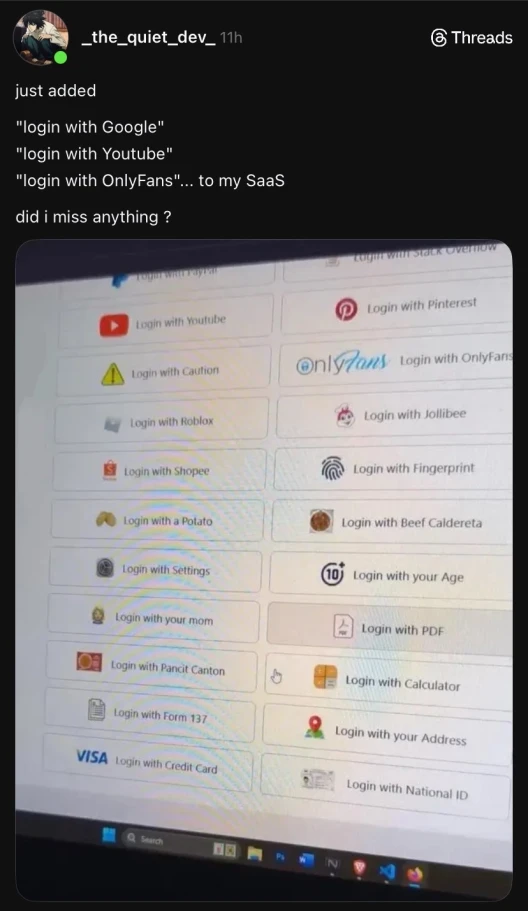
When you think adding three OAuth providers makes you a modern web developer, but then you see the absolute chaos of authentication options someone else has unleashed upon their users. Login with a Potato? Login with your Mom? Login with Beef Caldereta? Login with PDF?? Someone clearly had too much creative freedom during sprint planning. The dev probably started with legitimate OAuth implementations, got bored, and decided to make authentication the most unhinged feature of their SaaS. I mean, "Login with Form 137" is oddly specific—Filipino devs will feel that one in their soul. And "Login with your Age" raises so many security questions I don't even know where to start. Is that just a number field? Do you age out of your account on your birthday? The real power move here is "Login with Caution" with the warning triangle. That's the only honest one on the entire page. At least they're transparent about the security nightmare you're about to enter.

This Never Fucking Works

This Never Fucking Works
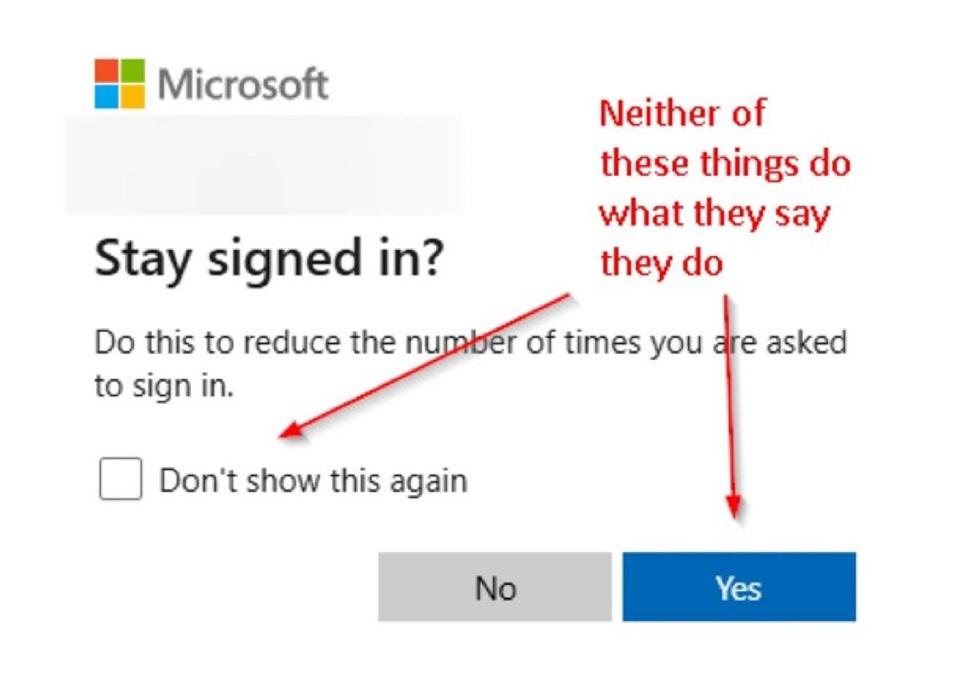
Microsoft's login system asking if you want to stay signed in, promising to "reduce the number of times you are asked to sign in." Then there's the "Don't show this again" checkbox. Spoiler alert: you'll see this dialog tomorrow. And the day after. And every single day until the heat death of the universe. These checkboxes are basically digital placebos. You click them with hope in your heart, believing this time will be different. It never is. Microsoft will ask you to sign in again before you finish your coffee. The checkbox might as well say "Click here to feel momentarily empowered before we ignore your preferences entirely." The "Yes" button to stay signed in? Also decorative. Your session will expire faster than milk left on a radiator.

We Don't Just Create We Innovate

We Don't Just Create We Innovate
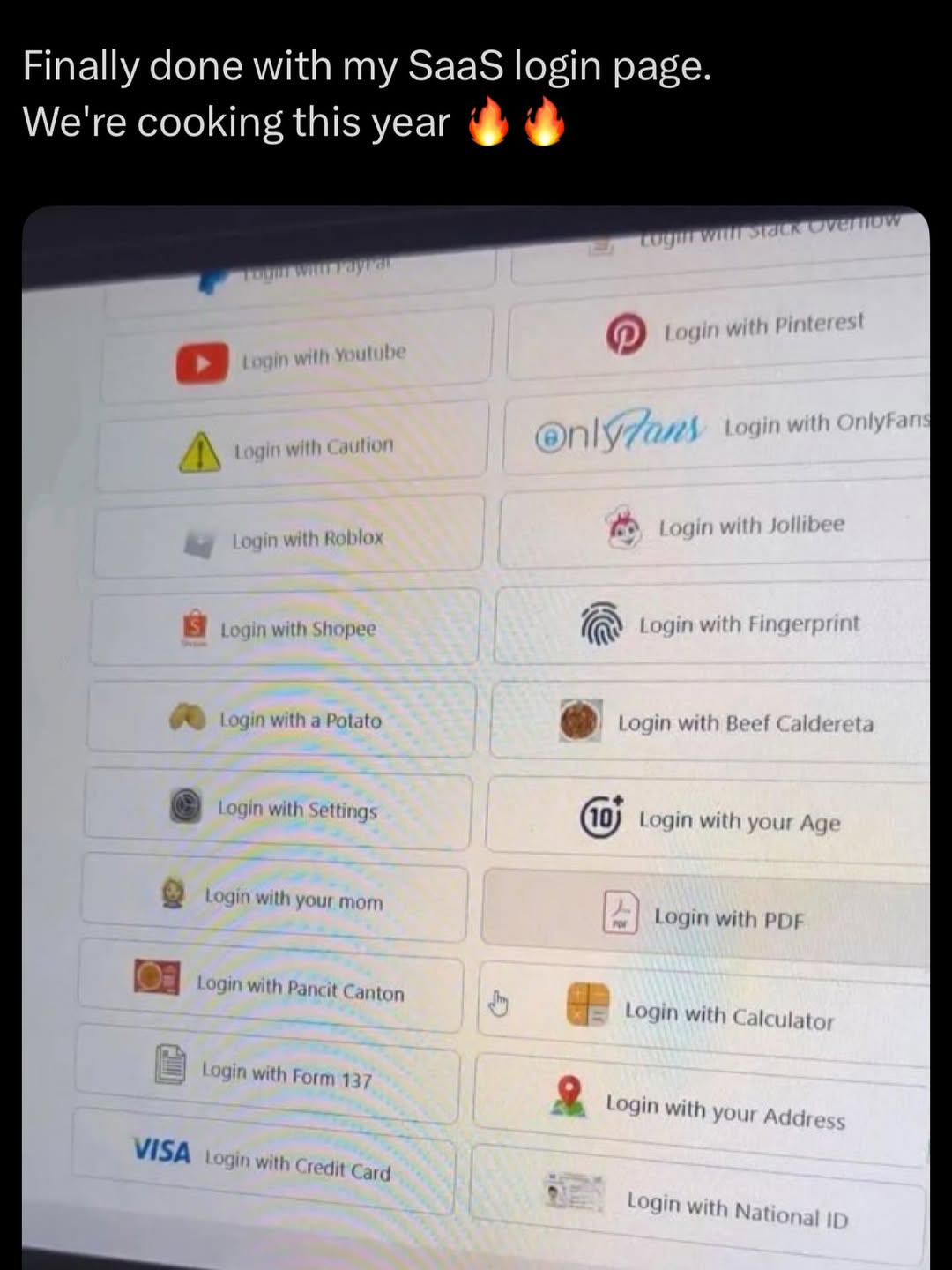
When your product manager asks for "innovative OAuth options" and you take it as a personal challenge. Sure, Google and GitHub are fine, but have you considered logging in with a potato ? Or better yet, your credit card details because security is just a social construct, right? Nothing screams "enterprise-ready SaaS" quite like "Login with Beef Caldereta" or "Login with your mom." The dev who built this either has the best sense of humor or completely gave up on life halfway through the sprint. "Login with Settings" is particularly inspired—why authenticate users when you can just... authenticate the concept of configuration itself? My personal favorite is "Login with Form 137"—a Filipino school document. Because nothing says seamless user experience like requiring academic records from elementary school. The fingerprint option looks downright boring in comparison.

Real Trust Issues

Real Trust Issues
Google's security paranoia in a nutshell. Someone tries to hack your account? They install a decorative baby gate that a toddler could step over. You try logging in from a new device? Fort Knox suddenly materializes on your door with padlocks, chains, combination locks, and probably a retinal scanner they forgot to photograph. The irony is that Google will happily let a bot from Kazakhstan try your password 47 times, but heaven forbid you get a new phone and want to check your email. Suddenly you're answering security questions from 2009, verifying on three other devices, and providing a DNA sample. Two-factor authentication? More like twelve-factor authentication when it's actually you trying to get in.

This Does Nothing

This Does Nothing
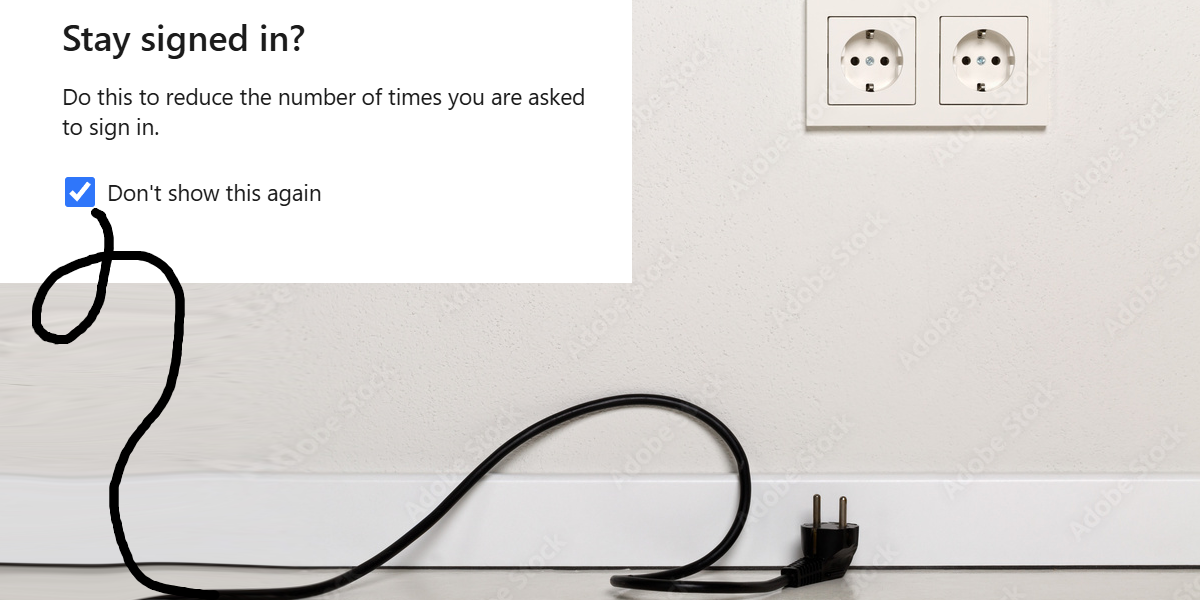
The AUDACITY of this checkbox! Promising to save me from the endless nightmare of sign-in prompts while the power cord dramatically lies there, UNPLUGGED from the wall! 💀 It's like promising not to get wet during a tsunami while holding an umbrella made of tissue paper. That "Don't show this again" checkbox is making promises it LITERALLY has no power to keep! The ultimate betrayal in the digital realm - a powerless promise from a powerless device! The irony is so thick you could cut it with a keyboard shortcut!

Make It Make Sense, Google

Make It Make Sense, Google
Google's security priorities are seriously questionable. When your account gets hacked? A single flimsy gate that doesn't even close properly. But log in from your new phone? Suddenly it's Fort Knox with seven different locks, chains, and probably a retinal scan that they didn't show in the picture. I've spent more time proving I'm me to Google than I have to my own mother. Nothing says "we value security" like making legitimate users jump through hoops while leaving the backdoor wide open for actual intruders.

Maze Office Eat Sleep Code Repeat Novelty Coffee Mug, 11 oz, White, Ceramic, Dishwasher and Microwave Safe

Maze Office Eat Sleep Code Repeat Novelty Coffee Mug, 11 oz, White, Ceramic, Dishwasher and Microwave Safe
FUN NOVELTY DESIGN: Features the bold 'Eat Sleep Code Repeat' graphic printed on both sides, making it a great conversation starter for programmers and developers. · 11 OZ CAPACITY: Holds 11 ounces o…