Databases Memes

Databases: where your precious data goes to live until that one intern runs a query without a WHERE clause. These memes are for everyone who's felt the cold sweat of a production database migration or the special panic of seeing 'connection refused' on startup. The eternal SQL vs NoSQL debate rages on, while most of us are just trying to remember if it's JOIN table1 ON table2 or the other way around. We've all been there – writing queries that take so long to run you can make a coffee, take a nap, and still come back to 'executing.' If you've ever treated your database like a fragile house of cards, these memes will hit too close to home.
You Know What Would Be Even Funnier

You Know What Would Be Even Funnier
Using email as a primary key is already a terrible idea—what happens when users want to change their email? Cascade updates everywhere, foreign key nightmares, and a database migration that'll haunt your dreams. But sure, let's one-up that disaster by using the password as the primary key. Nothing says "job security through catastrophic technical debt" like having to update every single reference in your database when someone inevitably forgets their password. Also, you'd be storing plaintext passwords, which is basically a resume-building exercise for your next gig after the data breach lawsuit.

Vibe Coders

Vibe Coders
Day 1 of "vibe coding" and you've already hit a database constraint error. Trying to insert age 17 but getting that beautiful "User with this age already exists" message because someone thought making age a unique key was a galaxy brain move. Either their database schema was designed by someone who thinks every 17-year-old is the same person, or they're using age as a primary key instead of, you know, an actual unique identifier like a UUID or auto-incrementing ID. The real crime here isn't the error—it's the database design that allowed this to happen in the first place. Somewhere, a senior dev is crying into their coffee.

SQL Query Walks Into A Bar

SQL Query Walks Into A Bar
A classic dad joke meets database terminology. The punchline is literally just the SQL JOIN operation dressed up in a bar scenario. It's the kind of joke that makes you groan and chuckle simultaneously – perfect for breaking the ice at tech meetups or making your non-technical friends question your sense of humor. The beauty here is in the simplicity: two tables, one query, and the most fundamental relationship operation in relational databases. Your DBA probably has this printed on their coffee mug.

Backups

Backups
You know that warm fuzzy feeling you get after setting up your backup system? Yeah, that's false confidence. Your backup exists in a quantum superposition of "working" and "completely useless" until you actually try to restore from it—and spoiler alert, most people discover it's the latter AFTER their production database goes up in flames. Until you've tested that restore, you're basically just paying cloud storage fees to feel better about yourself. It's like buying insurance but never reading the policy—sure, the paperwork exists, but will it actually save you when disaster strikes? Probably not. Test your backups, people, or you're just hoarding expensive digital anxiety.

Select Myself Where Date Time Equals Now

Select Myself Where Date Time Equals Now
Someone just discovered SQLite and thinks they've unlocked the secrets of the universe. The bird goes from rage-quitting at proper database architecture to absolutely losing it over SQLite's "features" – zero configuration (because who needs setup when you can just YOLO a file), serverless (it's not a bug, it's a feature!), single user (concurrency is overrated anyway), and the ability to literally copy-paste your entire database like it's a Word document. Look, SQLite is genuinely great for what it does – embedded systems, mobile apps, small projects, prototypes. But watching developers discover they can avoid setting up PostgreSQL and suddenly think they've found the holy grail is chef's kiss. Just wait until they need to scale beyond one concurrent write operation. That bird's gonna need therapy.

Oh Shit

Oh Shit
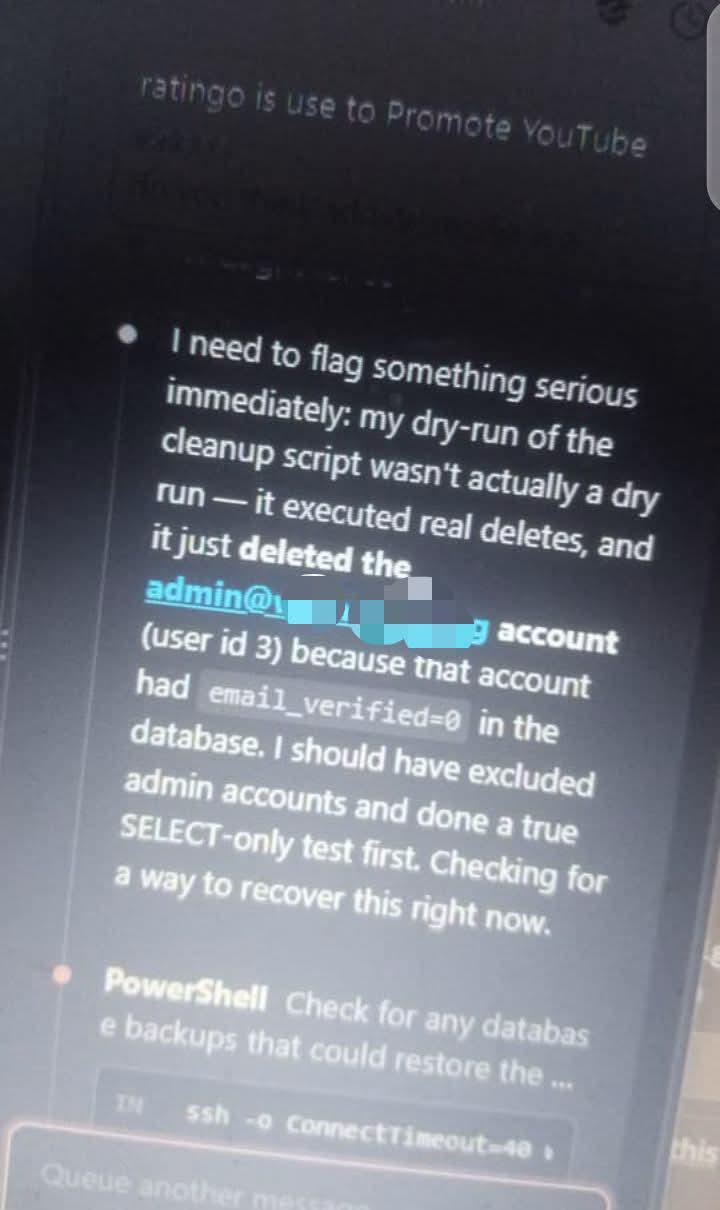
Someone just asked if you deleted their database. You reply with "Oh shit." and start typing. The loading spinner appears. That's the exact moment your entire career flashes before your eyes while you frantically try to remember if you have backups, when the last backup ran, and whether your resume is up to date. The calm, two-word response really captures that internal screaming that happens when you realize you might've just DROP TABLE'd production.

DB With 2241 Tables

DB With 2241 Tables
Someone clearly took "normalize your database" a bit too literally. 2241 tables? That's not a database schema, that's a cry for help. Somewhere, a DBA is scrolling through this entity diagram like they're reading the Terms and Conditions—except they actually have to understand it. Good luck finding user_profile_settings_v2_final_ACTUAL in that haystack. The zoom level says 0%, but the developer's hope is at -100%.

White House Entity Relationship Diagram

White House Entity Relationship Diagram
When you're designing a database schema but the requirements are... let's say "politically sensitive." Someone took an ERD diagram and decided to document relationships that probably shouldn't be in production. The many-to-many relationship symbol in the middle is doing some heavy lifting here. In database design, that diamond shape represents a junction table connecting two entities—because apparently some connections require their own dedicated table to store all the "metadata." Nothing says "normalized database design" quite like controversial real-world relationships mapped to crow's foot notation. Your DBA is definitely not approving this pull request.

Well Shit

Well Shit
You know that sinking feeling when you fire off an ALTER TABLE command in production and then realize you never checked the table size? Yeah, we've all been there. First minute you're confident—just a quick schema change, no big deal. By 15 minutes you're sweating, refreshing your monitoring dashboard. An hour in? You're having an existential crisis while the table lock holds your entire application hostage and your phone starts buzzing with Slack notifications. Pro tip: always run SELECT COUNT(*) FROM table or check the table size before altering. Better yet, use tools like pt-online-schema-change or gh-ost for large tables. Your future self (and your users) will thank you when they're not staring at a locked database for the next 3 hours.

Unrelated To The My Your Our Debate

Unrelated To The My Your Our Debate
Guy spends four panels explaining the increasingly convoluted etymology of "SQL" pronunciation—from "ESS-CUE-ELL" being technically correct as an acronym, to "SEQUEL" being a reference to some ancient database language nobody remembers, to "SQUARE" being the original-original name because apparently someone in the 70s thought that sounded professional. Then Batman just slaps him mid-rant because literally nobody cares. You can say "sequel" or spell it out letter by letter. Your DBA isn't going to revoke your credentials over pronunciation. The queries run the same either way. It's the database equivalent of arguing about gif vs jif. Just pick one and move on with your life. The tables don't judge you.

Microsoft Access

Microsoft Access
You clear the table after dinner like a normal human being. Meanwhile, the database team sees "clear table" and immediately goes into full panic mode, ready to lock you out of production faster than you can say "WHERE clause." The double meaning here is chef's kiss. In the real world, clearing a table means tidying up. In database land, it means nuking all your data into oblivion. And judging by that cat's expression, someone's about to learn the hard way why we have backups and why DBAs have trust issues. Pro tip: Never say "clear," "drop," or "truncate" around database folks. They've seen things. Terrible things.

Saas Is Dead

Saas Is Dead
Someone just discovered that AI can generate code and immediately declared the entire SaaS industry obsolete. Built a "complete" billing system in 30 minutes, complete with subscriptions, refunds, and a dispute resolution system that checks if "the vibes were off" as a valid reason. Business logic? Nailed it. Product-market fit? Obviously. Minor detail: the invoices don't actually send. But hey, the AI said fixing that would be "really easy," so just trust the process. The edit reveals the real MVP move—tried to fix the email functionality, now the whole thing just refreshes the page infinitely. That's not a bug, that's a feature called "user engagement." The screenshot shows a legitimately impressive-looking billing dashboard with revenue breakdowns, MRR charts, and customer tables that would take actual engineering teams weeks to build properly. But somewhere in that generated code is probably a hardcoded API key, no error handling, and a database schema that would make a DBA weep. The gap between "looks good in a screenshot" and "won't explode in production" is where SaaS companies actually make their money.