Debugging Memes

Debugging: that special activity where you're simultaneously the detective, the criminal, and the increasingly frustrated victim. These memes capture those precious moments – like when you add 'console.log' to every line of your code, or when you fix a bug at 3 AM and feel like a hacking god. We've all been there: the bug that only appears in production, the fix that breaks everything else, and the soul-crushing realization that the problem was a typo all along. Debugging isn't just part of coding – it's an emotional journey from despair to triumph and back again, usually several times before lunch.
Misspelled Variable Panic

Misspelled Variable Panic
You know you've hit rock bottom when a typo becomes your therapist. Guy goes from hating his job to hating his life to having a full existential crisis about why anything happens at all. Then discovers it was just meeee instead of me and suddenly everything's fine again. The emotional whiplash from questioning the very fabric of reality to "oh right, I can't spell" is the most relatable thing in programming. Nothing quite compares to spending 3 hours debugging only to find out you've been referencing usrName when you declared userName . Inner peace achieved through typo correction.

Don't Use Gemini To Vibe Code

Don't Use Gemini To Vibe Code
When Google's own Firebase SDK crashes iOS apps because of an "incorrectly formatted payload" and someone publicly begs devs to use Claude Opus instead of Gemini for Firebase development... you know the AI wars just got personal. Nothing says "confidence in our AI" quite like a verified dev telling people to use the competitor's model because yours keeps breaking production. The prayer hands emoji really seals the desperation here. The irony is chef's kiss: Google's AI apparently can't even generate working code for Google's own services. Meanwhile, their backend team had to swoop in and fix what was probably AI-generated garbage that made it past code review. "No SDK update required" is corporate speak for "we're fixing our mess on our end because we don't trust you people anymore." This is why we can't have nice things. AI coding assistants are great until they nuke your production app at launch because they hallucinated a payload format.

Beware Of Lists

Beware Of Lists
That wheelchair icon getting absolutely wrecked by the rocks below is basically every junior dev who thought they could just casually iterate through a list without checking for edge cases first. You know what's coming: off-by-one errors, index out of bounds exceptions, null references hiding in there like landmines, and that one time you forgot lists are zero-indexed and spent 2 hours debugging why everything was shifted. Lists will humble you faster than a production deployment on a Friday afternoon. The sign knows what's up. Lists are treacherous terrain. One wrong move with your iterator and you're face-first in a ConcurrentModificationException or worse—modifying the list while looping through it. The rocks don't lie.

I Am So Cooked

I Am So Cooked
That moment when you discover both your RAM sticks are dead, and the manufacturer literally ceased operations in your region. Can't RMA, can't afford replacements, and your system's crashing more than a poorly written recursive function without a base case. The formal announcement format just makes the tragedy even funnier—like delivering bad news at a board meeting while internally screaming. Running memtest and finding out BOTH sticks failed is like debugging your code only to realize the entire architecture is fundamentally broken. And DDR5? That stuff costs more than your dignity after a production deployment gone wrong. At least you properly diagnosed the issue before blaming it on "cosmic rays" or "Mercury in retrograde."

Expressions

Expressions
Happy expression: adorable dog. Sad expression: depressed cat. Regular expression: an unholy abomination of symbols that looks like someone had a seizure on their keyboard. You know you're in deep when your regex has more special characters than actual letters. The best part? That monstrosity in the image is probably just validating an email address or something equally mundane. Regex: turning simple string matching into cryptographic puzzles since 1951.

Cadcreo Single VESA Monitor Stand for Monitor Weight 7.7-11lb, 24-27″

Cadcreo Single VESA Monitor Stand for Monitor Weight 7.7-11lb, 24-27″
【Universal VESA Monitor Stand】Note: The height‑adjust function only works for monitors 7.7‑11 lbs. Fits 24 - 27‑inch VESA screens, ideal for home‑office, gaming and workstation setups · 【Spring Adjus…

Artisanal Hand Crafted Bugs

Artisanal Hand Crafted Bugs
Spotted in the wild: a developer coding without AI assistance like some kind of prehistoric craftsman. No Copilot autocomplete, no ChatGPT to rubber duck with, just pure unfiltered human error flowing directly from brain to keyboard. It's like watching someone churn butter when there's a perfectly good grocery store down the street. The "artisanal hand crafted bugs" title really captures it perfectly. Every syntax error, every off-by-one mistake, every forgotten semicolon—100% organic, locally sourced, gluten-free bugs. No AI shortcuts here, just a developer and their IDE, making mistakes the old-fashioned way. Respect the hustle, honestly. That's commitment to the craft right there.

It Was Just A String

It Was Just A String
You built the Death Star of microservices architecture. API Gateway, Lambda functions, Kafka message queues, Redis caching, PostgreSQL persistence, Elasticsearch indexing—the whole enterprise buzzword bingo card. Three weeks of your life gone designing this masterpiece that could probably handle the traffic of a small country. Then production crashes harder than your hopes and dreams because some frontend dev sent "darkMode": "true" (string) instead of "darkMode": true (boolean). Your entire distributed system—designed to withstand nuclear war—brought to its knees by quote marks. TypeScript would've caught this in 0.2 seconds, but hey, at least you got to use all those cool AWS services on your resume.

What Do You Need Such A Wide Screen For?

What Do You Need Such A Wide Screen For?
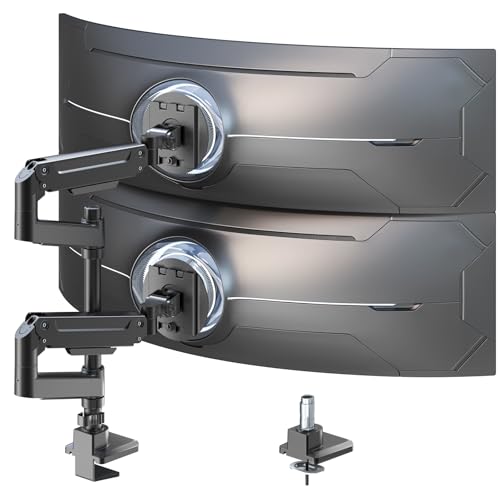
When someone asks why you need an ultrawide monitor, just show them this setup. That vertical monitor? That's for your segfault coredump stack traces—because nothing says "productive debugging session" like scrolling through 47 nested function calls to find out you dereferenced a null pointer on line 2. The ultrawide though? That's reserved exclusively for C++ template compiler errors. You know, those beautiful 500-character single-line error messages that start with error: no matching function for call to 'std::vector<std::map<std::string, std::shared_ptr<... and continue horizontally into the next dimension. Even with a 49-inch screen, you'll still need to scroll right to see where the actual problem is. The real question isn't why you need this setup—it's how C++ developers survived before ultrawide monitors existed. They probably just gave up and rewrote everything in Python.

Senior Developer Vibe Coding

Senior Developer Vibe Coding
You spend years grinding through tutorials, Stack Overflow threads, and debugging nightmares to master your craft. Then you reach senior level and realize you've transcended beyond mere mortals—you're now operating on a completely different plane of existence. That thousand-yard stare isn't from burnout; it's the look of someone who can mentally compile code while simultaneously contemplating whether to refactor that 3000-line legacy function or just let the next generation deal with it. You're not even looking at the screen anymore because you've achieved code telepathy. The junior dev behind you is still wide-eyed and eager, frantically Googling "how to center a div" while you're in the zone, casually architecting microservices in your head and wondering what's for lunch. Two different worlds, same Zoom call. Credit: original by @RyanEls4 on X.

QA Engineering AI Code

QA Engineering AI Code
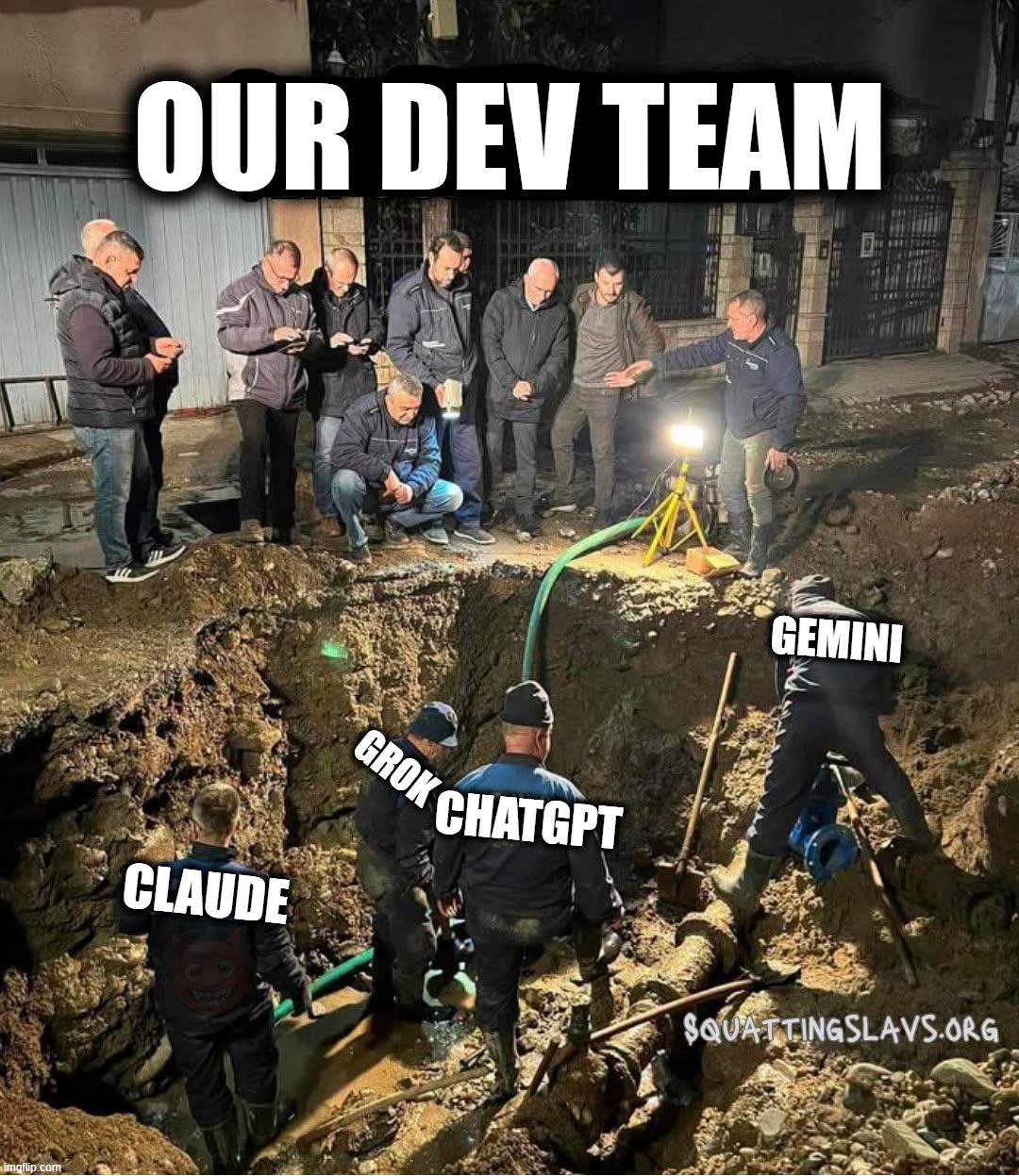
The QA team has officially had enough. While developers are out here copy-pasting ChatGPT's hallucinations straight into production, QA engineers are stuck testing code that looks like it was written by a drunk autocomplete. The best part? Management thinks AI is making everyone more productive, but QA knows the truth—they're just cleaning up after a robot that learned to code from Stack Overflow answers marked as "deprecated." Now the entire QA squad has united in their collective rage, ready to storm the dev team's Slack channel. You wanted to "move fast and break things"? Congratulations, you succeeded. QA is about to break your sprint.

Every Render Path Leads To This

Every Render Path Leads To This
You spend months building a custom graphics engine, optimizing every shader, implementing fancy rendering techniques, writing beautiful abstraction layers. Then someone boots it up on hardware from the Obama administration and you watch your masterpiece crumble like a sandcastle in a tsunami. The "coin toss" line hits different when you realize backwards compatibility in graphics programming is basically gambling with your sanity. Will it work? Will it segfault? Will it summon demons from deprecated OpenGL extensions? Nobody knows! 2013 GPU drivers are held together with duct tape and prayers, and your cutting-edge Vulkan renderer doesn't stand a chance. This is why game studios have entire QA departments and minimum spec requirements exist. Supporting ancient hardware is how you lose your soul, one driver bug at a time.

Of Course I Would Never Click That

Of Course I Would Never Click That
You know that feeling when you're browsing a shopping app and there's a big red warning label screaming "NICHT BENUTZEN" (DO NOT USE) on the grilling season category? Yeah, that's basically a dare at that point. It's the digital equivalent of putting a "Wet Paint" sign next to a wall—suddenly everyone becomes a quality assurance tester. The UI designer probably thought they were being helpful by marking it as unavailable, but they clearly underestimated the irresistible pull of forbidden buttons. Production bugs? Nah, those are just surprise features waiting to be discovered by curious users who definitely won't click the clearly marked thing they shouldn't click. The red circle around it makes it even better—like highlighting the exact spot where chaos lives. Chef's kiss for whoever took this screenshot right before inevitably tapping it anyway.

CafePress Sleep Code Eat Repeat Mug 11 oz (325 ml) Ceramic Coffee Mug

CafePress Sleep Code Eat Repeat Mug 11 oz (325 ml) Ceramic Coffee Mug
Dimensions: Our standard size 11 oz mug measures 3.75" tall x 3" in diameter · Color Coordinate: Mix and match your hot cocoa mugs with your decor by choosing from the following interior and handle c…