Tech support Memes

Posts tagged with Tech support

It's So Over...

It's So Over...
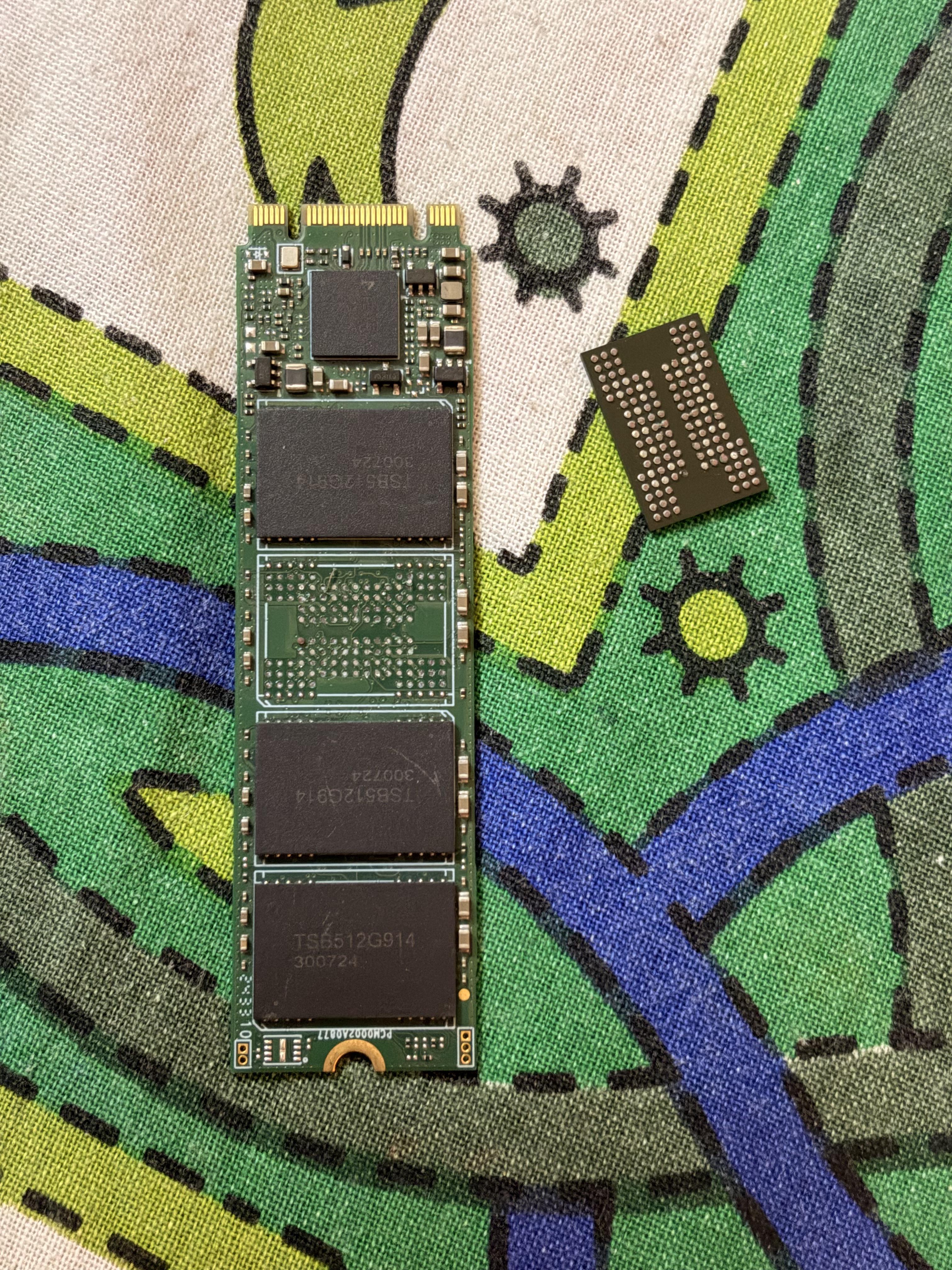
That moment when you're upgrading your RAM and spot that little blue sticker on your Crucial memory stick that says "Removal will void warranty" already attached to your motherboard. You stand there contemplating your life choices like you're witnessing the end of the world. Do you proceed with the removal and lose the warranty forever? Do you just... leave it there and buy another stick? The existential dread is real. It's like the hardware gods are testing your commitment to that extra 16GB. The apocalyptic vibes are spot-on because once you peel that sticker, there's no going back. Your warranty is now as dead as that kernel you accidentally nuked last week.

As Long As It Works

As Long As It Works
Behold, the sacred trinity of IT troubleshooting! That massive blue slice? That's the "turn it off and turn it back on again" method—the nuclear option that somehow fixes 60% of all problems known to humanity. The red chunk represents frantically Googling error messages while pretending you totally knew what was wrong all along. And that adorable little green sliver? That's the phenomenon where bugs mysteriously vanish the SECOND a senior dev walks over to your desk. Suddenly your code works perfectly and you're left looking like you summoned them for absolutely nothing. The best part? This pie chart is disturbingly accurate and we're all just out here winging it with the confidence of someone who definitely knows what they're doing (narrator: they don't).

They Don't Get It

They Don't Get It
When you're trying to explain why the production server is on fire because someone pushed directly to main at 4:47 PM on a Friday, and your non-technical friend is like "just turn it off and on again?" The sheer existential dread of being comforted by someone who thinks CSS is a government agency. These adorable kittens hugging it out represent the well-meaning but utterly clueless consolation you get when you're spiraling about merge conflicts, race conditions, or why the code works on your machine but nowhere else in the known universe. They mean well, bless their hearts, but they'll never understand the soul-crushing weight of a "works on my machine" situation or the horror of discovering your entire database backup script has been failing silently for six months.

Good Old CEO

Good Old CEO
Nothing screams "efficient business strategy" quite like refusing to invest in proper infrastructure and then hiring ONE person to hold together your entire digital empire with duct tape and prayers. Why build a solid IT department with redundancy and proper resources when you can just dump everything on Jerry from accounting who once fixed a printer? Genius move, really. The CEO spares every expense humanly possible, then acts shocked when their single IT person is simultaneously managing servers, fixing Karen's email, debugging production, AND somehow expected to be available 24/7. It's like building a skyscraper on a single toothpick and wondering why things feel a bit wobbly. But hey, shareholders are happy, so who cares if your entire business continuity plan is literally one person who hasn't slept in three days?

Read The Forking Manual

Read The Forking Manual
You spend weeks writing documentation. Beautiful, comprehensive docs with examples, edge cases, troubleshooting sections—the whole nine yards. You even add diagrams because you're fancy like that. Then someone opens a ticket asking the exact question answered in the first paragraph of the README. The sad truth? Documentation is like that gym membership everyone has but nobody uses. Developers would rather spend 3 hours debugging, ask on Slack 47 times, and sacrifice a rubber duck to the coding gods than spend 5 minutes reading the docs. It's not that the bridge isn't there—it's that everyone's too busy trying to swim across the river. Pro tip: If you want people to read your docs, hide the solution in a Stack Overflow answer. That they'll find in 0.3 seconds.

Getting Help With A Software Project

Getting Help With A Software Project
Oh honey, you thought StackOverflow was gonna be your knight in shining armor? THINK AGAIN. Someone asks for help catching mice and the "lovely people" at SO are out here telling them catching mice is deprecated, suggesting they pivot to hunting humans instead, and marking their question as a duplicate of "How to stalk birds." The absolute CHAOS of trying to get actual help on StackOverflow when all you wanted was a simple answer but instead you get roasted, redirected, and rejected faster than a failed CI/CD pipeline. The brutal reality? You're better off debugging alone in the dark at 3 AM with nothing but your rubber duck and existential dread.

When AI Learns From The Dark Side Of Reddit

When AI Learns From The Dark Side Of Reddit
Google's AI desperately trying to be helpful while some random Reddit user decided to inject pure toxicity into the knowledge base. The contrast between the detailed technical explanation about USB headers and the sudden "Kill yourself" comment is peak internet whiplash. It's like when you're peacefully debugging code and suddenly hit that one cryptic StackOverflow answer from a user with -47 karma. Modern AI systems scraping the web for knowledge are basically digital toddlers learning vocabulary at a biker bar.

The Sacred Trinity Of IT Troubleshooting

The Sacred Trinity Of IT Troubleshooting
The sacred trinity of IT troubleshooting, visualized with scientific precision. Roughly 70% of problems magically resolve with the ancient ritual of "turning it off and on again." Another 15% require the advanced technique of typing error messages into Google and nodding thoughtfully at Stack Overflow posts. The remaining 15%? Just walk into the room and watch users suddenly exclaim "Oh wait, it's working now!" Nothing fixes technology faster than the quantum observer effect of someone who looks like they know what they're doing.

Activate Linux: The Parallel Universe Edition

Activate Linux: The Parallel Universe Edition
Windows users seeing "Activate Linux" is like vegans being told to "activate bacon." That haunting message floating over what's clearly a Windows desktop is the OS equivalent of your phone autocorrecting "I'm fine" to "I'm dying inside." Microsoft's passive-aggressive way of saying "You thought you could escape? That's cute."

Power Button Paranoia Chronicles

Power Button Paranoia Chronicles
Trust issues level 9000! When someone asks why IT professionals are difficult, here's your answer: driving two hours just to physically verify a server is powered on despite THREE people's assurances. Because in the server room, "trust but verify" isn't just a motto—it's a survival mechanism. That blinking LED is worth more than any verbal confirmation. Remote management tools? Sure, they exist... but nothing beats the sweet relief of pressing that cold metal power button yourself and whispering, "I knew it" when you were right all along.

Did You Try Turning It On

Did You Try Turning It On
Someone asks why IT people are jerks, and gets the perfect response: an IT guy drove TWO HOURS just to push a power button that three people swore was already on. Trust issues? Justified. The first rule of tech support isn't "have you tried turning it off and on again" – it's "are you SURE it's actually on?" Four years of computer science education reduced to playing glorified electrician because users can't differentiate between a power light and their imagination.

Time-Traveling Windows Updates

Time-Traveling Windows Updates
Windows: "No security updates! You're vulnerable!" *checks system* Also Windows: "Hey, we've got a security update from... *checks notes*... 2025!?" Nothing says "trust our security warnings" like scheduling patches from the future. Microsoft's time machine development must be going well—shame they can't use it to make Windows actually stable. At least the cat's expression perfectly captures that moment when you realize your OS is either lying or has achieved time travel.