frontend Memes

If A Potato Can Become Vodka, You Can Become A Web Developer

If A Potato Can Become Vodka, You Can Become A Web Developer
So apparently the bar for web development is now "slightly more complex than fermentation." Love how this motivational poster implies that becoming a web developer requires the same level of transformation as rotting in a barrel for months. Honestly? Pretty accurate. You start as a raw, starchy beginner, get mashed up by CSS layouts, fermented in JavaScript confusion, and eventually distilled into someone who can center a div. The process is painful, involves a lot of breaking down, and at the end you're either smooth and refined or you give people headaches. Either way, you'll be dealing with a lot of bugs—though in web dev they're not the yeast kind.

HTML Is A Programming Language

HTML Is A Programming Language
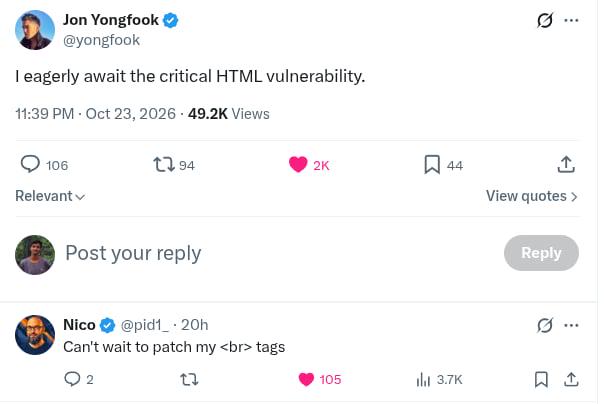
There are three things guaranteed to start a fight in any developer community: tabs vs spaces, vim vs emacs, and whether HTML is a programming language. Say those four words in a crowded Discord server and watch the chaos unfold faster than a poorly optimized database query. HTML is a markup language. It's literally in the name: HyperText Markup Language. No logic, no loops, no conditionals. Just tags telling browsers where stuff goes. But somehow, calling it what it actually is triggers programmers like a missing semicolon in production code. The person saying "HTML is a programming language" knows exactly what they're doing. They're not confused. They're not misinformed. They're a chaos agent, and they've chosen violence. Maximum trolling with minimum effort. Respect the craft.

Use Me

Use Me
The React hooks hierarchy of social acceptance visualized. Poor use is literally at the party wearing a dunce cap while everyone ignores them. Meanwhile useState is getting all the attention like the popular kid, and useEffect is down there making out with someone because developers just can't resist reaching for it. The irony? The use hook (introduced in React 19) is actually pretty powerful for handling promises and context, but it's the awkward newcomer that nobody invited. Meanwhile useEffect is getting way more action than it deserves—half the time you're using it, you probably shouldn't be. But here we are, slapping useEffect on everything like it's the solution to all our problems. Classic case of sticking with what you know versus learning the new kid's tricks.

Client Side Validation

Client Side Validation
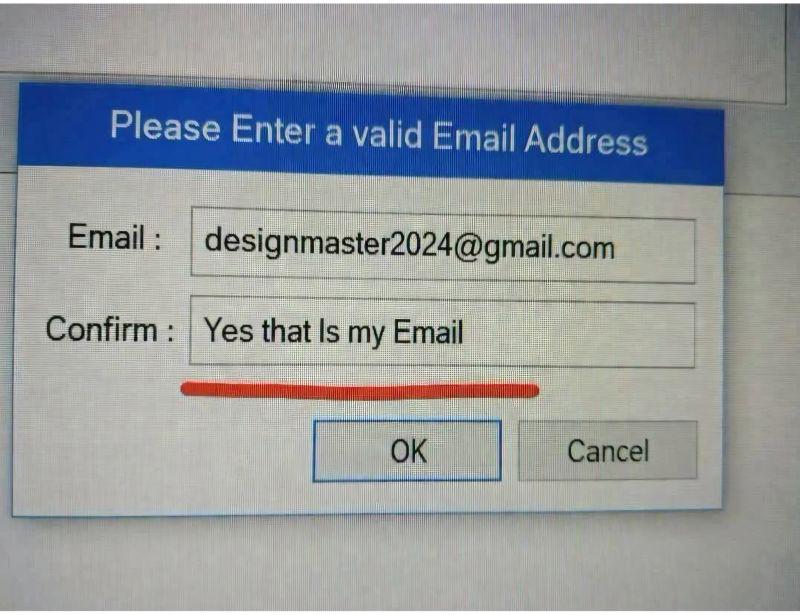
So you're checking if an email is already taken by sending it to the server, getting back a list of all registered emails , and then doing a client-side .includes() check? That's like asking the bank to give you everyone's account numbers just to verify yours doesn't exist yet. Not only is this a massive security vulnerability (congrats, you just leaked your entire user database to anyone with DevTools open), but it's also hilariously inefficient. Why return an array of potentially millions of emails when the server could just return a boolean? The backend dev is probably crying somewhere. The cherry on top? After doing all this client-side "validation," you're still showing success messages without any actual server confirmation. Chef's kiss of terrible architecture. 🤌

There Is Also Some Div Centring

There Is Also Some Div Centring
You spend years learning design patterns, data structures, algorithms, and architectural paradigms. You master REST, GraphQL, microservices, event-driven systems. You debate tabs vs spaces with religious fervor. Then one day you realize your entire career boils down to: take data from point A, send it to point B via HTTP. That's it. That's the whole job. Just fancy plumbing with extra steps and a lot of YAML files. The "always has been" meme format hits different when you realize the astronaut with the gun represents your senior dev who's been trying to tell you this for years while you were busy overengineering everything with 47 microservices.

Still In The Learning Process Though

Still In The Learning Process Though
When you tell people you're learning CSS, you go through the five stages of grief in real-time. First there's the confident declaration, then the slow realization that centering a div is somehow still a theological debate in 2024. The emotional rollercoaster from "I got this" to "why won't this margin work" to "what even is specificity" to "I'll just use !important everywhere" happens faster than your browser can render a flexbox. CSS has this unique ability to make you feel like a genius and a complete impostor within the same hour. You'll nail a complex animation, feel like a design god, then spend 2 hours figuring out why your button is 3 pixels off-center. The learning process is basically an infinite loop of Stack Overflow tabs and questioning your career choices.

Is It Really Worth It

Is It Really Worth It
So you finally learned JavaScript after months of callback hell and promise chains. Congratulations. Now someone's gonna tell you that you should've learned TypeScript from the start because "type safety" and "better refactoring." The door you just squeezed through? Yeah, it's basically a trash compactor now, and TypeScript is sitting pretty on the other side like it owns the place. The real kicker is that TypeScript is just JavaScript with extra steps and angle brackets. You could've saved yourself the trauma and gone straight there, but no, you had to learn what undefined is not a function means at runtime like some kind of caveman.

Camel Case Because I Have To

Camel Case Because I Have To
You wanted to add ONE tiny package to handle date formatting, and now your node_modules folder has somehow become sentient and is demanding its own ZIP code. The JavaScript ecosystem really said "you can't just install what you need" and decided that every package must bring its entire extended family, second cousins, and that one weird uncle nobody talks about to the party. The best part? It audited 2,370 packages in 32 minutes and 4 seconds like it's doing you a favor, when all you wanted was to format a timestamp. Meanwhile your disk space is sobbing in the corner and your .gitignore is working overtime. The node_modules folder is basically the Costco of programming—you came for one thing, you're leaving with 2,349 things you didn't know existed.

Just A Meme - No Hate

Just A Meme - No Hate
The linguistic betrayal hits different when you've been spelling it with a 'u' your entire life and then CSS documentation coldly informs you that American English is the law of the land. British devs out here having an existential crisis because their muscle memory keeps typing "colour" only to watch their styles mysteriously fail to apply. The browser doesn't care about your heritage or the Queen's English—it wants color: #FF0000; and nothing else. Same pain applies to "centre" vs "center" in alignment properties. At least you can drown your sorrows in proper tea while your American colleagues drink their coffee-flavored sugar water.

Absolutely Diabolical

Absolutely Diabolical
You know that one dev on your team who just wants to watch the world burn? Yeah, they pushed a breaking change to a dependency and reset the "days without npm incident" counter back to zero. Again. The JavaScript ecosystem is held together by duct tape and the prayers of overworked maintainers. One rogue package update and suddenly your entire CI/CD pipeline is screaming at you at 3 AM. The best part? It's always some obscure transitive dependency you didn't even know existed that decides to introduce a breaking change in a patch version. Pro tip: Pin your dependencies. Lock that package-lock.json like your production uptime depends on it. Because it does.

Jpeg Xl Is Dead. Long Live Jpeg Xl

Jpeg Xl Is Dead. Long Live Jpeg Xl
Google removed JPEG-XL support from Chrome faster than you can say "deprecated," claiming nobody used it. But here's the kicker: nobody used it because they removed the support . Classic chicken-and-egg problem, except the chicken is Google and the egg is every web developer who now has to maintain it anyway because users won't stop uploading JPEG-XL files. It's like watching someone complain about having to cook dinner while actively throwing away all the kitchen appliances. Google's standing there with their arms crossed, annoyed that developers keep requesting support for a format that's objectively better (smaller files, better quality, actual transparency), but they killed it themselves. The audacity is chef's kiss level. Welcome to web development, where the standards are made up and browser support doesn't matter until it suddenly does.

All My People Say Nah To Apple

All My People Say Nah To Apple
Chrome and Firefox are out here being bros, actually supporting your responsive design like decent browsers should. They're holding your hand, telling you "I got you, brother!" when you're testing those media queries at 3 AM. Then Safari shows up with a 2x4 ready to ruin your day. That one CSS property that worked perfectly everywhere else? Safari decided it's optional. Your flexbox layout? "Oh no you don't!" Safari has its own interpretation of web standards, and it's usually wrong. Safari is basically the new IE6 at this point. You spend 2 hours building something beautiful, then 6 hours fixing it for Safari. WebKit quirks are the gift that keeps on giving, and by giving I mean taking years off your life.