Ui design Memes

Posts tagged with Ui design
Github If It Was A Gov Uk Service

Github If It Was A Gov Uk Service
Someone took GitHub's sleek developer interface and gave it the full British government website treatment—complete with that unmistakable GOV.UK design system that makes everything look like you're about to pay a tax or renew your driving license. Your repositories? Now they're "services you maintain" because apparently we're all civil servants managing passport applications and teacher training programs instead of pushing code at 2 AM. The attention to detail is chef's kiss: pull requests are now "proposed changes for review" (very bureaucratic), there's a BETA banner reminding you this might actually work someday, and the whole thing radiates that special energy of needing to fill out three forms just to commit a README update. Even the announcements section warns you about downtime like it's a scheduled road closure. The GOV.UK design system is actually brilliant for accessibility and usability, but seeing it applied to GitHub is like watching your favorite indie band perform at a tax office.

Disable Mouse Click

Disable Mouse Click
You know your UI design is absolutely galaxy-brained when you need to use your mouse to click a checkbox that disables... mouse clicking. It's like putting the fire extinguisher inside the burning room and locking the door. The Windows 98 devs really sat in a meeting, looked at this dialog, and said "Ship it!" Nobody questioned the paradox. Nobody suggested maybe using a keyboard shortcut. They just went straight to lunch and left us with this beautiful monument to circular logic. It's the software equivalent of "Press any key to continue" when your keyboard is unplugged. Chef's kiss to the UX team on that one.

All My Homies Hate Google Stitch

All My Homies Hate Google Stitch
Google really looked at their design tools lineup and said "let's make Stitch" and the entire design community collectively groaned. Meanwhile, Claude Design (Anthropic's design tool) shows up and suddenly everyone's losing their minds with excitement. The difference? One's from the company that kills more products than a serial discontinuer at a product graveyard, and the other is from the AI company that actually listens to feedback. Designers have been burned by Google's design tools before—remember when they tried to make us care about Material Design 3? Yeah, exactly. Plus, let's be honest: when Google launches a design tool, you're already mentally preparing for the sunset announcement email in 18 months. Claude Design at least comes with the promise of AI-powered assistance without the existential dread of learning a tool that'll be deprecated before you finish the tutorial.

I Wonder Why

I Wonder Why
The beautiful paved walkway represents your meticulously crafted "Design" – complete with Figma mockups, perfect spacing, and that gradient everyone spent 3 hours debating. Meanwhile, users are taking the dirt path shortcut because it's literally faster and more convenient. Your design team spent weeks planning the perfect user flow, but users just want to get from point A to point B without your fancy curved navigation. This is what happens when designers forget that users are fundamentally lazy (in the most efficient way possible). They'll bypass your gorgeous UI faster than you can say "responsive breakpoints" if it saves them two clicks. The dirt path is basically the equivalent of users bookmarking the direct URL to skip your landing page entirely. Pro tip: If you see desire paths forming in your analytics, maybe listen to them instead of adding more guardrails. Sometimes the best UX is just admitting defeat and paving the dirt path.

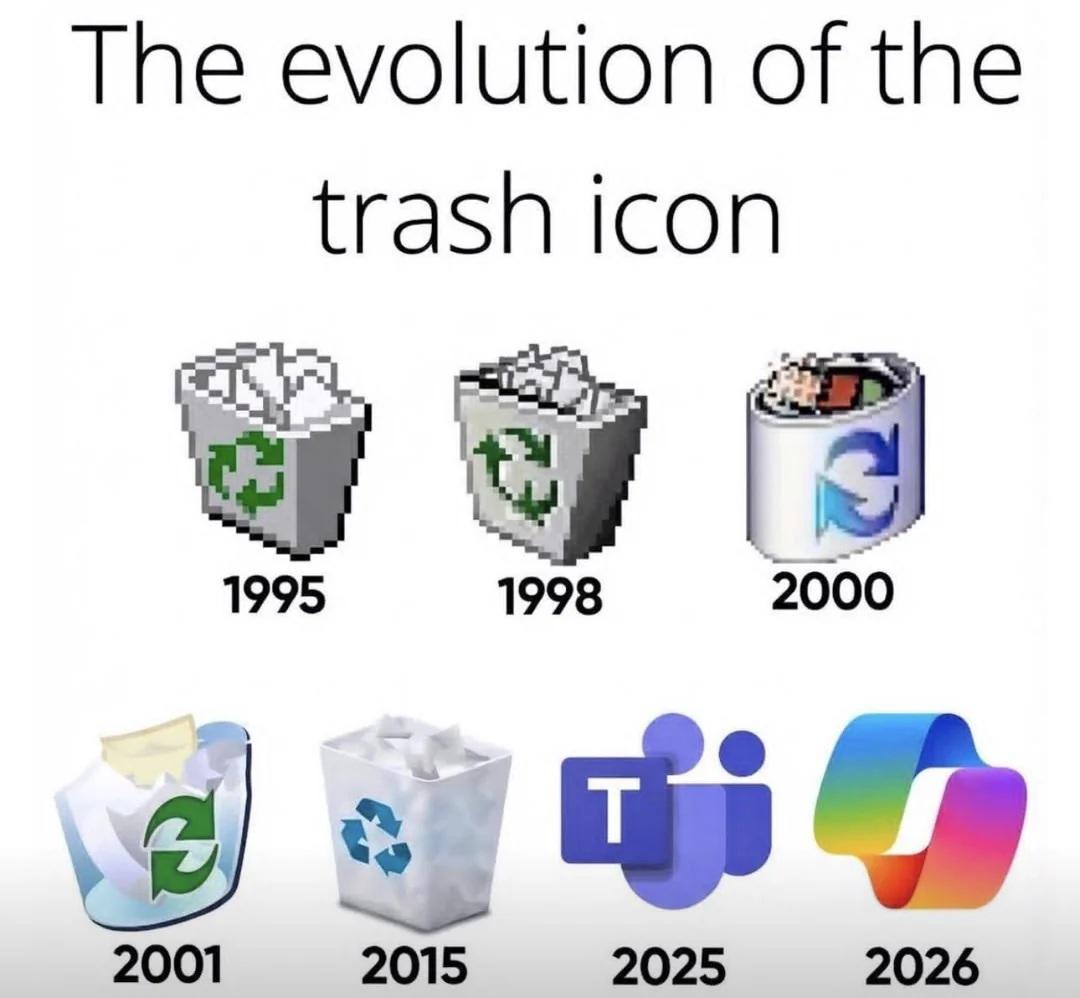
Evolution Of The Trash Icon

Evolution Of The Trash Icon
Started with actual trash cans, gradually refined the design with better graphics and transparency effects, and then by 2023 someone in the design department apparently forgot what a trash can looks like and submitted a gradient blob that could literally be an app for meditation, fitness tracking, or launching nuclear missiles. The real tragedy here is watching Microsoft's icon design team go from "let's make a recognizable trash can" to "what if we made it impossible to identify any icon without hovering over it for the tooltip?" Peak modern UI design: when you need a legend to navigate your own desktop. Fun fact: The 2023 icon has more colors than a pride parade but somehow conveys less information than the 16-color 1995 version. Progress.

How Tf Did They Build This Without Claude?

How Tf Did They Build This Without Claude?
Look at that Windows XP desktop with the alien head UI and Winamp visualizer going full psychedelic. Someone really sat down with Visual Basic or whatever cursed toolkit was popular back then and crafted this masterpiece pixel by pixel. Now we're all out here asking Claude to "make the logo bigger" and "center a div" while developers in the early 2000s were building entire alien-themed media players without autocomplete, Stack Overflow, or an AI to hold their hand. They just had MSDN documentation, determination, and probably way too much Mountain Dew. The real question isn't how they built it—it's how we've regressed to the point where we can't build a contact form without asking an LLM for help three times.

Beelink SER3 Mini PC, AMD Ryzen 3 3200U(14nm, 2C/4T) up to 3.5GHz, Mini Gaming Computer 16GB DDR4 RAM 500GB PCIE3.0 X4 SSD, Micro PC 4K@60Hz Dual Display, Mini Computer WiFi6/BT5.2/HTPC/W-11 Pro

Beelink SER3 Mini PC, AMD Ryzen 3 3200U(14nm, 2C/4T) up to 3.5GHz, Mini Gaming Computer 16GB DDR4 RAM 500GB PCIE3.0 X4 SSD, Micro PC 4K@60Hz Dual Display, Mini Computer WiFi6/BT5.2/HTPC/W-11 Pro
🔥【Excellent Performance】 Beelink SER3 equipped with AMD Ryzen 3 3200U (up to 3.5GHz), which adopts an 2-core/4-thread. The base frequency is 2.6GHz / Max turbo frequency can reach 3.5GHz. Ensure seam…

Latest Xkcd

Latest Xkcd
Genesis gets a modern UX update. God creates light, and immediately someone's asking for dark mode support. Because apparently even divine creation needs to accommodate user preferences. The progression from "let there be light" to blinding radiance to "yeah but what about dark mode tho" perfectly captures the developer mindset: no matter how miraculous the feature, someone will immediately request the inverse functionality. It's like shipping a revolutionary product and the first GitHub issue is "can we have a toggle?" Classic product management nightmare, biblical edition.

Try Not To Laugh

Try Not To Laugh
You spend weeks crafting the perfect user experience with clean navigation, logical flows, and intuitive controls. Then you watch in horror as users find the most creative ways to break your carefully designed interface. That teapot? It's supposed to pour into the cup. But nope, users will tilt their entire head sideways before they figure out the obvious interaction pattern. The eternal struggle: developers think in logic trees and edge cases, while users think in... well, nobody really knows what users think in. They'll ignore your perfectly placed "Click Here" button to somehow right-click the logo seventeen times. You can lead a user to water, but they'll try to drink from the spout while standing on their head. Pro tip: If you think your UI is idiot-proof, the universe will just create a better idiot. Every. Single. Time.

Sorry Microslop

Sorry Microslop
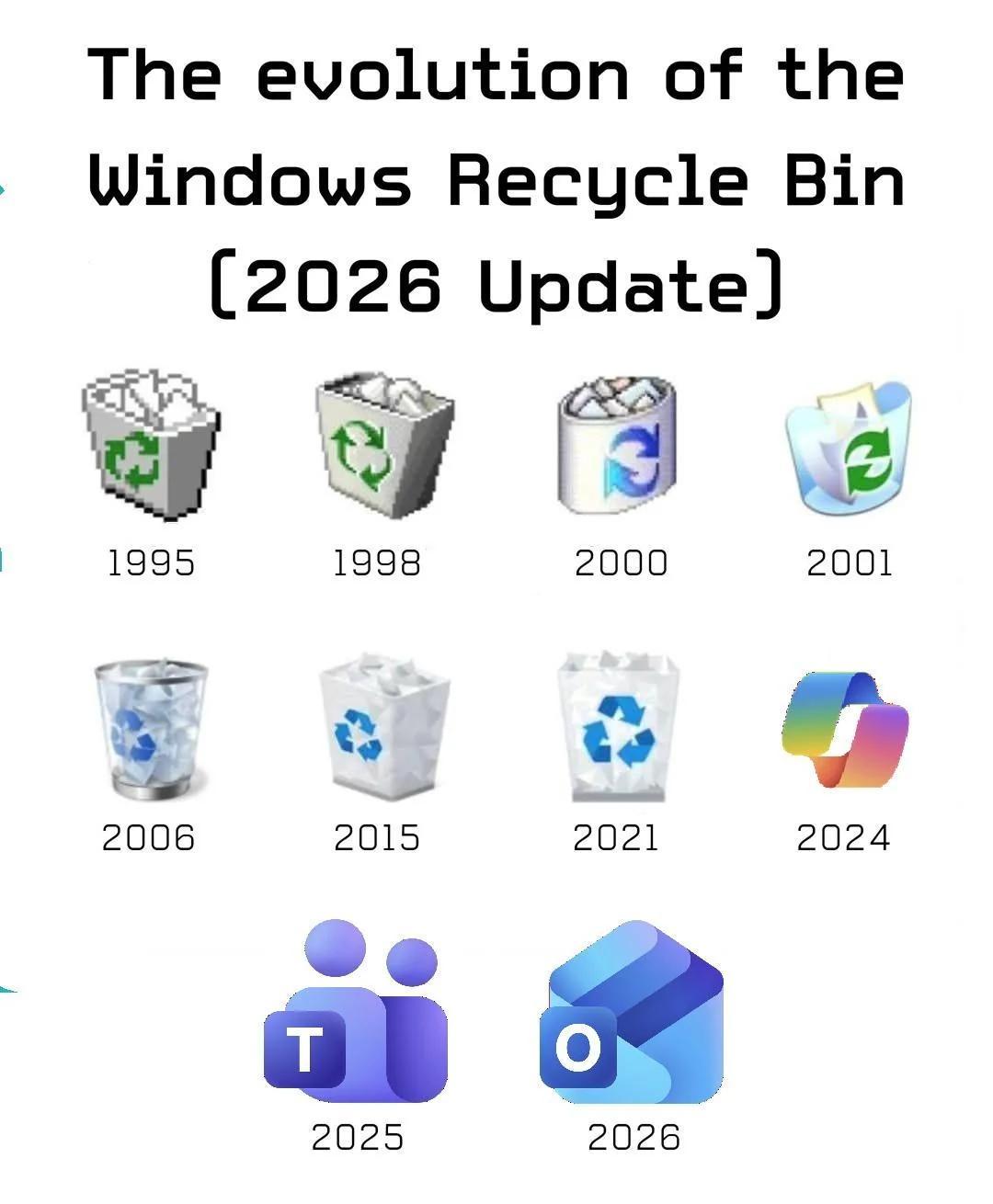
The Windows Recycle Bin icon had a good run from 1995-1998, but then Microsoft decided to use it as a dumping ground for their failed browser experiments. Internet Explorer in 2000? Straight to trash. IE again in 2010? Still trash. Then they pivoted to throwing their entire product lineup in there: Teams in 2016 (because who actually likes using Teams?), Edge in 2020 (Chromium-based redemption arc aside), and apparently by 2026 they're planning to toss in Windows Copilot with that rainbow gradient disaster. The recycle bin has evolved from a simple trash receptacle to a graveyard of Microsoft's "this will definitely work this time" initiatives. At least they're self-aware enough to keep the metaphor consistent.

Zero Packet Loss. Zero Visual Harmony

Zero Packet Loss. Zero Visual Harmony
When your network engineer friend says they can "totally do UI design," you get a building that looks like someone took the OSI model way too literally. Those windows are arranged with the precision of a perfectly routed network topology—functional, efficient, and absolutely soul-crushing to look at. The architect clearly optimized for maximum throughput and minimal latency between floors, but forgot that humans have eyes. It's giving "I organized my CSS with the same energy I use for subnet masks." Every window is perfectly aligned in a grid pattern that screams "I understand packets better than pixels." Somewhere, a frontend developer is crying into their Figma workspace while a network engineer proudly explains how this design achieves 99.99% uptime for natural light distribution.

Traumatic Responsive Design For FE Developers

Traumatic Responsive Design For FE Developers
So someone decided to make a laptop shaped like a circle. Congrats, you just gave every frontend dev PTSD flashbacks. You know those media queries you spent weeks perfecting? The ones that handle desktop, tablet, mobile, and that one weird iPad orientation? Yeah, throw them all in the trash. This monstrosity requires you to calculate CSS for a circular viewport where the corners just... don't exist. Imagine trying to center a div when the screen itself is already centered in the most cursed way possible. Your flexbox is crying. Your grid layout just filed for unemployment. And don't even get me started on how you'd handle text overflow on the edges. The real kicker? Some PM will see this and ask "can we support this in our next sprint?" No, Karen. We cannot.

Apple 2025 MacBook Air 13-inch Laptop with M4 chip: Built for Apple Intelligence, 13.6" Liquid Retina Display, 16GB Unified Memory, 256GB SSD Storage, 12MP Center Stage Camera, Touch ID, Sky Blue

Apple 2025 MacBook Air 13-inch Laptop with M4 chip: Built for Apple Intelligence, 13.6" Liquid Retina Display, 16GB Unified Memory, 256GB SSD Storage, 12MP Center Stage Camera, Touch ID, Sky Blue
SPEED OF LIGHTNESS — MacBook Air with the M4 chip lets you blaze through work and play. With Apple Intelligence,* up to 18 hours of battery life,* and an incredibly portable design, you can take on a…

Like Give Me One Reason I Would Buy It

Like Give Me One Reason I Would Buy It
Someone's showing off a Windows laptop with that gorgeous rainbow wallpaper, asking for reasons NOT to buy it. The frontend dev's response? Pure terror. And honestly, valid. That notch at the top of the screen is the digital equivalent of a design crime scene. Frontend devs already lose sleep over responsive design, cross-browser compatibility, and centering divs. Now imagine having to account for a random chunk of screen real estate that just... doesn't exist. Your carefully crafted header? Bisected. Your navigation bar? Compromised. Your pixel-perfect design? Destroyed by hardware. The notch is basically saying "hey, remember how you spent 3 hours getting that layout perfect? Well, I'm gonna sit right here and ruin it." It's the hardware version of Internet Explorer—something that forces you to write special cases and workarounds that make you question your career choices. MacBook notches were already controversial enough, but at least macOS handles it somewhat gracefully. Windows with a notch is like adding a try-catch block to your HTML—technically possible, but deeply cursed.