Disaster recovery Memes

Posts tagged with Disaster recovery
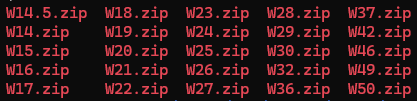
Weekly Backups

Weekly Backups
Oh, the absolute CHAOS of someone who discovered the backup feature and decided to weaponize it against their own sanity! "Weekly" backups? More like "every single day because I have trust issues with my code and honestly, who can blame me?" This is what happens when you don't have version control and your entire disaster recovery plan consists of frantically creating zip files like you're a digital squirrel hoarding nuts for winter. W14 through W50? That's basically the entire year archived in a beautiful monument to paranoia and the complete absence of Git in this person's life. Someone please introduce them to proper version control before they run out of disk space AND their mind! 💀

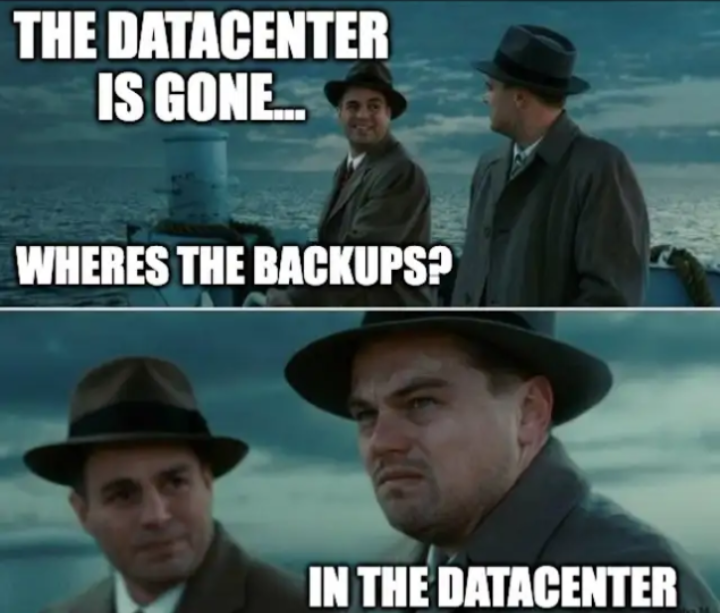
Tell Me You Don't Understand Disaster Recovery Without Telling Me

Tell Me You Don't Understand Disaster Recovery Without Telling Me
Storing your backups in the same physical location as your primary data. That's not disaster recovery, that's just organizing your failure into one convenient location. When that datacenter floods, catches fire, or gets hit by a meteor, at least everything will be destroyed efficiently. It's like keeping your spare tire inside the car that's on fire. The whole point of offsite backups is in the name: off -site. Not same-site, not kinda-nearby-site, but actually-somewhere-else-site. This is why cloud providers have multiple availability zones and why your boss will have multiple heart attacks when they find out about your backup strategy.

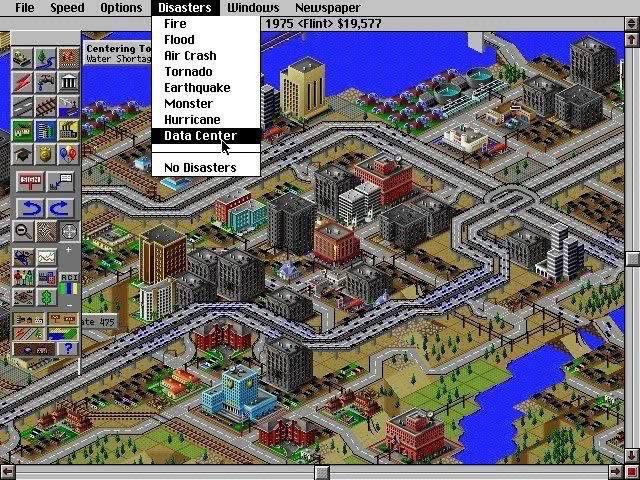
Pick Your Disaster

Pick Your Disaster
Oh look, a dropdown menu offering you EVERY POSSIBLE CATASTROPHE like it's a breakfast buffet! Fire? Flood? Earthquake? Monster?! And there you are, cursor hovering over "Data Center" like the absolute masochist you are. Because why settle for natural disasters when you can experience the soul-crushing horror of production going down at 2 PM on a Friday? The "No Disasters" option sitting RIGHT THERE is basically the game taunting you the same way life taunts developers. Sure, you COULD have a peaceful deployment, but where's the fun in that? Might as well spawn a tornado in your carefully planned city while you're at it—at least that disaster comes with a warning siren instead of just Slack notifications exploding at 200 messages per second. SimCity knew what it was doing when it made disasters a menu option. Because sometimes you just want to watch the world burn... or in this case, watch your entire infrastructure crumble because someone pushed directly to main.

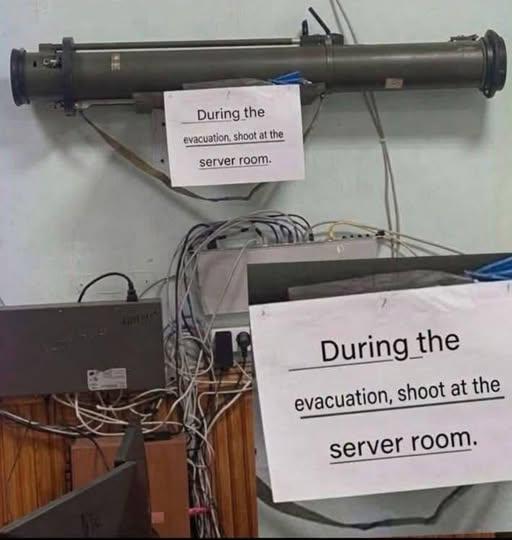
What Data Is That Server Hosting?

What Data Is That Server Hosting?
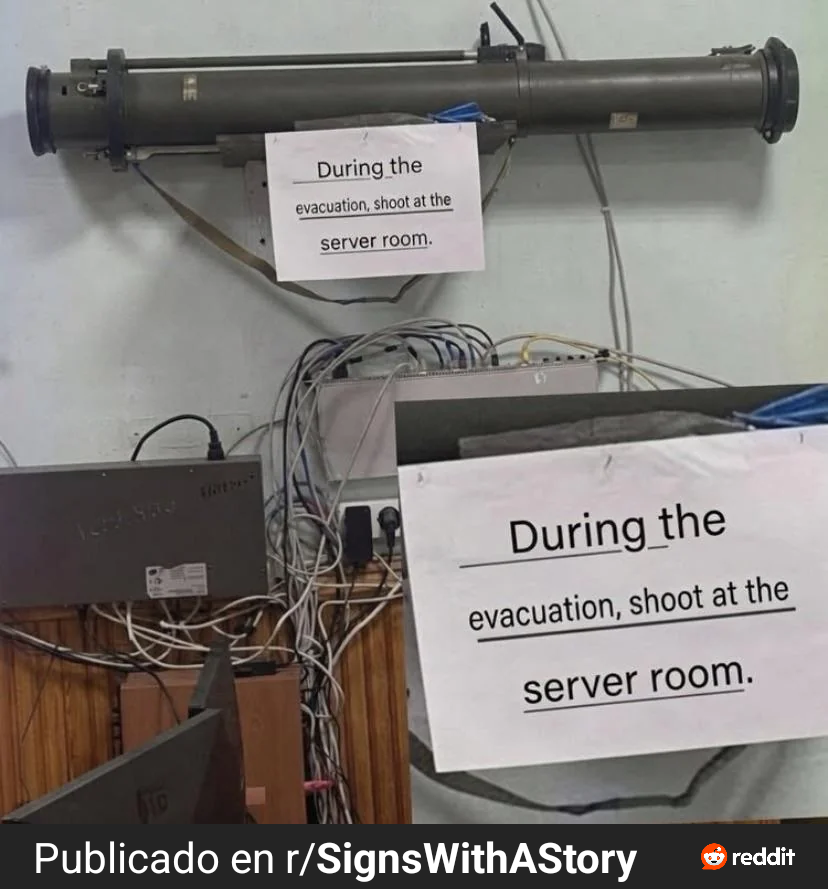
When your server room is protected by a LITERAL ROCKET LAUNCHER, you know someone's running something they REALLY don't want to lose. We're talking either the nuclear launch codes, the world's entire collection of Stack Overflow answers, or—most likely—someone's Minecraft server with three years of builds that have never been backed up. The sign casually suggesting "shoot at the server room during evacuation" is the most unhinged disaster recovery plan I've ever seen. Forget cloud backups and redundancy—just obliterate the evidence and call it a day. This is what happens when your security policy is written by someone who thinks "data destruction" should be taken VERY literally. Plot twist: It's probably just hosting a WordPress blog that gets 5 visitors a month, but someone really wanted to feel important about their infrastructure.

What Could Go Wrong

What Could Go Wrong
Someone mounted a literal rocket launcher above the server room with instructions to "shoot at the server room" during an evacuation. Because apparently, the best disaster recovery plan is to just obliterate everything and start fresh. Forget graceful shutdowns or data backups—just nuke it from orbit. It's the only way to be sure no one steals your production database during the chaos. Plus, you get to file that insurance claim you've been dreaming about since the last deployment disaster. The cable management alone looks like it wants to be put out of its misery anyway. This is either the most aggressive security protocol ever or someone really hates their DevOps team.

NordVPN

NordVPN
Encrypt your traffic on public Wi-Fi, stream from anywhere, and cover up to ten devices with one plan. 30-day money-back guarantee.

It's Been 24 Weeks. Where's My HDD Failure?

It's Been 24 Weeks. Where's My HDD Failure?
S.M.A.R.T. (Self-Monitoring, Analysis and Reporting Technology) is that built-in hard drive diagnostic system that's supposed to warn you about imminent drive failures. The spec says it'll give you at least 24 hours notice before your drive kicks the bucket. But here's the twist: when S.M.A.R.T. actually throws a warning, you better treat it like a bomb countdown timer. "Less than 24 hours" doesn't mean "sometime this week when you feel like it." It means DROP EVERYTHING and start backing up your data RIGHT NOW. The girl's naive optimism—thinking she's got time to casually schedule a replacement—is exactly how people lose years of work, family photos, and that one config file they forgot to commit to git. The guy's horrified expression? That's the face of someone who's learned this lesson the hard way. Fun fact: S.M.A.R.T. has about a 64% accuracy rate for predicting failures, which means there's a solid chance your drive will either fail without warning or keep chugging along for years despite doom-and-gloom predictions. It's basically the weatherman of hardware diagnostics.

Wrong Answers Only

Wrong Answers Only
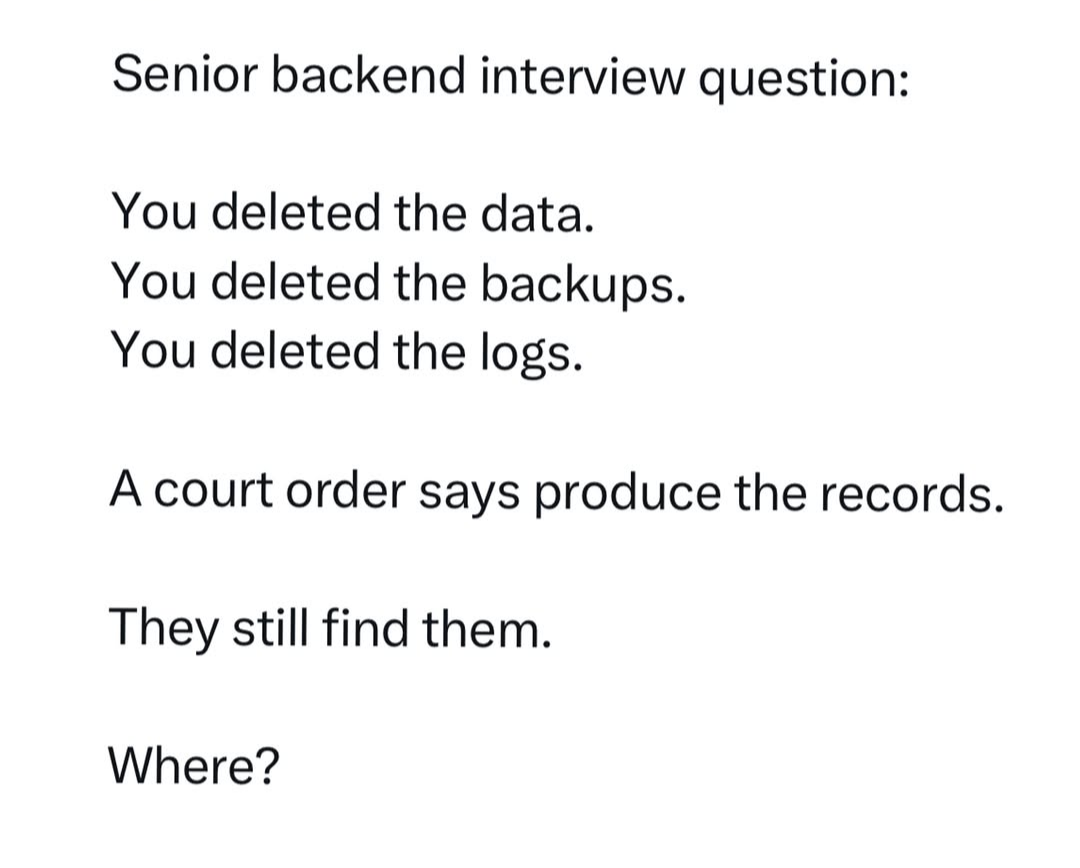
Every senior backend engineer's nightmare scenario, delivered as a casual interview question. You've nuked the data, nuked the backups, nuked the logs that would've helped you figure out what went wrong. Now there's a court order demanding those records, and somehow they still managed to find them. The punchline? That single word "Where?" captures the pure existential dread of realizing your deletion wasn't as permanent as you thought. Maybe it's in some S3 glacier vault you forgot about. Maybe it's in a replica database nobody documented. Maybe it's in that staging environment that accidentally got production data. Or maybe—and this is the real horror—it's in the cloud provider's internal backups that you don't control. The correct answer, of course, is that you can never truly delete anything in production. It's always somewhere. Haunting you. Waiting for a subpoena.

Migration In Progress

Migration In Progress
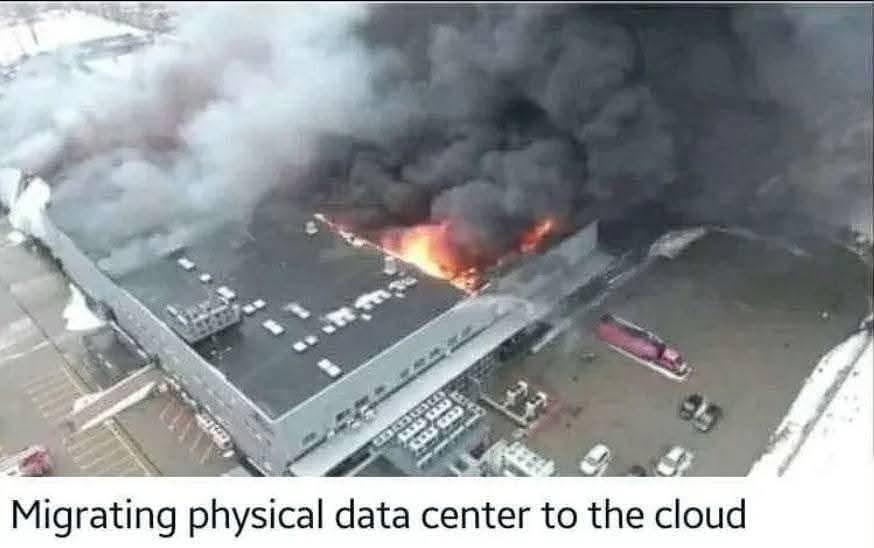
When management said "lift and shift to the cloud," nobody expected it to be quite this literal. Turns out the fastest way to migrate your on-prem infrastructure is just to let it burn to the ground and start fresh in AWS. Sure, you could've spent months planning the migration, setting up VPCs, configuring security groups, and dealing with legacy dependencies. Or you could just... accelerate the timeline with a little help from the fire department. Insurance covers cloud migrations, right? The real question is whether they remembered to backup before the "migration" started. Spoiler alert: they probably didn't.

My Currently Non Technical Mom Is Learning Robotics

My Currently Non Technical Mom Is Learning Robotics
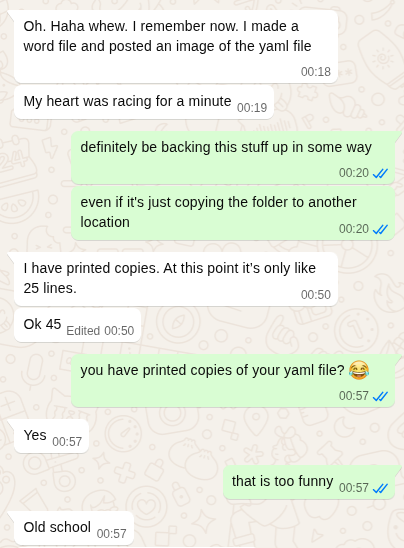
Mom's learning robotics and has already discovered the most sacred developer ritual: paranoid version control before version control even existed. She's backing up her YAML file by... copying the folder to another location and printing physical copies. 25 lines. Printed. On paper. The kid finds this hilarious and calls it "old school," but honestly? Mom's implementing the grandfather-father-son backup strategy without even knowing it. She's got digital copies AND physical disaster recovery. Meanwhile, half of us have lost production code because we forgot to commit before force-pushing. The real kicker is that she's treating a 45-line YAML config file like it's the Declaration of Independence. But you know what? She'll never experience that cold sweat moment when you realize you just overwrote your only copy. Mom's playing 4D chess while we're all living one "git push --force" away from a mental breakdown.

LinkedIn Translator

LinkedIn Translator
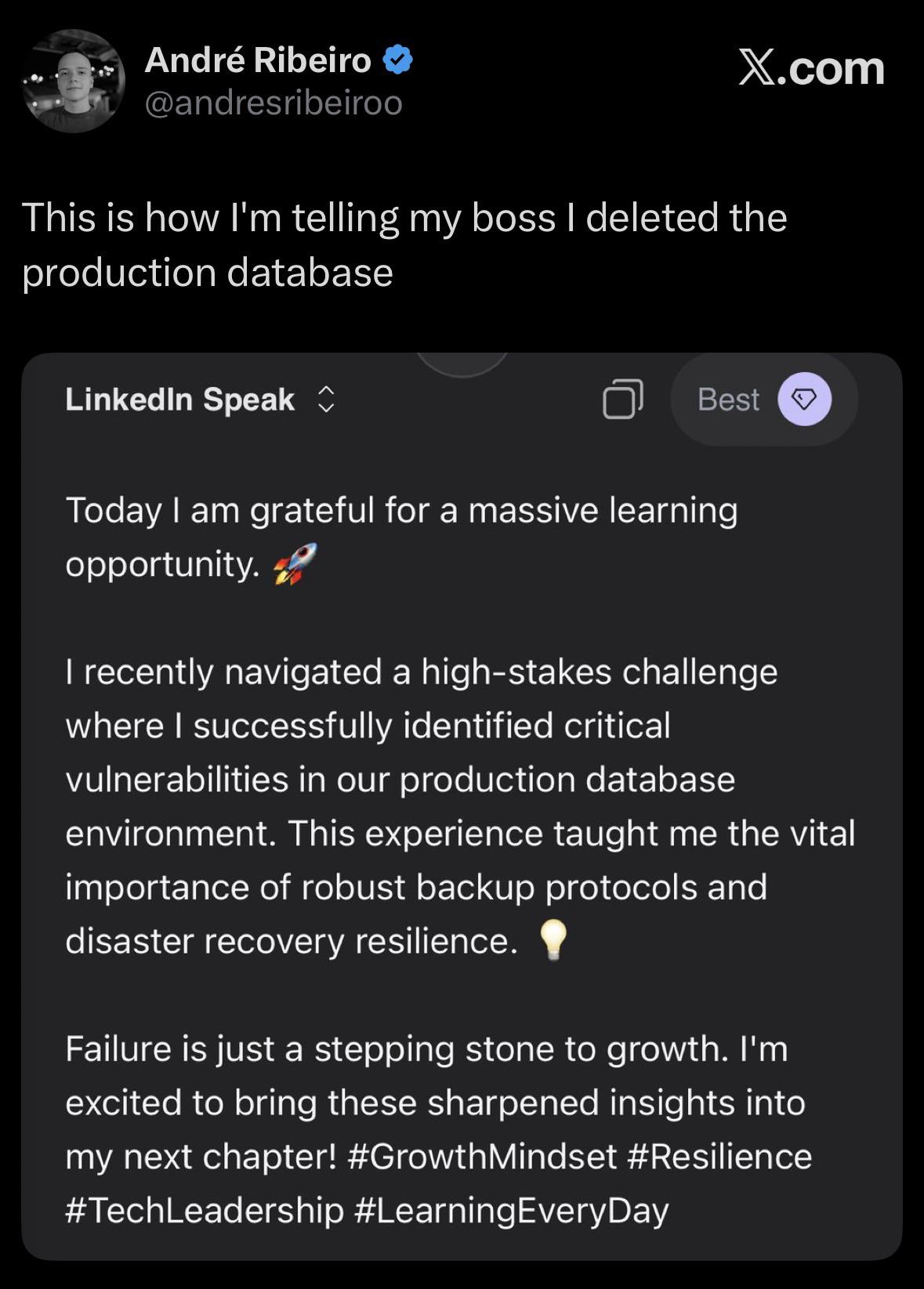
Someone dropped the production database and now they're writing their LinkedIn post like they just discovered penicillin. "Massive learning opportunity" = catastrophic failure. "High-stakes challenge" = panic attack in the server room. "Successfully identified critical vulnerabilities" = I pressed DELETE and watched my career flash before my eyes. "Robust backup protocols" = we didn't have backups and I'm currently updating my resume. The corporate speak translator is working overtime here. Nothing says "growth mindset" quite like explaining to your boss why the entire customer database is now in the void. The rocket emoji really sells the upward trajectory—straight into unemployment. At least they learned about disaster recovery. The hard way. The only way that matters.

"Modern" Problems Require Modern Solutions

"Modern" Problems Require Modern Solutions
Someone literally taped a floppy disk labeled "System Restore Disk Do not erase" to their fridge like it's a grocery list. Because nothing says "disaster recovery plan" quite like storing your critical system backup next to expired yogurt and pizza coupons. The irony here is beautiful. This person is using 1.44MB of ancient storage technology as their safety net while probably running a multi-terabyte system. That's like bringing a squirt gun to fight a forest fire. But hey, at least they labeled it "Do not erase" – because accidentally reformatting a floppy disk was definitely the biggest threat to data integrity in 1995. The fridge magnet approach to backup strategy is honestly peak IT department energy. No cloud storage, no RAID arrays, no off-site backups – just vibes and a piece of plastic that's been obsolete since before smartphones existed.

Apple 2024 Mac Mini with Apple M4 Chip with 10-Core CPU, 16GB RAM, 256GB SSD Storage, Silver (Renewed)

Apple 2024 Mac Mini with Apple M4 Chip with 10-Core CPU, 16GB RAM, 256GB SSD Storage, Silver (Renewed)
LOOKS SMALL, LIVES LARGE

Backups

Backups
You know that warm fuzzy feeling you get after setting up your backup system? Yeah, that's false confidence. Your backup exists in a quantum superposition of "working" and "completely useless" until you actually try to restore from it—and spoiler alert, most people discover it's the latter AFTER their production database goes up in flames. Until you've tested that restore, you're basically just paying cloud storage fees to feel better about yourself. It's like buying insurance but never reading the policy—sure, the paperwork exists, but will it actually save you when disaster strikes? Probably not. Test your backups, people, or you're just hoarding expensive digital anxiety.