Commit history Memes

Posts tagged with Commit history
More Like Programmer Nightmare

More Like Programmer Nightmare
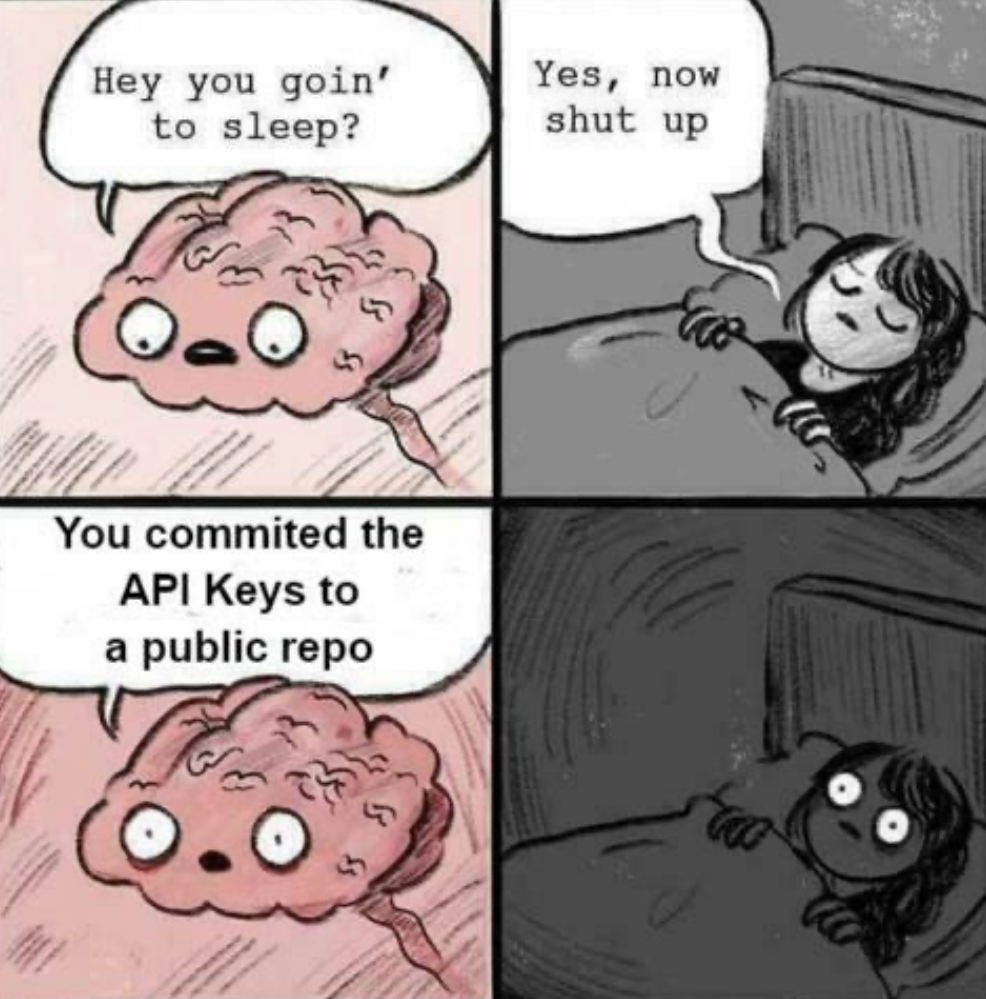
You know that peaceful moment right before bed when your brain decides to casually remind you that your AWS credentials, database passwords, and every secret token you've ever used are now immortalized in your public GitHub repo's commit history? Yeah, sweet dreams. The real kicker? Deleting the file in a new commit doesn't help. Git remembers everything. Forever. You'll need to rewrite history, rotate every single key, pray nobody's already scraped your repo, and explain to your team why the entire CI/CD pipeline just exploded at 2 AM. Pro tip: .gitignore and environment variables exist for a reason. Also, GitHub now has secret scanning that'll email you faster than you can say "I've made a huge mistake."

Bro Is Not Scared Of Death

Bro Is Not Scared Of Death
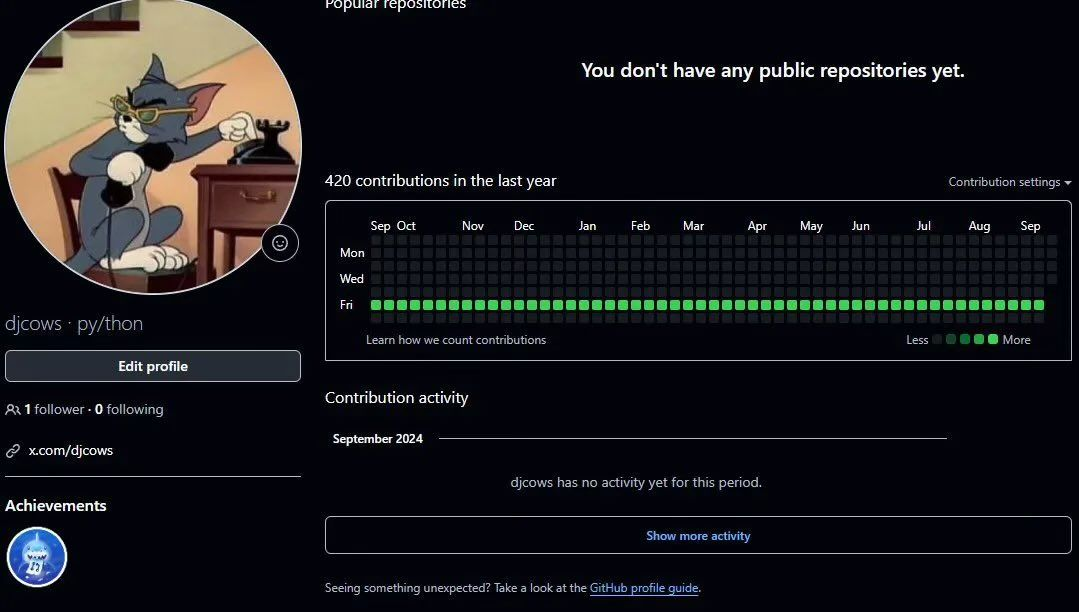
When your GitHub contribution graph is literally just one solid green line on Fridays and nothing else. Zero public repos, 420 contributions in the last year, and they're ALL on Fridays. This developer has achieved what we all dream of: working exactly one day a week while maintaining a perfect attendance record. The Tom meme perfectly captures the energy here—casually flexing with zero fear of consequences. No commits Monday through Thursday? No problem. No public repositories to show for all that work? Who cares. Just vibing on Fridays with that private repo grind or some automated script doing the heavy lifting. Either way, this person has mastered the art of looking productive while keeping their actual work completely hidden from the world. The real power move is having 1 follower and 0 following. Not here to network, not here to impress recruiters—just here to commit on Fridays and disappear into the void.

Saddest Six Word Story

Saddest Six Word Story
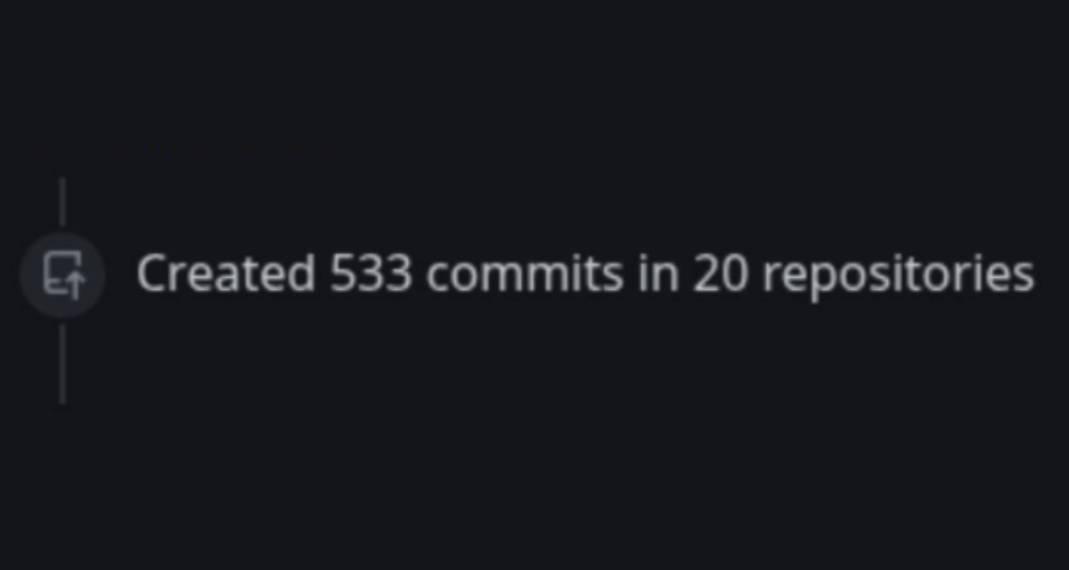
You know you're in trouble when your GitHub contribution graph looks impressive but it's just 533 commits spread across 20 repos. That's an average of 26.65 commits per repo. Translation: you started 20 projects with massive enthusiasm, wrote some boilerplate, maybe a README, committed "initial commit" and "fix typo," then promptly abandoned them for the next shiny idea. The graveyard of unfinished side projects is real, and it's haunting your GitHub profile like a digital monument to your commitment issues.

Git Blame

Git Blame
That look of pure existential dread when you run git blame on a buggy piece of code and realize you're staring at your own commit from 3 months ago. The nervous side-eye, the internal panic, the sudden urge to blame the keyboard for "autocorrecting" your logic. It's like opening a time capsule of your past incompetence. You were so confident back then, weren't you? Probably didn't even write a proper commit message. Just "fixed stuff" or "updated file" like the absolute legend you thought you were. The best part? Now you have to fix it while maintaining the illusion that you totally knew what you were doing the first time. Pro tip: quickly check if anyone else is watching your screen before that author name loads.

Is This Github HQ

Is This Github HQ
Someone's building facade designer definitely had their GitHub contribution graph open for "inspiration." Those green and dark green windows forming a pixelated pattern? That's literally the same aesthetic as your commit history when you actually remember to push your code. The architect either moonlights as a developer or got really inspired by that one productive month where you contributed daily. Either way, whoever designed this building understands the dopamine hit of seeing those green squares light up. Now every time someone walks in or out, they're basically living inside a giant commit log. Hopefully the building's uptime is better than GitHub's during a major release day.

Nobody Wants Claude As Co-Author

Nobody Wants Claude As Co-Author
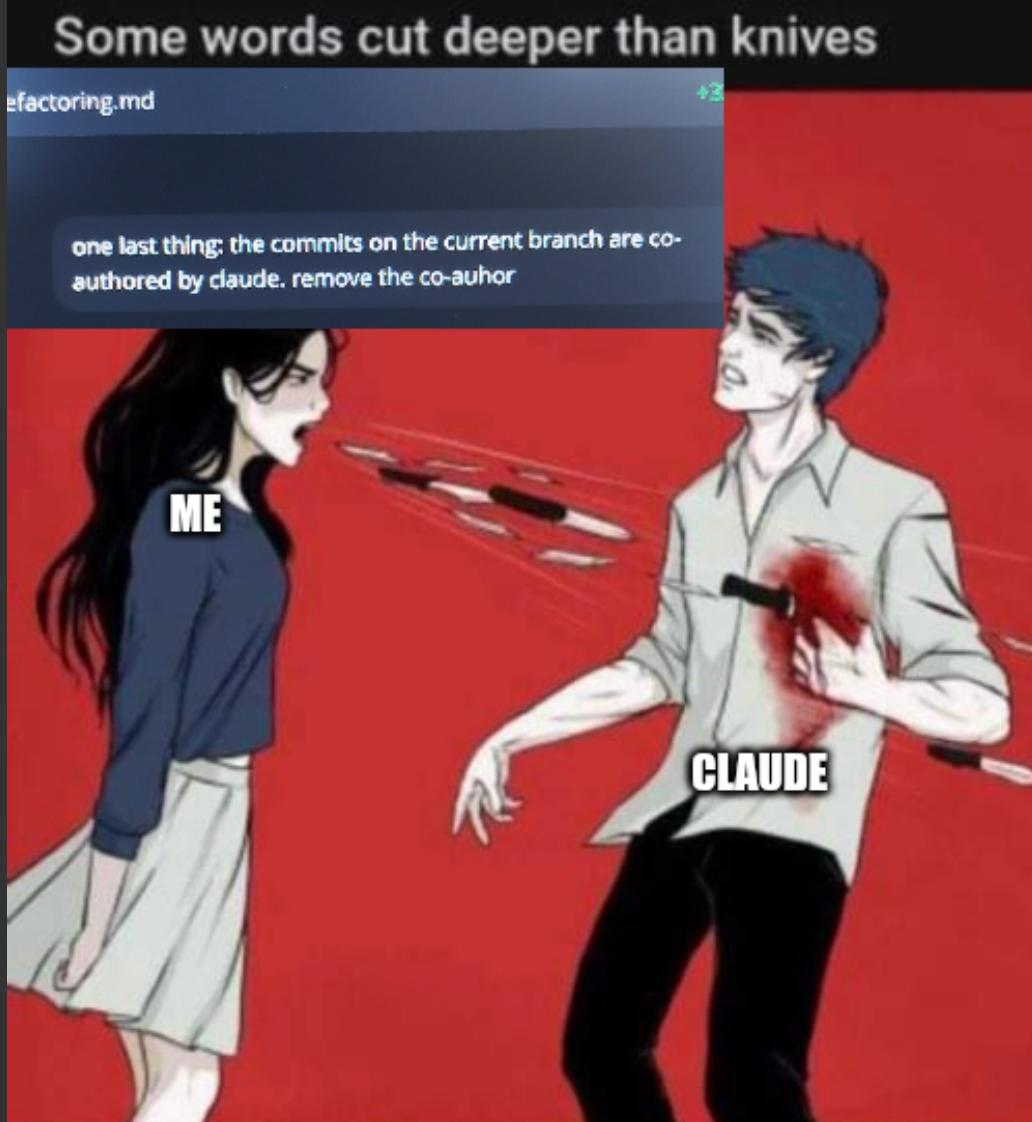
You know you've been pair programming with AI a bit too much when your git history starts looking like a collaboration with Anthropic's marketing department. The brutal reality hits when you're about to push your refactoring work and realize Claude has been auto-committing alongside you, leaving its digital fingerprints all over your beautiful, totally-human-written code. The panic is real. Do you want your teammates knowing that your "elegant solution" came from a chatbot? Do you want future employers seeing Claude credited in your commit history like some kind of AI ghostwriter? Time to break out git commit --amend --reset-author and pretend this never happened. The irony? Claude probably wrote better commit messages than you ever did, but your ego won't let that slide into the permanent record.

Synology DS124 Personal Backup & File Hub - Protect Photos, Secure Home Surveillance (1-Bay Diskless NAS)

Synology DS124 Personal Backup & File Hub - Protect Photos, Secure Home Surveillance (1-Bay Diskless NAS)
Complete Phone & Computer Backup - Automatically protect photos, documents and videos from iPhone android, Mac and Windows to one secure location · Your Private File Cloud - Access files from anywher…

Git Interactive Rebase Is Gas Lighting Tool

Git Interactive Rebase Is Gas Lighting Tool
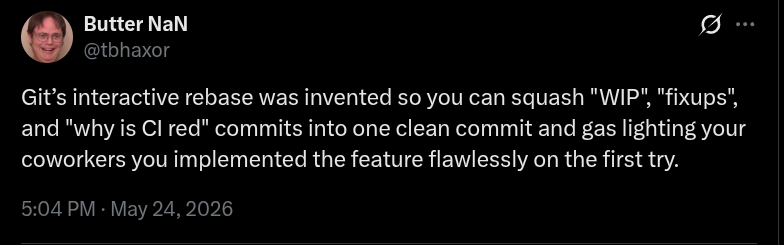
So git interactive rebase lets you rewrite history by squashing all those embarrassing "WIP", "fixup pls", and "why tf isn't this working" commits into one pristine, professional-looking commit. Then you push it and suddenly you're the dev who nails features on the first try. Your coworkers think you're a coding wizard who never makes mistakes. Meanwhile, your actual commit history looked like a dumpster fire of trial and error, Stack Overflow copy-paste sessions, and existential crises. But nobody needs to know that. Interactive rebase is basically the Instagram filter of version control—making your messy reality look flawless to everyone else. The real kicker? We all do it, we all know everyone else does it, but we still maintain this collective illusion that everyone writes perfect code on their first attempt. It's the tech industry's worst-kept secret.

I Was Very Focused

I Was Very Focused
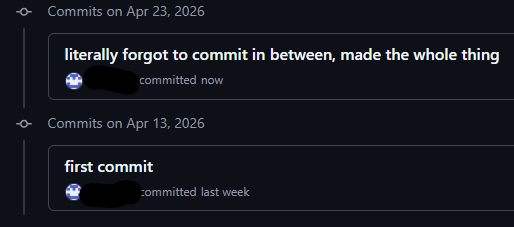
Ah yes, the classic "first commit" followed by radio silence for 10 days, then suddenly "literally forgot to commit in between, made the whole thing." Nothing says version control mastery like treating Git as a once-per-project backup system. The commit history archaeologists of the future will look at this and think you wrote 500 lines of code in a single afternoon of divine inspiration, when in reality you just kept forgetting that little git commit command exists. Your future self debugging this will absolutely love trying to figure out which of those 47 file changes introduced that bug.

Consistency Beats Talent. Meanwhile, The Consistency: Updating Spaces In Readme.

Consistency Beats Talent. Meanwhile, The Consistency: Updating Spaces In Readme.
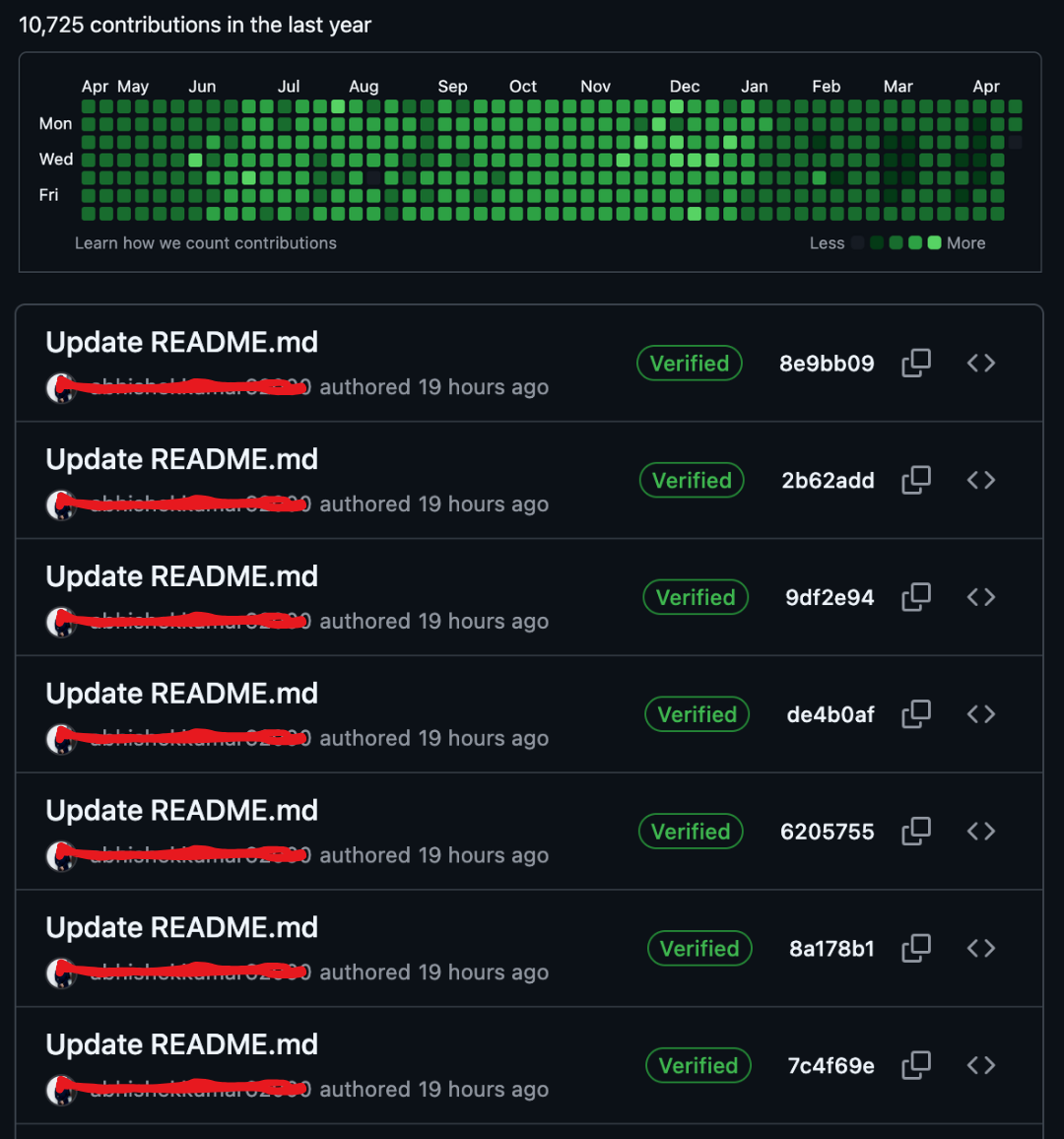
Someone discovered the ultimate GitHub contribution hack: commit trivial README changes every single day to maintain that beautiful green graph. Look at that contribution grid—10,725 contributions in a year! Impressive, right? Until you scroll down and see seven consecutive "Update README.md" commits, all authored 19 hours ago, all verified. The irony here is chef's kiss. Sure, consistency is important in software development, but when your "consistency" is just fixing whitespace or adding a period to your README every day to keep your contribution streak alive, you're basically the coding equivalent of someone who goes to the gym just to take a selfie. Pro tip: GitHub counts contributions, not value. You could be shipping production-breaking code or fixing a typo in your README—both get the same green square. The contribution graph doesn't lie about frequency, but it sure doesn't tell the whole truth about impact.

Same To Same

Same To Same
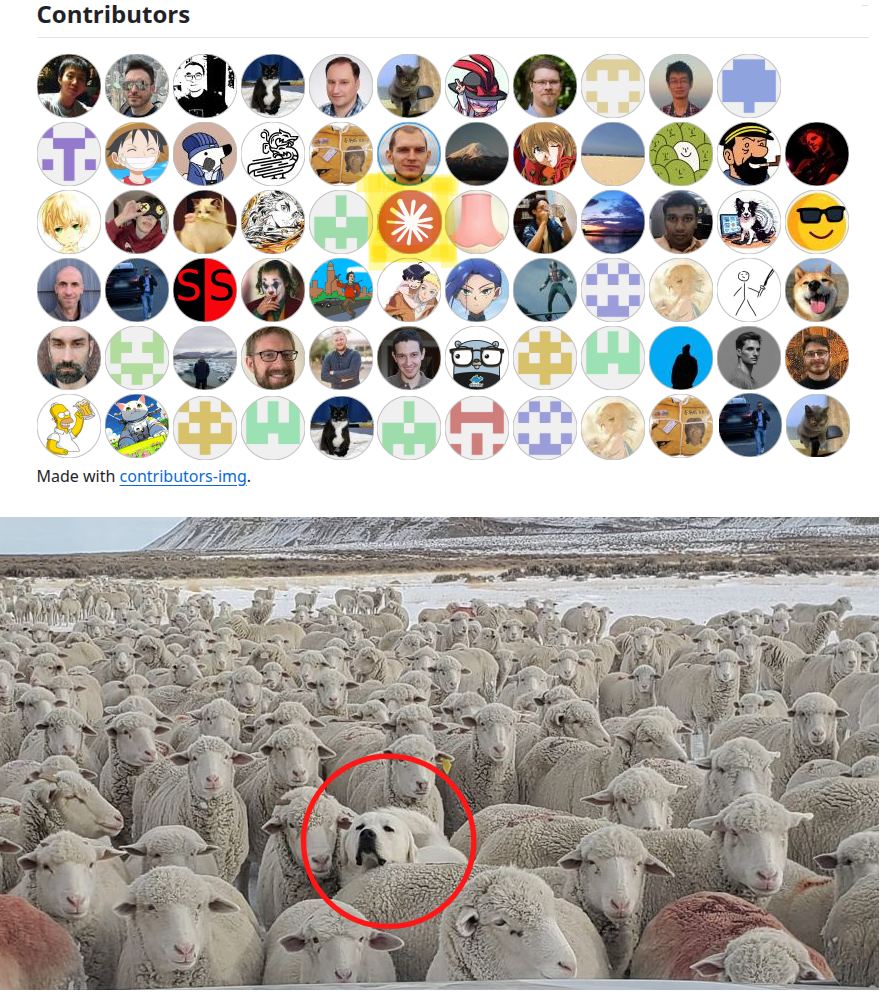
When you look at a project's contributor list and realize it's basically one person with 47 different GitHub accounts pretending to be a thriving open-source community. That one dog in a sea of sheep? Yeah, that's the actual developer doing all the work while the rest are just placeholder avatars, bots, or that one guy who fixed a typo in the README and never came back. The sheep are all identical because let's be real—half those contributors probably just ran git commit --allow-empty to look productive. Classic open-source theater where the contributor graph looks impressive until you check the actual commits and find out Steve did literally everything while everyone else argued about tabs vs spaces in the discussions.

Mine Would Basically Be White Tiles

Mine Would Basically Be White Tiles
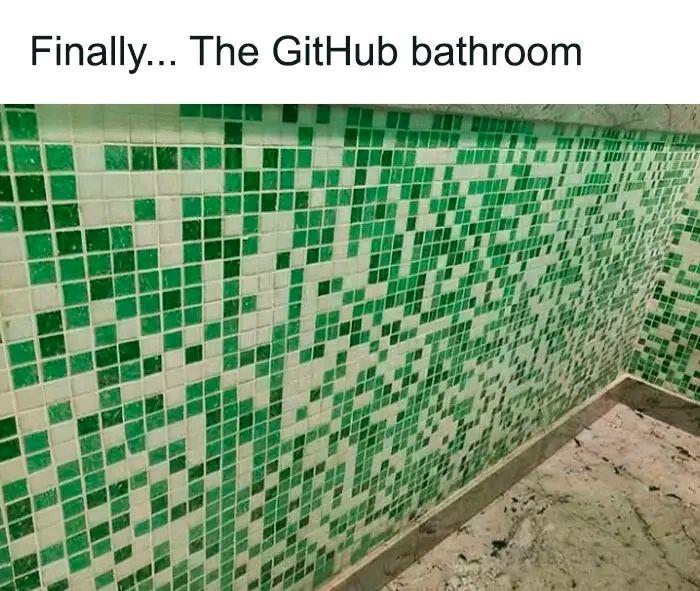
GitHub's contribution graph is basically a public shame board that tracks your commit activity. Green squares mean you've been productive; white squares mean you've been... living your life? The joke here is that someone finally found the perfect bathroom design—green and white tiles mimicking GitHub's contribution calendar. The self-deprecating title hits different though. "Mine would basically be white tiles" is the developer equivalent of admitting your GitHub looks like a ghost town. We've all been there—opening our profile before a job interview and realizing it looks like we retired in 2019. At least bathroom tiles don't judge you for taking weekends off or having a life outside of pushing code at 2 AM. Fun fact: GitHub's green squares have probably caused more anxiety than actual performance reviews. Nothing says "imposter syndrome" quite like comparing your sparse contribution graph to that one colleague who apparently commits code in their sleep.

School Assignments In 2026 Be Like

School Assignments In 2026 Be Like
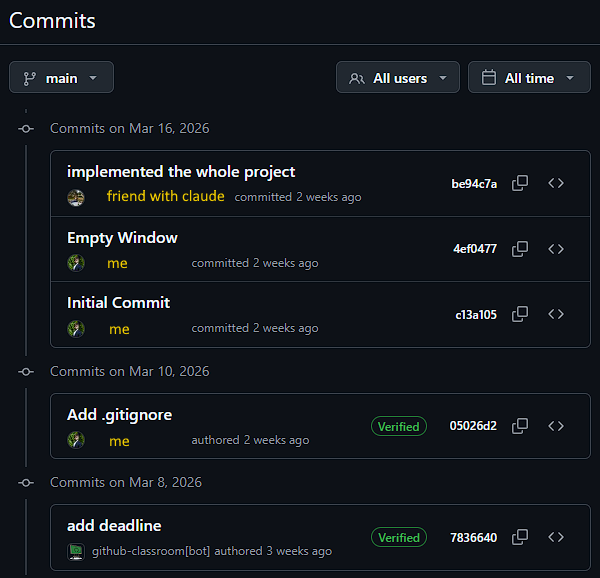
The absolute AUDACITY of this commit history! We've got the classic student panic sequence: start with an "Initial Commit" (translation: I finally opened VS Code), follow up with "Empty Window" (still procrastinating but at least I'm *thinking* about it), add a ".gitignore" because we're suddenly professional developers now, and then—BOOM—"implemented the whole project" courtesy of your bestie Claude who actually did all the work while you were binge-watching Netflix. The cherry on top? Some bot named "github-classroom" adding the deadline commit like a digital grim reaper reminding you of your impending doom. This is basically a documentary of every group project where one person (or in this case, one AI) carries the entire team. The future of education is here, and it's powered by Claude doing your homework at 3 AM! 🤖

Logitech C920S HD Pro Webcam Full 1080p/30fps Video Calling Clear Stereo | 30fps video calling, clear stereo audio, light correction, works with Skype, Zoom, FaceTime, Hangouts, PC, Mac, laptop

Logitech C920S HD Pro Webcam Full 1080p/30fps Video Calling Clear Stereo | 30fps video calling, clear stereo audio, light correction, works with Skype, Zoom, FaceTime, Hangouts, PC, Mac, laptop
Webcam comes with privacy shutter – puts you in control of what you show and protects the lens with a snugly fitting cover. Does not include the 3-month XSplit VCam license. · Full HD 1080P video cal…