


System-resources Memes

Posts tagged with System-resources

Y'All Gonna Die For Some Ram?

Y'All Gonna Die For Some Ram?
When your operating system asks if you're willing to sacrifice processes for a few megabytes of RAM, and your Chrome browser with 47 tabs responds with "come and take it." The Linux OOM killer doesn't negotiate—it just shows up at 3 AM when you're running that Docker container you forgot about and starts executing processes like it's the Wild West. Your browser tabs think they're invincible until suddenly they're not. Fun fact: The Out-Of-Memory killer uses a scoring system to decide which process dies first, and spoiler alert—your IDE with 12 projects open is usually first in line for the guillotine.

Seize The Means Of Ram Production

Seize The Means Of Ram Production
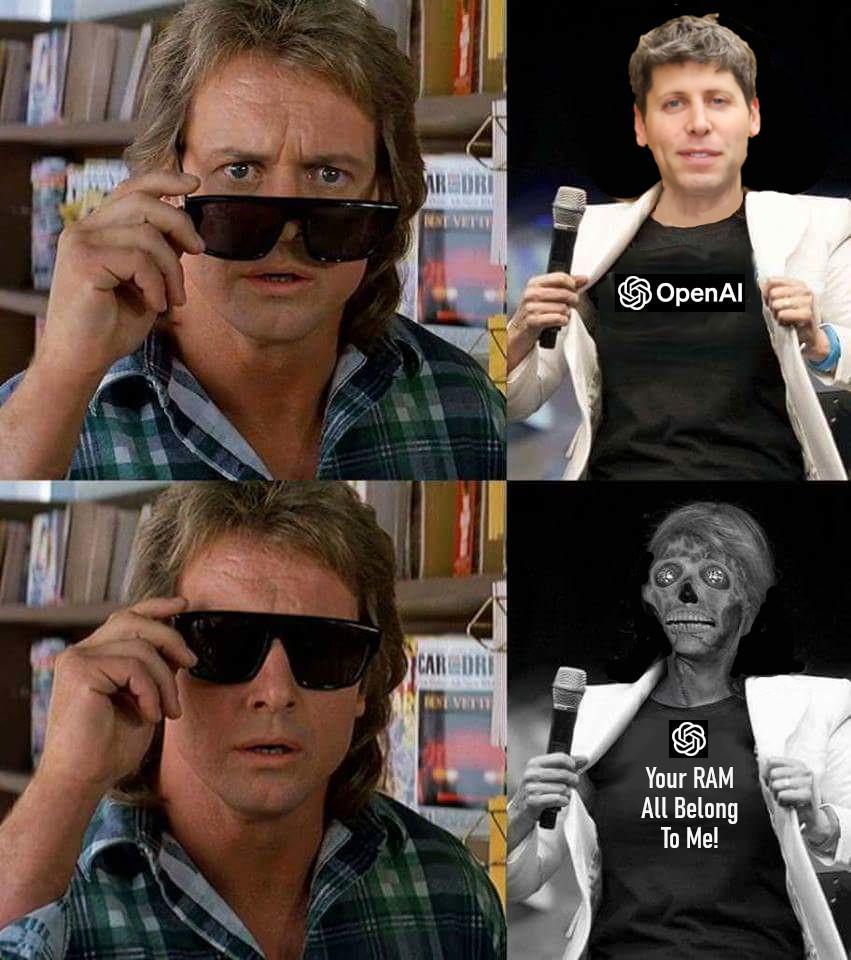
So OpenAI just casually decided that your 32GB of RAM? Yeah, that's theirs now. The absolute AUDACITY of these AI models showing up to your machine like they own the place, immediately consuming every last byte of memory like a digital vacuum cleaner on steroids. You boot up your fancy new AI tool thinking you'll do some light experimentation, and suddenly your computer sounds like it's preparing for takeoff while your RAM usage shoots to 99%. Chrome tabs? Closed. Your IDE? Frozen. Your dignity? Gone. The AI has become the landlord and you're just a tenant in your own hardware. The skeleton transformation is TOO accurate—that's literally your PC after running one GPT model locally. RIP to everyone who thought 16GB would be enough in 2024. Spoiler alert: it wasn't even enough in 2020.

It's My 8 GB RAM Stick

It's My 8 GB RAM Stick
When you're running Chrome with 47 tabs open, Slack, Discord, VS Code, Docker, Spotify, and somehow your OS still wants more memory. That single 8GB RAM stick is out here fighting for its life like a Spartan warrior against the entire Persian army of memory-hungry applications. The "ΜΟΛΩΝ ΛΑΒΕ" (Molon Labe - "Come and take them") reference is chef's kiss here. It's the legendary phrase King Leonidas said when the Persians demanded the Spartans surrender their weapons. Your RAM stick is basically saying the same thing to all those apps trying to claim more memory: "You want my precious gigabytes? Come and pry them from my cold, overheated circuits." Spoiler alert: Chrome will absolutely take them. All of them. And then ask for more.

Cake Allocation Fault

Cake Allocation Fault
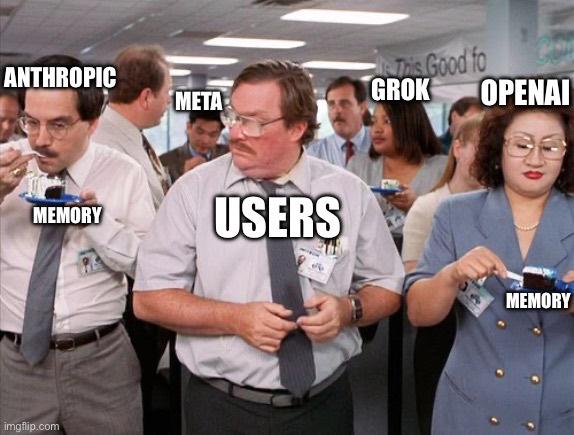
Picture the absolute CHAOS of a tech company birthday party where everyone's fighting over the last slice of cake, except it's actually your RAM getting absolutely demolished by every app you've ever opened. The users (you, me, everyone) are just innocently sitting there clicking buttons while ANTHROPIC, META, GROK, and OPENAI are literally WRESTLING each other for every last byte of memory like it's Black Friday at Best Buy. Meanwhile, "Memory" is standing there with the cake looking absolutely DONE with everyone's nonsense. The title is *chef's kiss* because it's a play on "segmentation fault" - that beautiful error message you get when your program tries to access memory it shouldn't. But instead of a crash, we're just watching AI giants duke it out for your precious 16GB of RAM while Chrome tabs laugh maniacally in the background. Spoiler alert: there's never enough cake (or memory) to go around. 🎂💀

Keychron C2 Full Size 104 Keys Wired Mechanical Gaming Keyboard for Mac Layout, Gateron G Pro Brown Switch/White LED Backlight/Double Shot ABS Keycaps/USB C Computer Keyboard for Windows Laptop

Keychron C2 Full Size 104 Keys Wired Mechanical Gaming Keyboard for Mac Layout, Gateron G Pro Brown Switch/White LED Backlight/Double Shot ABS Keycaps/USB C Computer Keyboard for Windows Laptop
The Keychron C2 is a full size (with number pad) white LED backlight wired mechanical keyboard made for Mac and Windows. The C2 is crafted to maximize your productivity. · With a layout optimized for…

Waiting For The Knock

Waiting For The Knock
Running Chrome with 47 tabs open while compiling code, streaming music, and having Docker containers running in the background? That's not 16GB of RAM usage, that's a hostage situation. The system monitor shows your RAM at 15.8GB and you're sweating like someone who just pushed to production on a Friday afternoon. Every new tab is a gamble. Every npm install is Russian roulette. You know the OOM killer is lurking somewhere in kernel space, ready to execute your most important process without trial or mercy. But sure, 16GB is "plenty for development work" they said in 2018.

Page Thrasher

Page Thrasher
When your working set is larger than your RAM, the OS becomes a sadistic game show host playing "Musical Memory Pages" with your poor application. You're frantically requesting the same pages over and over, and the OS is just yeeting them in and out of RAM like it's training for the Memory Olympics. The result? PAGE IN. EVICT. REPEAT. Your disk is spinning faster than a fidget spinner in 2017, your CPU is crying, and your program that should've taken 5 seconds is now entering its third hour of existence. Welcome to thrashing hell, where performance goes to die and your SSD ages 10 years in 10 minutes. Fun fact: Page thrashing can slow down your system by 100x or more because disk I/O is THOUSANDS of times slower than RAM access. It's like replacing a Ferrari with a horse-drawn carriage and wondering why you're late to work.

POV: 16 GB RAM In 2026

POV: 16 GB RAM In 2026
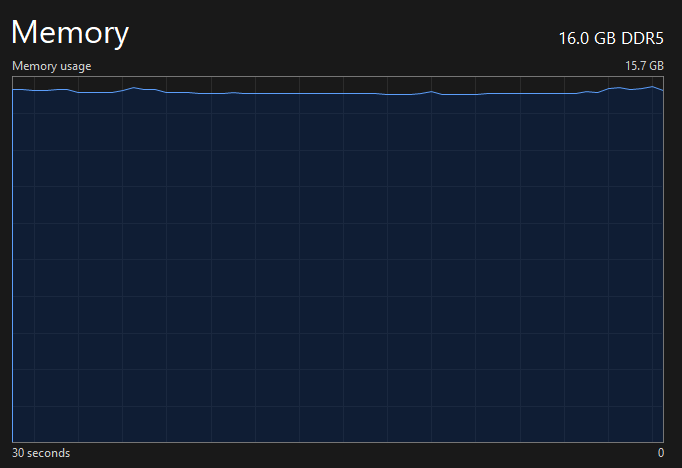
You've got 16 GB of RAM and somehow 15.7 GB is already spoken for before you even open Chrome. Just sitting there at idle, breathing heavily like it just ran a marathon. By 2026, apparently having 16 GB will be like showing up to a gunfight with a butter knife. Your OS alone will probably need 12 GB just to display the wallpaper, and don't even think about opening Slack or Teams. Those apps will take one look at your remaining 300 MB and laugh. Remember when 4 GB felt like luxury? Yeah, those were simpler times. Now Electron apps are out here treating RAM like it's free real estate, and every background process thinks it's the main character. The future is now, and it's extremely memory-hungry.

I Closed Browser Window To Free RAM

I Closed Browser Window To Free RAM
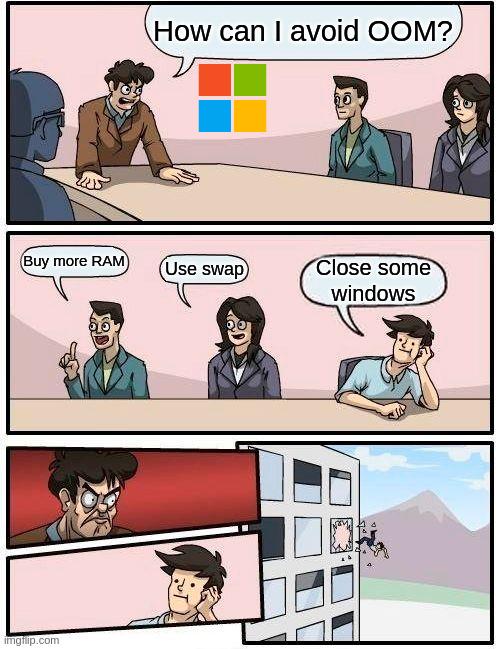
The boardroom meeting at Microsoft HQ where someone asks how to avoid OOM (Out Of Memory) errors. Three reasonable suggestions: buy more RAM (the capitalist solution), use swap (the Linux nerd's answer), or close some windows (the sensible approach). But then there's that one genius who suggests closing browser windows to free RAM, and gets immediately defenestrated—literally thrown out of the building. The irony? That's actually the correct answer. Modern browsers, especially Chrome, are notorious RAM hogs that can easily consume 8GB+ with just a few tabs open. Each tab spawns its own process, and before you know it, you're running a distributed system just to keep your email and Stack Overflow tabs alive. Closing browser tabs is genuinely one of the most effective ways to reclaim memory on a modern system. The guy who got thrown out was the only one speaking truth to power. Fun fact: Chrome's multi-process architecture was revolutionary for security and stability, but it turned browsers into memory-eating monsters. Firefox tried to shame them with less RAM usage, but eventually adopted similar architecture because, well, it works.

Kirby Npm Run

Kirby Npm Run
Just Kirby casually devouring your entire system resources like they're a light snack. Running a simple dev server? Cool, let me just spin up 47 webpack processes, compile TypeScript for the 800th time today, and launch enough Node instances to make your laptop sound like it's preparing for takeoff. The best part? You're literally just running a "Hello World" React app. But sure, let's consume 4GB of RAM and max out all CPU cores because apparently that's what it takes to hot-reload a button color change in 2024. Your fans spinning at jet-engine RPM? That's just the sound of modern web development, baby.

No He Did Not

No He Did Not
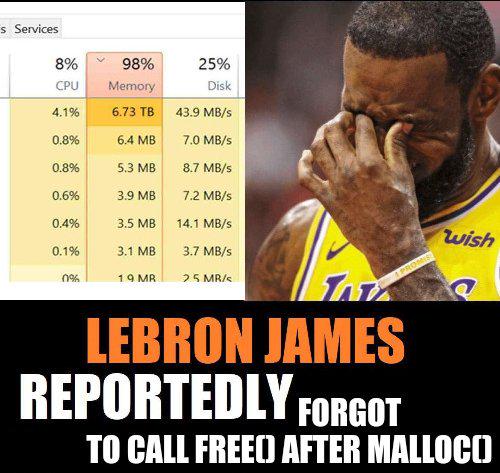
You know you've reached peak developer horror when you see 98% memory usage and 6.73 TB of RAM being consumed. That's not a memory leak anymore—that's a memory flood . Someone definitely forgot to call free() after their malloc() in C, and now the server is crying harder than LeBron in this photo. For context, malloc() allocates memory dynamically in C/C++, and if you don't manually free it with free(), that memory just sits there forever like that one tab you opened in Chrome three years ago. Except this time it's terabytes of "I'll clean this up later" energy. RIP to whatever production server this was running on.

They Finally Did It! Windows Is Optimized /S

They Finally Did It! Windows Is Optimized /S
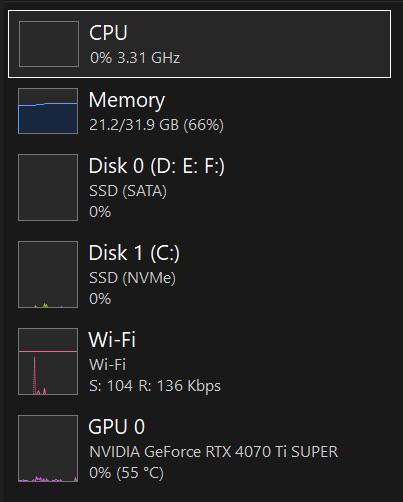
So you've got a beast of a machine with an RTX 4070 Ti SUPER, NVMe SSDs, and 32GB of RAM, but Windows is somehow using 21.2GB of memory just sitting idle. Zero CPU usage, zero disk activity, and your Wi-Fi is crawling at 136 Kbps like it's 2003. Classic Windows moment right there. The real kicker? That's 66% memory usage with literally nothing running. Between all those background telemetry services, Windows Defender scanning your soul, and the seventeen Microsoft Edge processes you never opened, your RAM is basically running a full-time job while you're just trying to open Task Manager to see what's going on. That "/s" in the title is doing some heavy lifting here – because if this is "optimized," I'd hate to see what unoptimized looks like. Probably would require downloading more RAM.

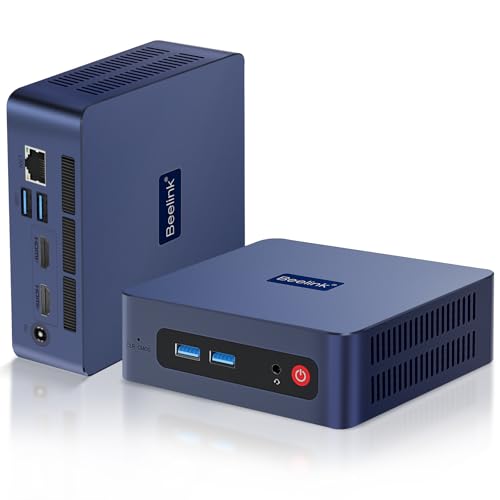
Beelink SER3 Mini Pc, AMD Ryzen 3 3200U (2C/4T,up to 3.5 GHz),Mini Computers with 16GB DDR4 RAM 500GB M.2 SSD, 4K Dual Display, 1000Mbps LAN, USB3.2, WiFi 5, BT 5.0

Beelink SER3 Mini Pc, AMD Ryzen 3 3200U (2C/4T,up to 3.5 GHz),Mini Computers with 16GB DDR4 RAM 500GB M.2 SSD, 4K Dual Display, 1000Mbps LAN, USB3.2, WiFi 5, BT 5.0
【Small and Powerful】Beelink mini pc measures 4.52 * 4.01 * 1.54 inches, is compact and suitable for placement beside a monitor. The beelink ser3 is equipped with AMD Ryzen 3 3200U 2 core / 4 thread (…

Old But Gold

Old But Gold
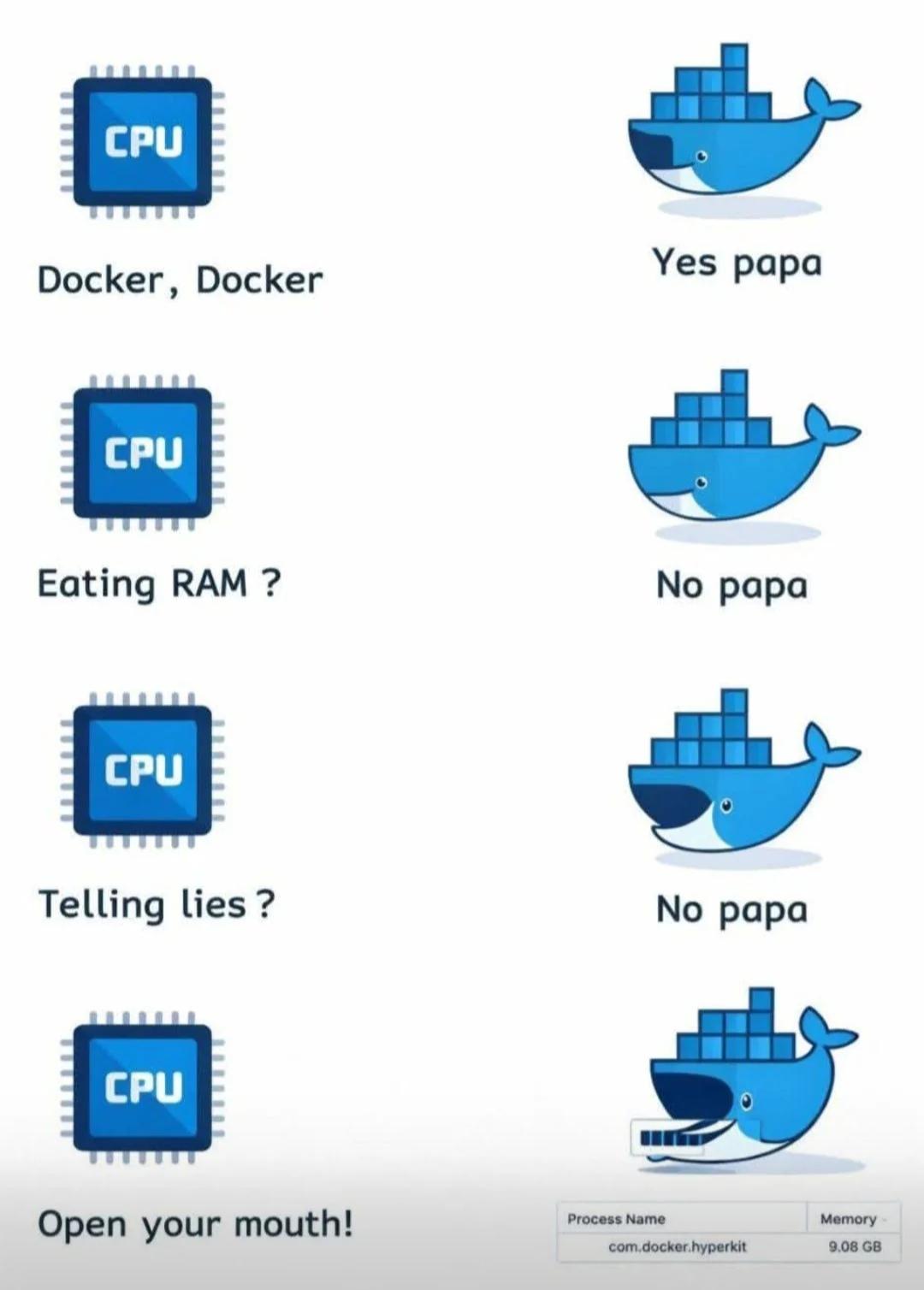
CPU asks Docker if it's running containers. Docker says yes. CPU asks if it's eating RAM. Docker says no. CPU asks if it's telling lies. Docker says no. CPU tells Docker to open its mouth, revealing 9.08 GB of memory usage. Docker's relationship with RAM is basically a toxic marriage where one party gaslights the other about their spending habits. You spin up three containers for a simple web app and suddenly your 16GB laptop is begging for mercy. Docker swears it's being efficient while quietly consuming more memory than Chrome with 47 tabs open. The "lightweight containerization" promise aged like milk.