Menu
One missing comma can ruin your whole day.
Home
Hot
Random
Search
Browse
AI
AWS
Agile
Algorithms
Android
Apple
Azure
Backend
Bash
C++
Cloud
All Categories
HTTP 418: I'm a teapot
The server identifies as a teapot now and is on a tea break, brb
HTTP 418: I'm a teapot
The server identifies as a teapot now and is on a tea break, brb
Outlook Memes
Posts tagged with Outlook
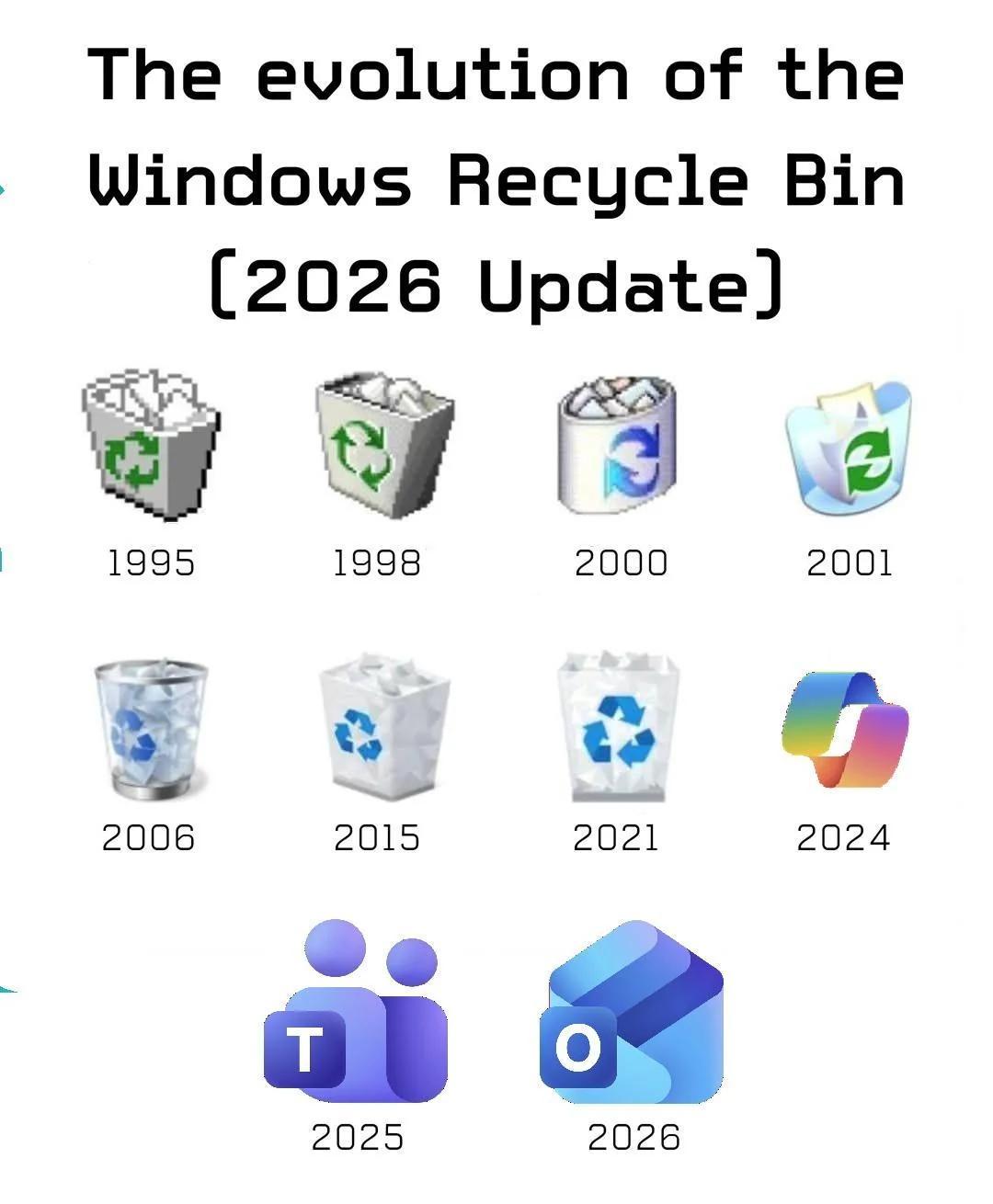
The Surprising Evolution Of The Windows Trash Bin
Windows
Microsoft
Frontend
6 days ago
123.3M views
1 shares
Windows Recycle Bin started as a humble trash can, got progressively fancier with each redesign, then somewhere around 2024 Microsoft apparently forgot what a trash bin even looks like and just started slapping the recycling logo on random app icons. By 2025, your deleted files are apparently going to Microsoft Teams (fitting, since that's where productivity goes to die), and by 2026 they'll end up in Outlook. Makes sense—email has been a dumping ground for garbage since the '90s anyway. Can't wait for the 2027 update where the Recycle Bin is just a picture of Edge asking if you want to make it your default browser.
Microsoft In 2025
Microsoft
Windows
5 months ago
1.0M views
1 shares
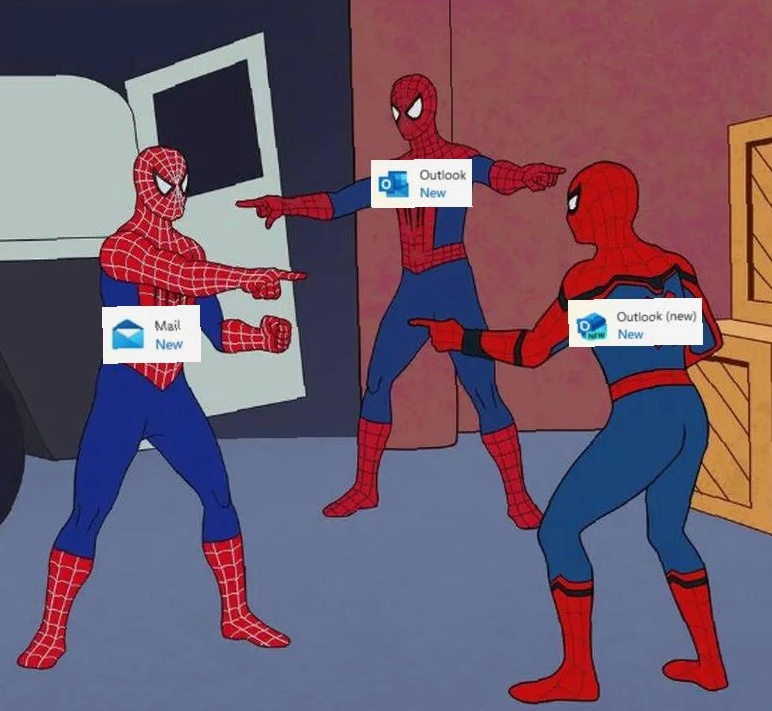
Microsoft's email client strategy is basically that Spider-Man pointing meme but make it MORE CHAOTIC. We've got "Mail New," "Outlook New," and "Outlook (new) New" all pointing at each other like they're about to throw hands. Because apparently having ONE email app was too simple, so Microsoft decided to spawn multiple versions like some kind of software hydra. Cut off one Outlook, two more shall take its place! The best part? They're all technically the "new" version, which means the old ones are still lurking somewhere in your system like digital ghosts. Nothing says "we have a clear product vision" quite like having three different apps that do the exact same thing but with slightly different icons and confusing naming schemes. Peak Microsoft energy right there.
Progress
Microsoft
Windows
Programming
Hardware
6 months ago
592.0K views
1 shares
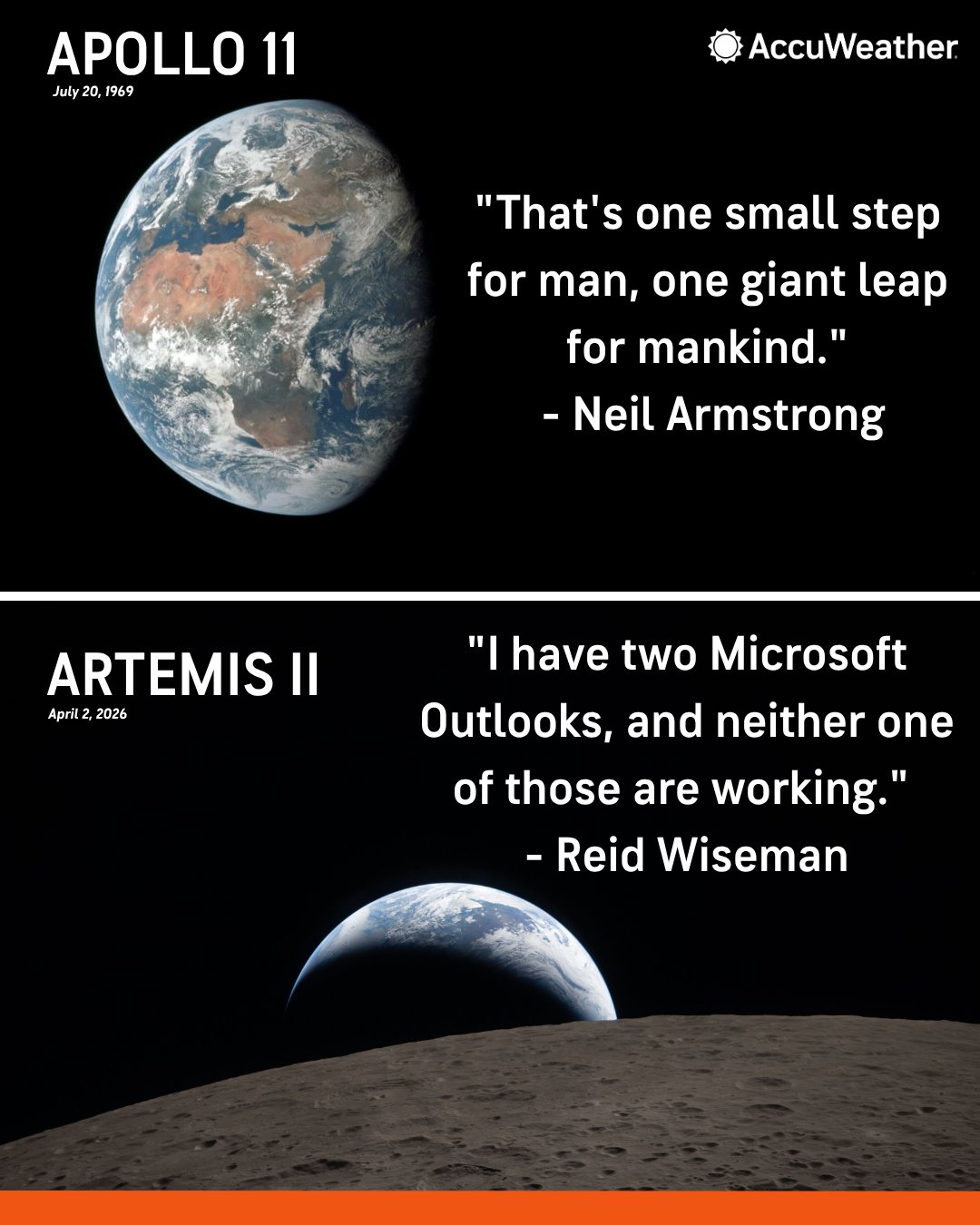
From landing on the moon with 4KB of RAM to landing on the moon with two instances of Outlook that won't even open. Humanity went from calculating orbital trajectories on computers less powerful than a toaster to being unable to manage email on machines that could run the entire Apollo program a thousand times over. The irony is beautiful: we've got exponentially more computing power, yet somehow we're struggling with basic productivity software. Armstrong made history with less computational power than your smart fridge, while modern astronauts are probably rebooting Outlook in orbit. Nothing screams "technological advancement" quite like needing two broken instances of the same email client. Fun fact: The Apollo Guidance Computer had 64KB of memory and got humans to the moon. Meanwhile, Outlook uses about 200MB just to tell you "Not Responding." Progress, indeed.
Memorialized For All Time
Microsoft
Windows
Programming
Debugging
6 months ago
499.2K views
0 shares
Nothing says "humanity's greatest achievements" quite like comparing landing on the moon to... complaining about Microsoft Outlook from the actual moon. Apollo 11: Neil Armstrong delivers one of history's most iconic quotes while taking humanity's first steps on another celestial body. Artemis II: Reid Wiseman immortalizes the universal developer experience of Microsoft products refusing to cooperate at the worst possible moment. Both equally important contributions to human civilization, obviously. The fact that even 50+ years later, astronauts are still dealing with the same Microsoft nonsense we all suffer through daily is somehow both depressing and oddly comforting. At least we know that even in space, nobody can hear you scream at Outlook for syncing issues. Future generations will look back at these quotes with equal reverence. One small bug for man, one giant headache for IT support.
To The Brave Astronauts Taking Us Back To The Moon, We Feel Your Pain
Microsoft
Windows
Debugging
6 months ago
404.2K views
1 shares
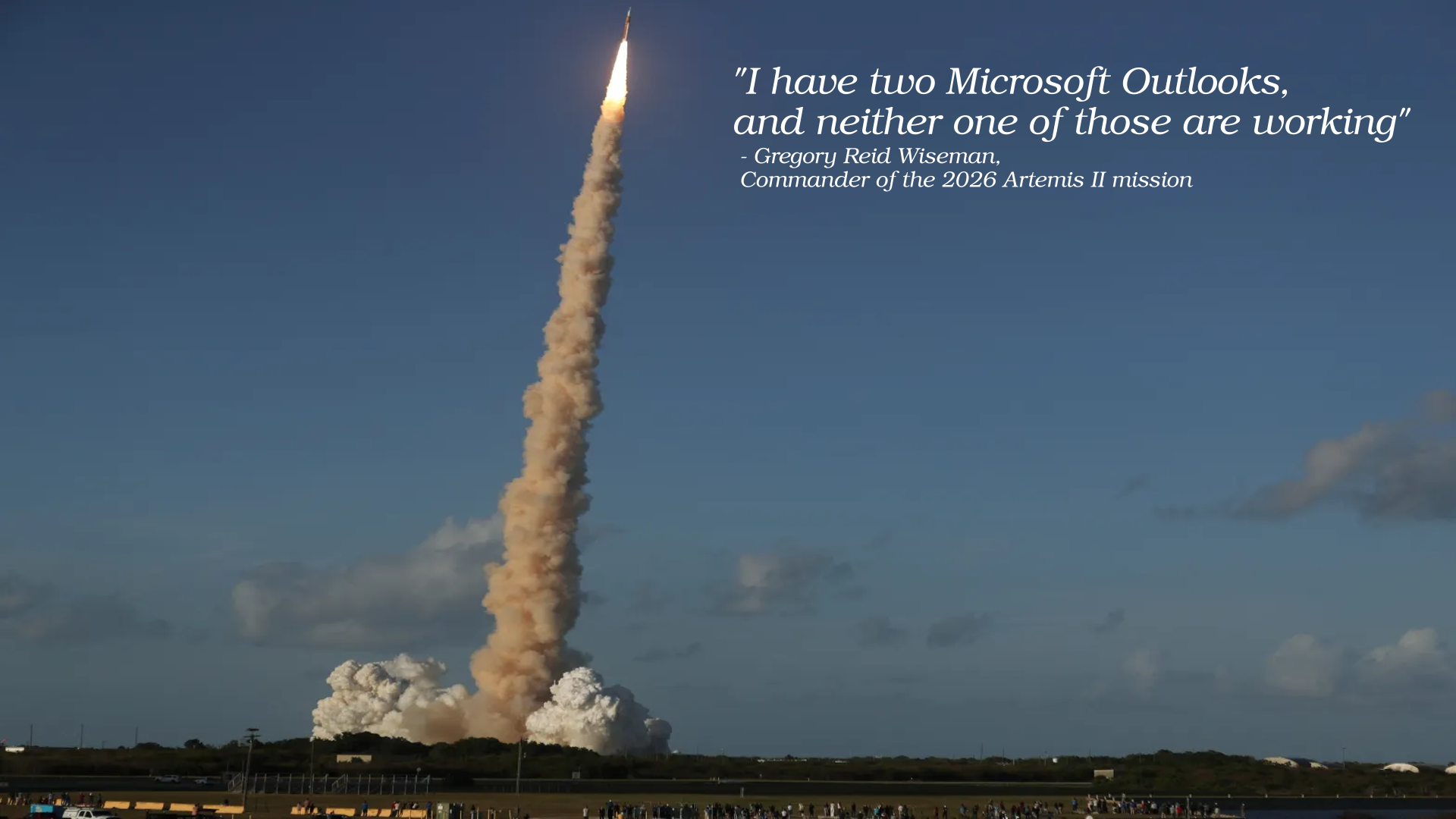
You're literally hurtling through space in a billion-dollar rocket, trusting your life to cutting-edge aerospace engineering, and somehow Microsoft Outlook is still your biggest problem. Both instances broken. Classic. Nothing says "humanity's greatest achievement" quite like fighting with email client software while preparing for lunar orbit. The commander of a moon mission dealing with Outlook issues is the most relatable thing NASA has ever produced. Forget Tang and freeze-dried ice cream—the real space program legacy is enterprise software that refuses to work even in zero gravity. At least when the rocket fails, you know why. When Outlook fails, it's just vibes and prayer. Godspeed, Commander Wiseman. May your inbox sync better than your trajectory calculations.
Breaking: NASA Is Using Office 365 Uninstaller Version 5.56 In Response To The Outlook Issues Onboard The Artemis II Spacecraft
Microsoft
Windows
Cloud
Azure
6 months ago
583.4K views
1 shares
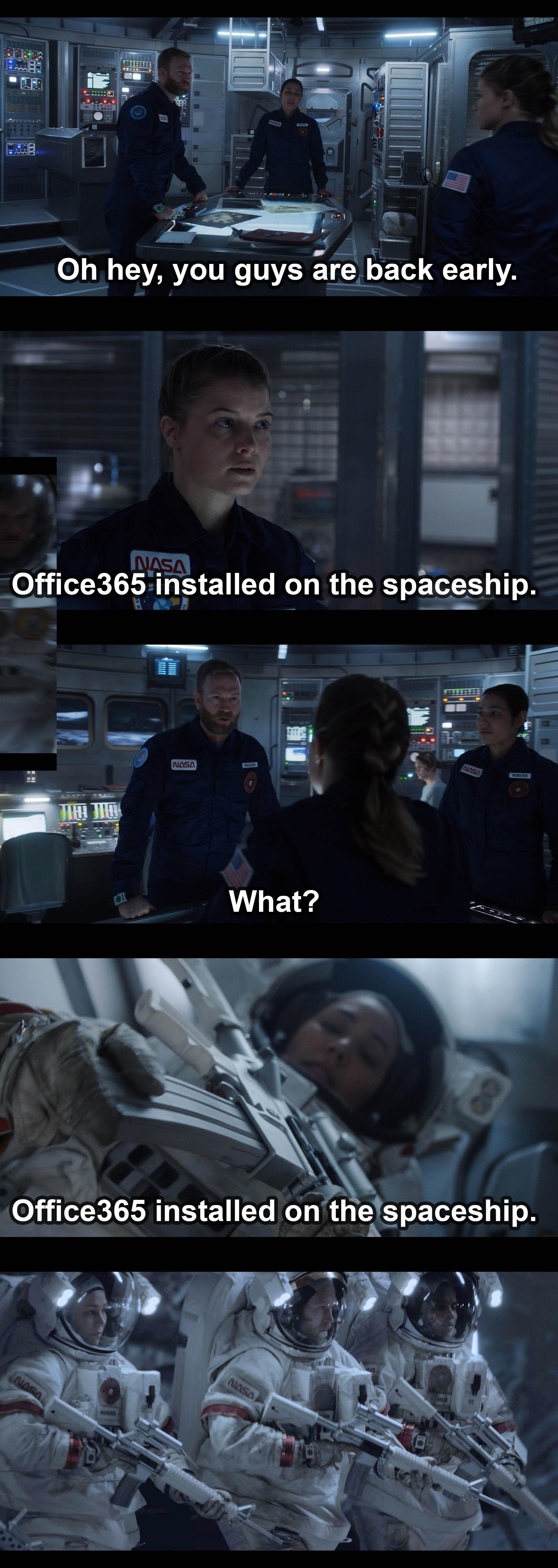
When you're literally going to the moon but someone in IT decided Office 365 was mission-critical software. The astronauts return early only to discover Microsoft's bloatware has somehow infected their spacecraft. The sheer horror on their faces when they realize they'll be receiving Outlook meeting invites at 250,000 miles from Earth is priceless. Nothing says "advanced space exploration" quite like dealing with Outlook crashes during re-entry. The crew's reaction escalates from confusion to full-on existential dread faster than a forced Windows update. At least they can uninstall it... oh wait, you need admin privileges for that, and IT is back on Earth. Houston, we have a problem, and it's asking us to restart to complete the installation.
LAFVIN Basic Starter Kit for Raspberry Pi Pico, LCD1602 Display, SG90 Servo, WS2812 RGB LED, Support MicroPython & C/C++ for STEM DIY Electronic Project with Tutorial
Affiliate
Developer Tools
LAFVIN
【RP2040 Development Platform】It uses the Raspberry Pi Pico development board and is equipped with the RP2040 microcontroller, making it suitable for e-learning, programming instruction, and embedded …
I'd Like To See Him Try
Microsoft
Windows
7 months ago
476.6K views
0 shares
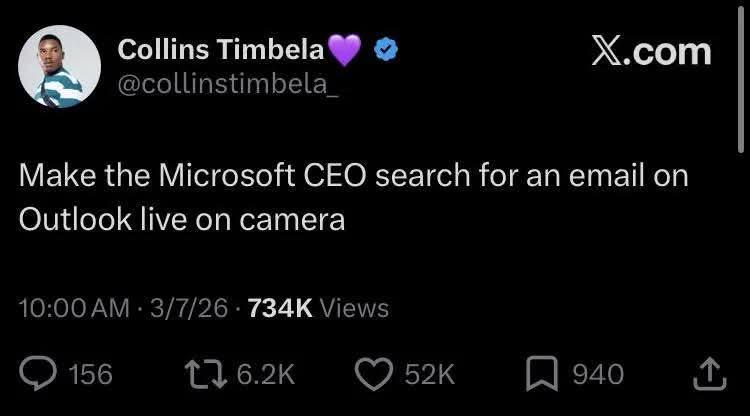
Someone just challenged the Microsoft CEO to search for an email in Outlook while being filmed. This is basically asking the person who runs the company that makes Outlook to publicly demonstrate why their own product is a dumpster fire. The search function in Outlook is legendary for being absolutely useless. You know the email exists. You remember writing it. You can quote entire sentences from it. But can Outlook find it? Nope. It'll show you 47 unrelated emails from 2003 instead. Making the CEO do this live would be like asking Gordon Ramsay to eat at his own restaurant and pretend the food is good. Pure entertainment.
Passed The Phishing Test
Security
Networking
9 months ago
614.3K views
0 shares
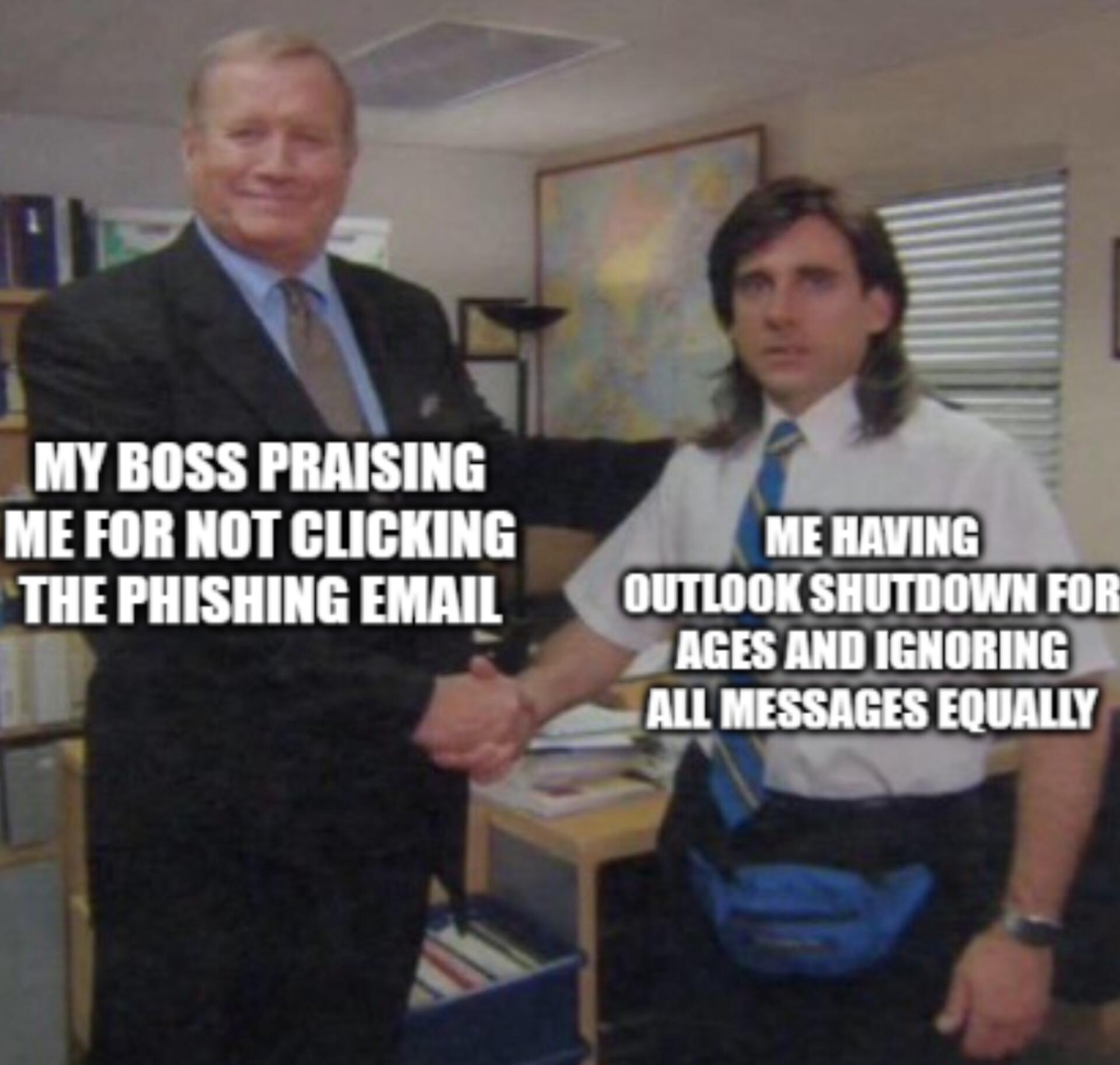
The ultimate security strategy: if you don't read any emails, you can't fall for phishing. Your boss thinks you're a cybersecurity genius with impeccable threat detection skills, meanwhile your Outlook has been frozen since the Bush administration and you've been communicating exclusively through Slack DMs and hallway ambushes. Zero-click vulnerability? More like zero-open policy. Can't get compromised if you've mentally checked out of corporate email entirely. The IT security team would be horrified if they knew, but hey, technically you passed their test. Task failed successfully.
Microsoft In 2025
Microsoft
Windows
11 months ago
663.2K views
1 shares
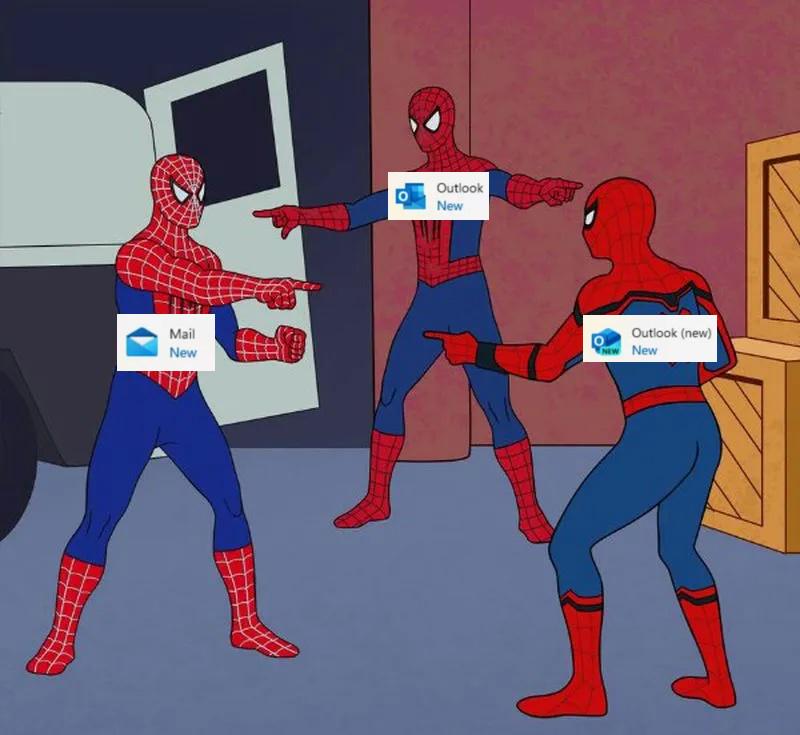
Microsoft's email client strategy in one perfect Spider-Man meme! Three identical products pointing at each other in confusion: Mail, Outlook, and "Outlook (new)" – the corporate equivalent of git-branch-naming-hell. By 2025, we'll probably have "Outlook (new) (FINAL) (ACTUALLY FINAL) (v2)" because apparently Microsoft's product team operates like my project directory structure. The real supervillain here isn't Thanos, it's Microsoft's product versioning strategy.
They Are Multiplying
Microsoft
Windows
1 year ago
485.2K views
0 shares
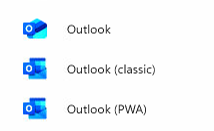
Microsoft's solution to email clients is apparently to keep creating new versions without ever retiring the old ones. At this point, choosing which Outlook to use is harder than fixing a race condition. Classic version for nostalgia, PWA for those who enjoy living dangerously, and regular Outlook for masochists who enjoy random feature removals with each update. Pretty soon we'll have "Outlook (Quantum)" that both works and doesn't work until you observe it.
Which New Is The New New?
Microsoft
Windows
1 year ago
494.6K views
0 shares
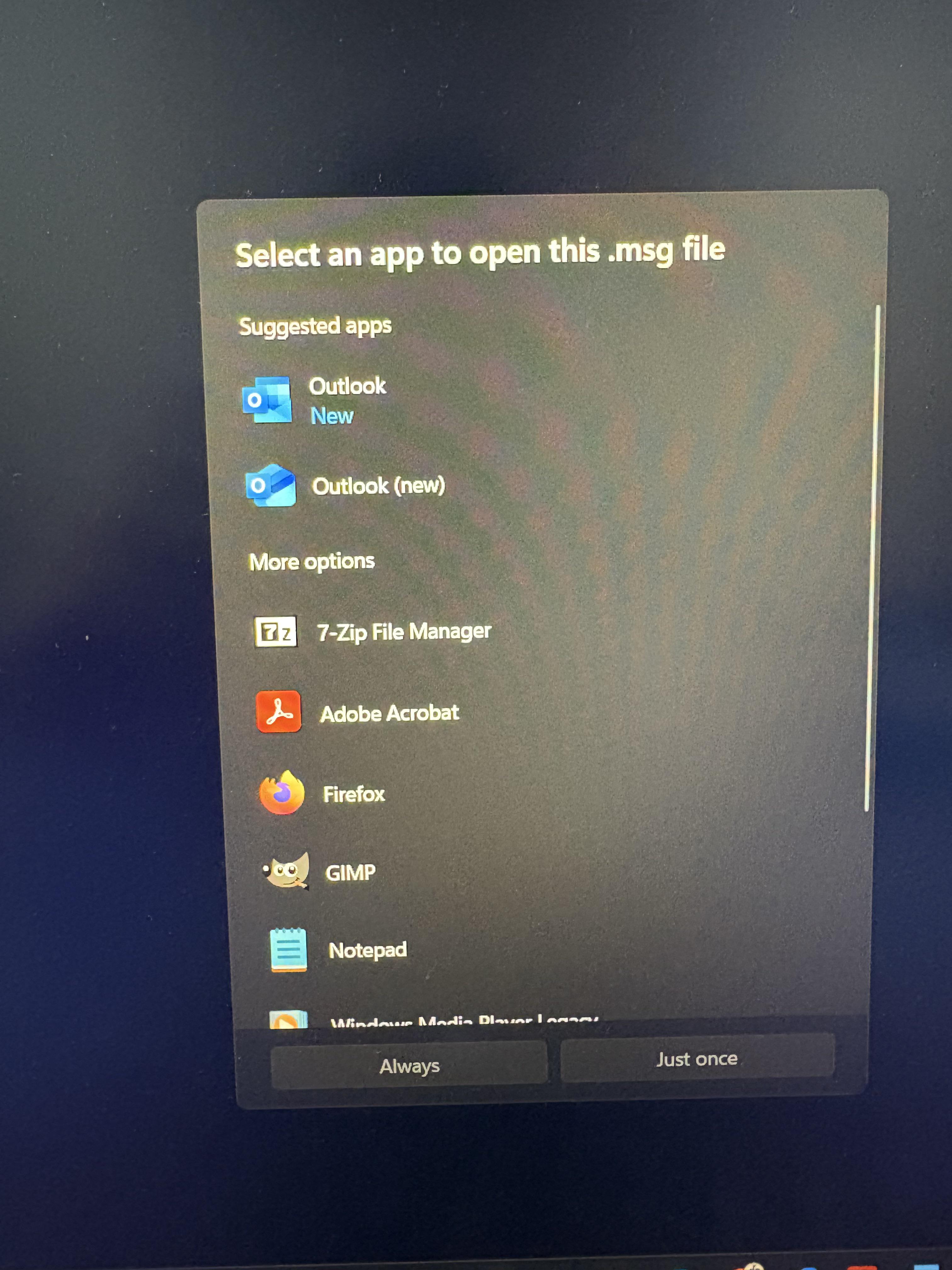
Windows offering you two identical Outlook options, one labeled "New" and the other "(new)". Because apparently Microsoft needs to clarify which version of new is the newest new. Next update they'll probably add "Outlook (new)(er)" and "Outlook (newest)(for real this time)". Nothing says enterprise software like making users play "spot the difference" before checking their email.
cocopar Portable Monitor 15.6 Inch 1080P FHD 60Hz 85% sRGB Travel Monitor with Speaker HDMI USB-C Second Screen for Laptop MacBook Surface PC Xbox PS4/5, VESA Mountable, with Cover Stand
Affiliate
Monitors
cocopar
Portable Monitor for Laptops: Cocopar laptop screen extender is the ideal portable monitor for Macbook, Surface Pro, Surface Laptop, Lenovo Laptop, HP Laptop, Dell Laptop, ASUS Laptop, etc. This seco…
I'm Still Waiting For This To Trigger...
Microsoft
Windows
1 year ago
351.5K views
0 shares
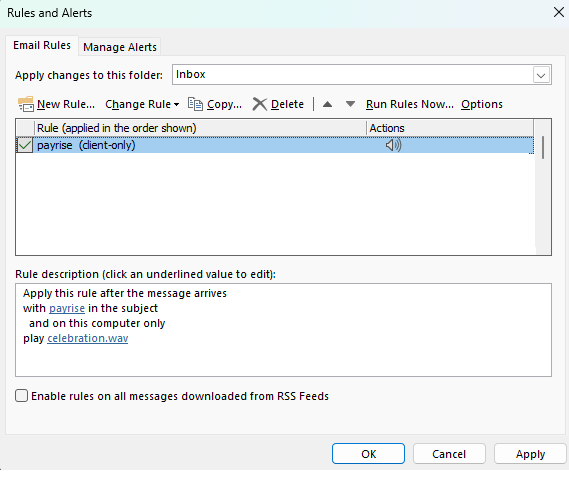
The eternal optimism of a developer who set up an Outlook rule to play a celebration sound whenever they get an email with "payrise" in the subject line. That rule's been sitting there for years, collecting digital dust while management conveniently forgets to hit send on those magical words. It's like setting up a trap for a unicorn – technically possible, but we all know the odds. Meanwhile, that celebration.wav file remains the most unused asset on the entire computer.
Loading more content...
Today's picks
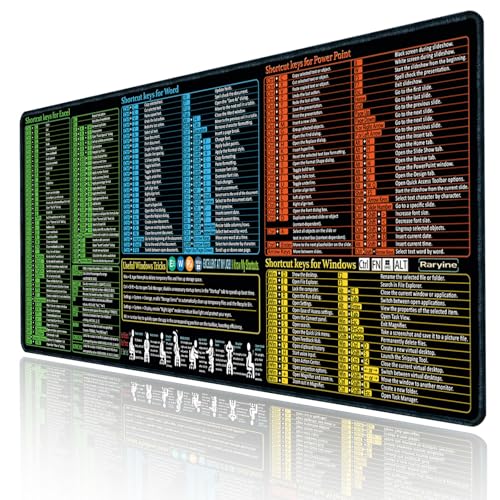
Raryine Excel/Word/Power Point/Windows Mouse pad,Non-Slip&Waterproof Large Gaming Office pc Desk mat(XXL 35.4x15.8 in),Over 200 Keyboard Shortcuts Mousepad
Affiliate
$15.99
NordVPN
Sponsored
VPN
No one knows what it's like...
Programming
97.8K views
2 years ago