command line Memes

Same Keys, Different Processes

Same Keys, Different Processes
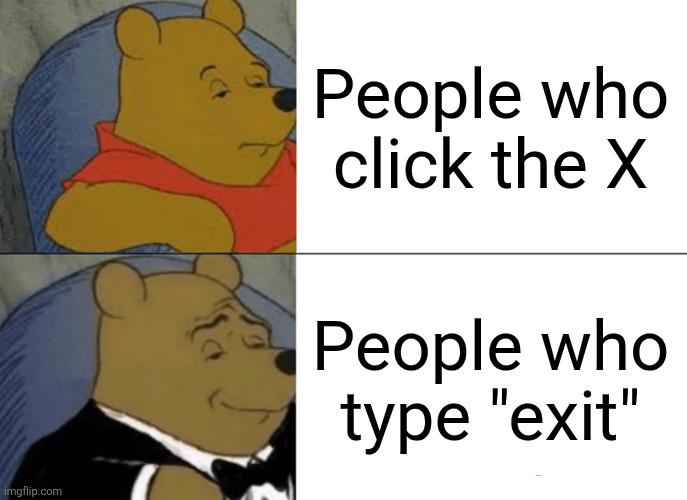
Ctrl+C is the ultimate identity crisis of keyboard shortcuts. In your text editor? Congrats, you just copied something. In your terminal? You just murdered a running process. Same combo, wildly different vibes. It's like how "fine" means completely different things depending on who's saying it. The casual Pooh represents the mundane, everyday copy operation—boring but useful. But fancy tuxedo Pooh? That's the power move. Interrupting processes, killing infinite loops, stopping runaway scripts that are eating your CPU for breakfast. It's the emergency eject button when your code decides to go rogue. Nothing says "I'm in control" quite like force-stopping a process that forgot how to quit gracefully.

Summon Sudo

Summon Sudo
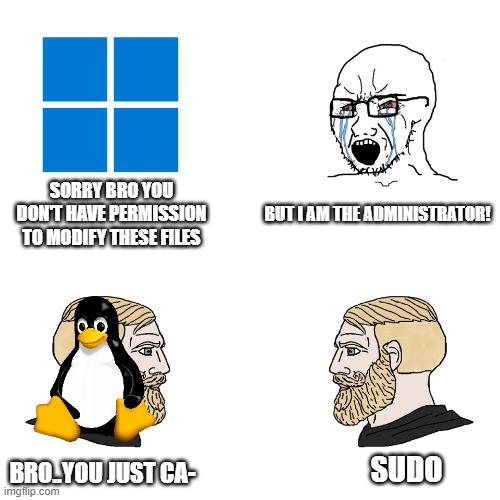
Running a command normally? Cute jogging vibes. Running as administrator on Windows? Business professional energy, getting things done. But slapping sudo in front of your Linux command? You've just summoned an ancient samurai warrior with god-level permissions ready to execute your will with zero questions asked. The power escalation is real. One moment you're getting "permission denied" errors like a peasant, the next you're wielding root privileges like a feudal lord. sudo doesn't just elevate permissions—it transforms you into an unstoppable force of nature. With great power comes the ability to accidentally nuke your entire system with rm -rf / , but that's a problem for future you.

Sudo Apt Get Cookies

Sudo Apt Get Cookies
When you've been using Linux long enough, sudo becomes the universal solution to literally everything. Want cookies? Just elevate your privileges to root, obviously. The kid's not wrong—if you can install packages, manage system files, and nuke your entire OS with one misplaced command, getting some cookies from mom should be trivial. The beauty here is how Linux users are conditioned to believe that sudo grants them god-like powers. Permission denied? Sudo. Can't access a file? Sudo. Mom won't give you cookies? Sudo. It's the digital equivalent of saying "Simon says" but for your entire operating system. Bonus points if you've ever typed sudo apt-get install happiness at 3 AM while debugging.

Graphical User Interface Vs Command Line Interface

Graphical User Interface Vs Command Line Interface
The classic bell curve meme strikes again, and this time it's coming for your terminal preferences. The smoothbrains on the left just want their pretty buttons and drag-and-drop simplicity. The galaxy-brain elitists on the right have transcended to GUI enlightenment after years of carpal tunnel from typing commands. But the sweaty try-hards in the middle? They're convinced that memorizing 47 flags for a single git command makes them superior beings. Here's the truth nobody wants to admit: both extremes are right. GUIs are genuinely better for visual tasks and discovery, while CLIs are unmatched for automation and speed once you know what you're doing. The real big-brain move is knowing when to use which tool instead of being a zealot about either. But let's be honest—that guy in the middle spent 3 hours writing a bash script to save 5 minutes of clicking, and he'll do it again tomorrow.

Too Much Bloat

Too Much Bloat
Ah, the eternal battle of text editors vs. modern web frameworks. Our dapper gentleman here is rejecting the bloated monstrosity that is modern JavaScript frameworks (looking at you, Vue.js) in favor of the humble 'ed' text editor - possibly the most minimalist text editor in existence. For the uninitiated, 'ed' is a line-oriented text editor from the 1970s that makes vim look like a luxury cruise ship. It's basically what you'd use if you wanted your coding experience to be as painful as possible, but hey, at least it won't eat 500MB of RAM just to change a string. The hardest of the hardcore Unix veterans still swear by it, right before they start ranting about kids these days with their fancy syntax highlighting and autocompletion.

Sudo: The Ultimate Power Move

Sudo: The Ultimate Power Move
BEHOLD THE POWER HIERARCHY OF COMMAND LINE WARRIORS! 🔥 Regular "Run" is just some average Joe jogging in shorts. "Run as Administrator" puts on a business suit and thinks it's fancy. BUT THEN THERE'S SUDO - THE ABSOLUTE SAMURAI WARLORD OF PERMISSIONS! When your terminal laughs at your pathetic attempts to modify system files, sudo is basically you showing up with an entire feudal army and declaring "THE COMPUTER WILL BEND TO MY WILL OR FACE MY WRATH!" And honestly, is there ANY feeling more godlike than typing those four magical letters before a command and watching your machine INSTANTLY SURRENDER to your demands? I think NOT! 💻⚔️

For The Love Of God Don't Accidentally Hit Enter

For The Love Of God Don't Accidentally Hit Enter
The graph perfectly captures that heart-stopping moment when you're typing a potentially catastrophic command like sudo rm -rf on a critical directory. Your stress level starts low, then SKYROCKETS as you realize what would happen if your finger slips and hits Enter before you're done typing. It's that microsecond where your entire career flashes before your eyes. "Did I just delete the entire database backup? Am I updating my resume tonight?" The gradual decline represents the cautious letter-by-letter typing, triple-checking every character, moving your left hand as far from Enter as physically possible. The final drop is that sweet relief when you've either completed the command safely or decided "nope, too risky" and hit Ctrl+C instead. Nothing quite matches the existential dread of wielding root privileges with destructive commands. It's like performing surgery with a chainsaw.

The Magic Word

The Magic Word
In the Unix world, asking "what's the magic word" isn't about saying "please" – it's about typing "sudo" before your command. For the uninitiated, sudo (superuser do) temporarily grants you god-like powers over your system. Regular users are peasants until they utter this incantation. It's basically the difference between "I'd like to delete this critical system file" and "I WILL delete this critical system file, and you'll thank me for it."

The Win-Win Command Line Paradox

The Win-Win Command Line Paradox
The ultimate programming paradox in command-line format! The first two lines reveal that doing absolutely nothing somehow results in victory—essentially the dream scenario for any efficiency-obsessed developer. Then the plot twist: actually putting in effort and "doing something" doesn't just maintain the win state, it amplifies it! It's that beautiful contradiction where both laziness and effort are rewarded. Like when your hastily written script works flawlessly, but then you spend 3 hours optimizing it to save 0.02 seconds of runtime and feel even more accomplished. The universe rewards both the elegant minimalist and the obsessive optimizer equally!

Alias Is My Friend (Or How I Learned To Stop Worrying And Love The Terminal)

Alias Is My Friend (Or How I Learned To Stop Worrying And Love The Terminal)
Navigating directories in terminal is like a sad game of "Are we there yet?" The top panel shows the desperate penguin trying to escape directory hell with cd ../../../.. like a lost soul in a maze. But the bottom panel? That's terminal enlightenment. Our dapper penguin has evolved - repeatedly using cd .. to climb out one level at a time before checking pwd to confirm its location. It's the difference between wildly guessing how many floors up you need to go versus taking the stairs one at a time like a functioning adult. The real pros just create an alias like alias gtfo='cd ~/Documents' and skip the existential directory crisis entirely.

Sudo Install: When RAM Upgrades Get Physical

Sudo Install: When RAM Upgrades Get Physical
Ah, the classic Linux user's nightmare turned weapon. Someone took "sudo install" a bit too literally by turning RAM sticks into actual knives. When your sysadmin says they need to "forcefully upgrade your memory," you should probably run. This is what happens when tech support gets tired of explaining that "no, downloading more RAM isn't possible" and decides to take matters into their own hands. Physical memory installation has never been so terrifying.

CPU At 100% Doing Absolutely Nothing

CPU At 100% Doing Absolutely Nothing
Two elderly gentlemen discussing the ancient Unix wisdom of redirecting random data to the void. It's basically what happens when senior developers explain their legacy code to junior devs. The command cat /dev/urandom > /dev/null is essentially generating random data and immediately throwing it away—much like most meetings where old-timers reminisce about COBOL and punch cards while the CPU hits 100% processing absolutely nothing of value. It's the digital equivalent of telling war stories that go nowhere. Maximum effort, zero output.