Ssd Memes

Posts tagged with Ssd
Just When I Had Enough Money

Just When I Had Enough Money
The eternal struggle between your conscience and your wallet. Sure, you could hate AI for the existential dread of potentially losing your job or the carbon footprint of training GPT-9000, but let's be real—the actual reason you're salty is because local LLM inference turned your perfectly reasonable 16GB RAM into a potato. You finally saved up for that gaming rig or dev machine, and now AI workloads are out here demanding 64GB of RAM and NVMe SSDs like they're buying groceries. The environmental concerns? Valid but abstract. Your bank account crying as you add another $200 RAM kit to cart? That's visceral, immediate pain. Nothing radicalizes a developer faster than watching their hardware budget evaporate into VRAM requirements.

Don't Give Up On Me

Don't Give Up On Me
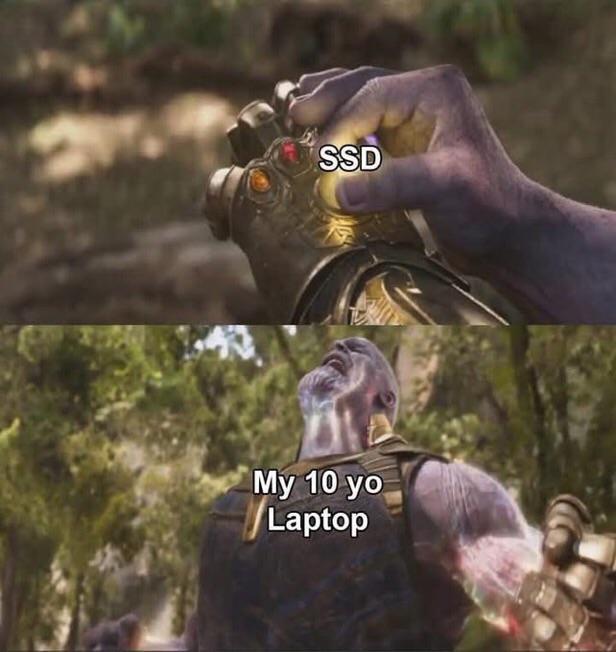
Picture this: you just dropped a small fortune on a shiny new SSD, ready to experience boot times faster than your morning coffee can brew. But then your 10-year-old laptop—that absolute WARRIOR that's been through Vista, survived the Windows 8 era, and still runs on pure spite and thermal paste dust—is lying there gasping for air like "please... just one more chance..." Sorry buddy, but slapping a Ferrari engine into a 2003 Honda Civic isn't gonna make it race-ready. That ancient CPU is still gonna bottleneck harder than rush hour traffic, and your 4GB of DDR2 RAM is crying in the corner. The SSD will boot you into obsolescence 3 seconds faster though, so there's that! It's like putting premium gas in a lawnmower—technically an upgrade, but the universe is laughing at your optimism.

Stay Safe Out There

Stay Safe Out There
You thought you were getting a premium Samsung 990 PRO 4TB NVMe SSD, but surprise! The sketchy seller shipped you a "WangDong" branded knockoff with 64GB of SATA 3.0 speeds claiming to be "ULTRA PERFORMANCE." Going from 4TB to 64GB is like ordering a mansion and receiving a porta-potty. The counterfeit even has the audacity to call itself "999 PRO MAX" because apparently adding an extra 9 makes it 10% better than Samsung's 990. The "V-BUCK SSD" label is chef's kiss—nothing says legitimate hardware like naming your product after Fortnite currency. Pro tip: If the deal seems too good to be true and the seller has 3 reviews (all from accounts created yesterday), maybe don't trust your precious data to something that sounds like it was named by a random word generator having a stroke.

The Form Is Very Similar, But There Is A "Key" Difference

The Form Is Very Similar, But There Is A "Key" Difference
M.2 NVMe and M.2 SATA both use the M.2 form factor, so they look nearly identical at first glance. The catch? NVMe uses PCIe lanes and absolutely demolishes SATA speeds—think 3500 MB/s vs 600 MB/s. But the physical connector has a different keying (notch position), which is why the centipedes are having an identity crisis here. The long centipede gang represents NVMe drives with their multiple lanes of parallel goodness, while the lone M.2 SATA drive sits there with its single-lane bottleneck wondering why it wasn't invited to the speed party. Same socket on your motherboard, wildly different performance. Nature is healing, but your boot times might not be.

HP Will Stick An SSD Anywhere

HP Will Stick An SSD Anywhere
HP engineers really looked at their motherboard layout, saw they had three perfectly good SATA ports, and decided "nah, let's just dangle this M.2 SSD vertically like a Christmas ornament." Because why use standard mounting when you can create a gravity-defying installation that makes every tech support person question their career choices? The best part? There's literally an M.2 slot RIGHT THERE on the board, but HP said "too easy" and went with the aesthetic of a drive just... hanging out. It's like they're testing how much abuse an SSD can take before it files for workers' comp. Cable management? Never heard of her. This is what happens when your hardware design team is paid by the hour and really wants to stretch that budget.

Limited Space In My SSD Only For Special Games

Limited Space In My SSD Only For Special Games
You know you've made it as a game when you survive the brutal SSD purge. With modern games casually demanding 150GB+ like it's nothing, your poor 500GB SSD becomes a battleground where only the chosen few may reside. That one game you've replayed seventeen times? Knighted. That indie gem you bought on sale and haven't touched in two years? Sorry buddy, back to the HDD dungeon you go (or worse, uninstalled entirely). The "HDD" peasants in the background watching this sacred ceremony really adds to the hierarchy of storage. It's basically medieval feudalism but with load times.

Technically, I'M A Millionaire Too... Thanks To My Credit Card Limit..

Technically, I'M A Millionaire Too... Thanks To My Credit Card Limit..
That feeling when you see "1.1TB Storage" and your brain immediately goes "wow, that's a lot!" until you realize it's 1TB OneDrive (cloud storage you don't own) + 128GB SSD (actual storage you can use). It's like saying you're a millionaire because you have access to a million dollars... that belongs to someone else and you're just renting. Marketing departments have mastered the art of creative math. Sure, technically you have "access" to 1.1TB, just like technically you could spend your entire credit limit. But try downloading your entire Steam library on that 128GB and see how far you get before reality hits harder than a null pointer exception. Also, 32GB RAM on a laptop with an Intel 4-Core and only 128GB SSD? That's like putting a racing engine in a car with bicycle tires. Someone in product management had... interesting priorities.

This Is Genuinely Terrible

This Is Genuinely Terrible
Running Windows on a hard disk in 2024? That's not just a crime against technology—it's a crime against humanity. The judge's stern expression perfectly captures the severity of this offense. SSDs have been mainstream for over a decade now. If you're still booting Windows from a spinning platter, you're basically choosing to watch paint dry every time you start your computer. That 5-minute boot time, the eternal "loading..." cursors, the soul-crushing wait for Task Manager to open when your system freezes—yeah, you deserve this sentence. The punishment fits the crime: continue suffering with your ancient storage technology while the rest of us enjoy sub-10-second boot times. Court adjourned.

I Was Literally About To Buy A 990 Pro The Other Week And Realised Its 2x Its OG Price Man WTF. When Will AI Go Away?

I Was Literally About To Buy A 990 Pro The Other Week And Realised Its 2x Its OG Price Man WTF. When Will AI Go Away?
Oh look, the Grim Reaper of tech components has arrived, and he's got a VERY clear priority list! While compute and memory are getting absolutely OBLITERATED (because who needs those when you're training the 47th iteration of ChatGPT, right?), storage is just chilling in the corner like "hey guys, what's going on?" The AI boom has turned the hardware market into an absolute BLOODBATH. GPUs? Gone. RAM? Extinct. But SSDs? They're just vibing, watching compute and memory prices skyrocket while everyone scrambles to build AI data centers. The 990 Pro going 2x its original price is just collateral damage in this silicon apocalypse. Fun fact: The AI gold rush has caused such insane demand for compute that even STORAGE prices are getting dragged up because, well, you gotta store all those training datasets and model weights SOMEWHERE. RIP to anyone trying to build a PC in 2024 without selling a kidney first.

Ssd=Some S Ds

Ssd=Some S Ds
Oh honey, someone just peeled back the curtain on the ENTIRE tech industry and revealed what your "512GB SSD" really is: literally just some SD cards taped together with the hopes and dreams of budget hardware manufacturers. The absolute AUDACITY of slapping a SATA connector on what is essentially a kindergarten arts and crafts project and calling it "solid state storage." Your lightning-fast boot times? Courtesy of two SD cards holding hands and pretending to be enterprise-grade storage. The tech equivalent of three kids in a trench coat trying to get into an R-rated movie. But hey, at least now you know why that "SSD" was suspiciously cheap on AliExpress!

When You Format The New SSD

When You Format The New SSD
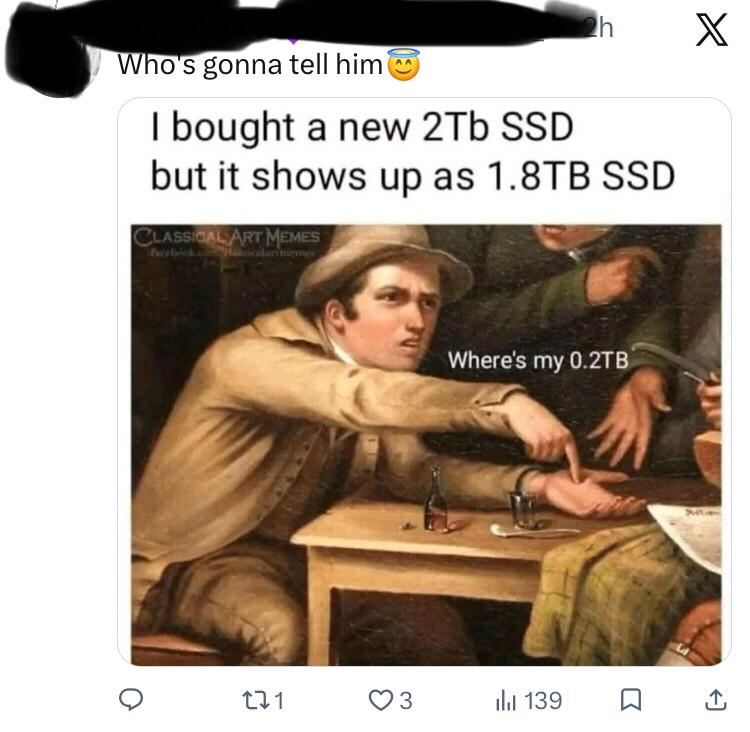
You just unboxed your shiny new 1TB SSD, formatted it with btrfs like a proper Linux enthusiast, and suddenly you're staring at 0.73 TiB of usable space. The guy in the painting? That's you, pointing accusingly at the manufacturer like they personally robbed you of 270 GB. Here's the thing: manufacturers count in decimal (1 TB = 1,000,000,000,000 bytes) while your OS counts in binary (1 TiB = 1,099,511,627,776 bytes). Add in filesystem overhead, and boom—your "1 TB" drive is actually 0.91 TiB before formatting, then drops to 0.73 TiB after. It's technically not a scam, but it sure feels like one when you're trying to install yet another 200GB game. Marketing departments have been pulling this move since floppy disks, and we still fall for it every single time.

A Whole New Worrrrld!

A Whole New Worrrrld!
When you finally upgrade from a crusty old HDD to an SSD and your entire computer boots up in 8 seconds instead of 8 minutes, you realize you've been living in the Stone Age this whole time. Your IDE launches before you can even blink. Your projects compile faster than you can say "npm install". Everything is SO FAST that you start questioning every life decision that led you to suffer with spinning platters for so long. Money can't buy time? Well sweetie, it just bought you back approximately 47 hours per week that you used to spend staring at loading screens. The transformation is so dramatic you feel personally victimized by every tech YouTuber who told you SSDs were "just a nice-to-have upgrade."