Data recovery Memes

Posts tagged with Data recovery
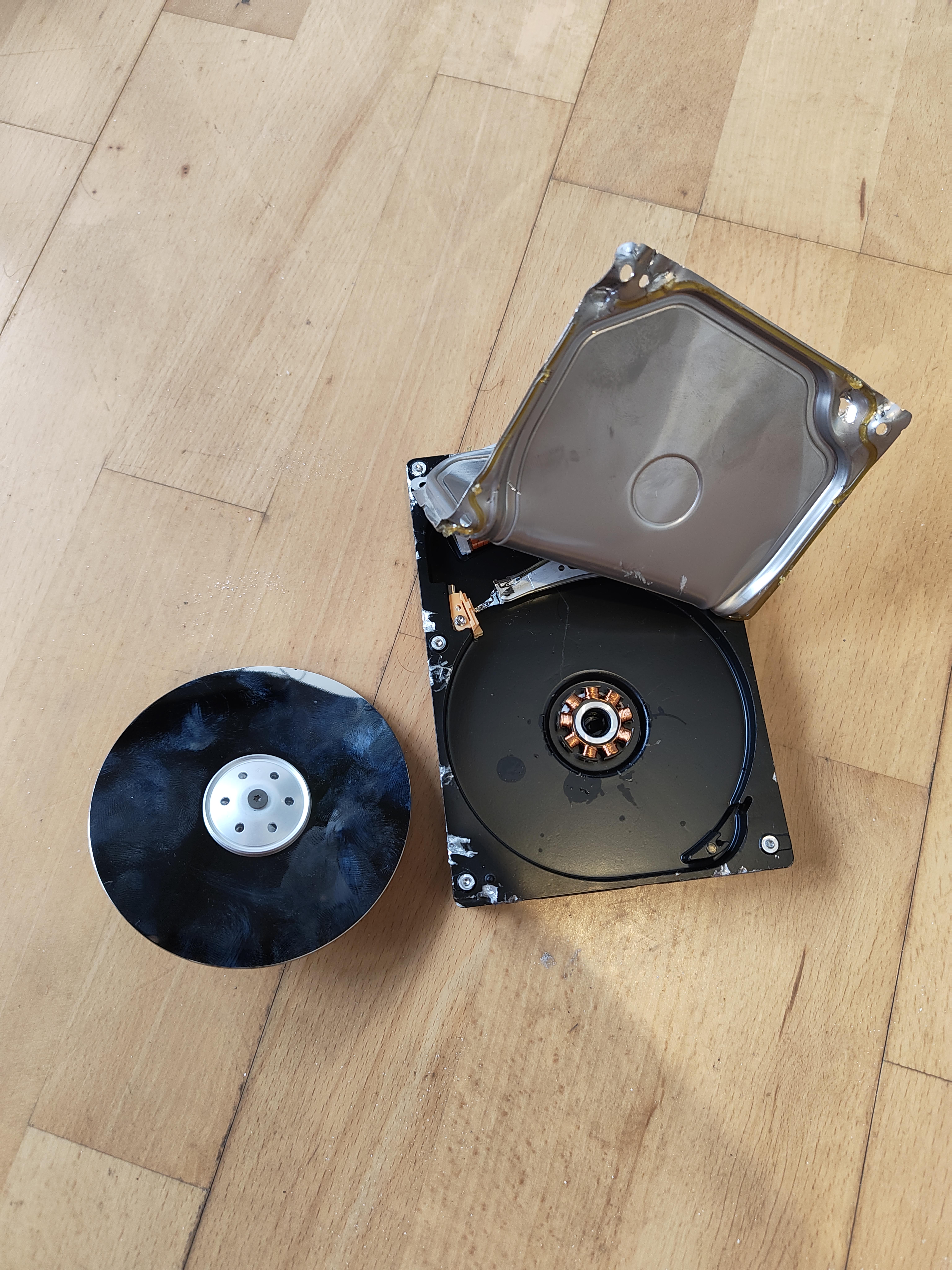
Finally Got It Out Now How Do I Extract The Data?

Finally Got It Out Now How Do I Extract The Data?
When data recovery gets a little too literal. Someone actually disassembled a hard drive and removed the platter—you know, the shiny disc where your data physically lives. The problem? You can't just slap that thing into a CD drive and call it a day. Hard drive platters store data as microscopic magnetic patterns that require extremely precise read/write heads hovering nanometers above the surface. Once you've cracked it open in your dusty bedroom, congratulations—you've just contaminated it with enough particles to make it unreadable. Even clean rooms can't save you now. But hey, at least you got a cool coaster out of it. That'll be $2000 for the professional data recovery service you should've called in the first place.

Did That Happen To Any Of You?

Did That Happen To Any Of You?
When you realize that one "accidentally deleted" file just cost the company 11 engineers and 3 days of labor. The emotional devastation here is real—dude listened to his late wife's voicemail every single day for a decade, and when it got nuked, the telecom company had to assemble what's basically an Avengers-level recovery team to dig through backup tapes, server logs, and probably some ancient storage infrastructure held together by prayers and shell scripts. From a dev perspective, this hits different. It's like when you accidentally run rm -rf on production and suddenly your entire team is scrambling through Git history, database backups, and S3 versioning at 3 AM. Except here, it's not just data—it's irreplaceable memories. Props to those 11 engineers who probably had to navigate legacy systems older than some junior devs on the team. That voicemail was stored in some telecom database that's probably running on infrastructure from 2005, and they still pulled it off. Respect.

Nvme 0 N 1 Could Not Be Mounted

Nvme 0 N 1 Could Not Be Mounted
That special kind of hell where your OS recognizes the drive exists but refuses to let you actually use it. It's like watching your data through a window you can't open—you know it's RIGHT THERE, all your files are physically present on the NVMe, but the filesystem gods have decided "not today, buddy." Could be corrupted partition tables, filesystem errors, permission issues, or just Linux being Linux. The drive is detected, it shows up in your device list, but mounting? Nah. You're stuck in this technological purgatory where the hardware works but the software is gaslighting you. Time to break out the fsck commands and pray to the data recovery deities.

BitLocker? What The F*** Is BitLocker?

BitLocker? What The F*** Is BitLocker?
That moment when you swap your NVMe drive into a new PC and Windows freaks out about BitLocker encryption you didn't even know was enabled. Suddenly your precious data is held hostage behind a recovery key you never saved because "it'll be fine" was your security strategy. Nothing like that sinking feeling when your 200GB of "homework" folders and side projects from the last five years are locked behind Microsoft's digital fortress of doom.