terminal Memes

The Magic Key

The Magic Key
The Linux sysadmin's equivalent of "abracadabra" - just prefix any command with sudo and watch your permissions problems vanish into thin air. Can't install that package? Sudo. File won't delete? Sudo. Server on fire? Probably sudo. It's the universal skeleton key that grants you god-mode privileges on Unix systems. Sure, you could carefully consider whether you actually need root access for each operation, or you could just slap sudo on everything and live dangerously. Most of us choose the latter because reading permission errors is for people with time on their hands. Fun fact: sudo stands for "superuser do" but in practice it means "I have no idea what I'm doing but I'm doing it with admin privileges."

Just :Q! Please

Just :Q! Please
Someone made a Spotify playlist called "Songs About Vim" and it's basically a cry for help disguised as music curation. The track titles perfectly capture the Vim experience: "What Am I Doing Here" (opening Vim for the first time), "How Did I Get Here" (accidentally entering insert mode), "Can't Get Out" (the classic :q struggle), "Asdfjkl;" (panic mashing keys), "Shut It Down" (desperately trying to exit), and my personal favorite - "Rebooting" (the nuclear option when all else fails). Every single song title is a mood that represents a different stage of the Vim learning curve. The playlist creator really said "I'm in pain but make it aesthetic." The fact that this playlist has 1,198 saves means there's a whole community out there bonding over their shared trauma of being trapped in a text editor.

Those Who Get It…

Those Who Get It…
Linux users see a folder icon with ~/* and think "home directory with all files" – simple, elegant, powerful. Windows users see the same thing and their brain goes full 1984 dystopian mode. The tilde (~) is Linux's shorthand for your home directory, and the asterisk wildcard means "everything." So ~/* literally translates to "all files in my home directory." For Linux folks, it's just another Tuesday. For Windows users who've never touched a terminal or dealt with Unix-style paths, it might as well be hieroglyphics carved by ancient sysadmins. The facial expressions capture it perfectly: Linux guy is casually nodding like "yeah, I know exactly what's in there," while Windows guy looks like he's contemplating the existential dread of learning bash syntax.

Daily Exercise In Laziness

Daily Exercise In Laziness
Ah yes, the programmer's workout routine: converting 100 up arrow key presses into a single ls -la command. Because why scroll through your command history like a caveman when you can just... type two whole characters? The skeleton represents what's left of us after we realize we've spent more energy avoiding work than actually doing it. But hey, at least our fingers got a workout, right? That's gotta count for something on our fitness trackers. Pro tip: Ctrl+R for reverse search exists, but where's the fun in efficiency when you can mindlessly hammer that up arrow like you're playing a rhythm game?

Don't Mind Me Just Making Some ASCII

Don't Mind Me Just Making Some ASCII
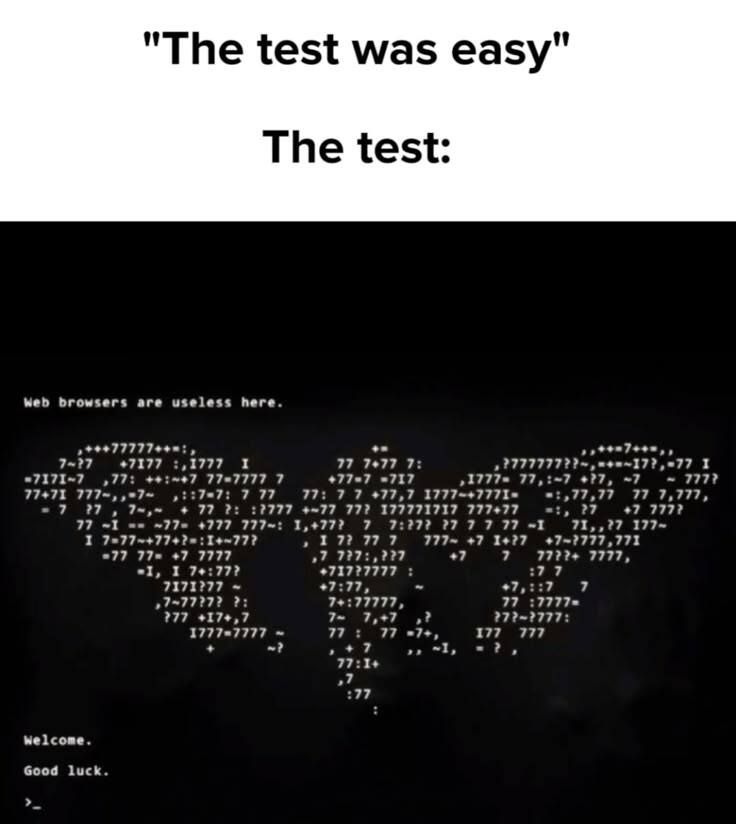
When you tell yourself you're just gonna make "some ASCII art" and suddenly you've spent 4 hours meticulously placing percentage signs and hashtags to create what appears to be the Death Star. Because nothing says "productive coding session" like abandoning your actual project to manually position 10,000 characters into a perfect sphere. The best part? You started with a simple smiley face in your console output, and now you're basically a digital Michelangelo painting the Sistine Chapel with monospace fonts. Your pull request can wait—this masterpiece needs more shading with equals signs. Pro tip: This is what happens when developers discover that terminals can display more than just error messages. Next thing you know, they're rendering entire Star Wars movies in ASCII and calling it "learning about character encoding."

Lets Try It Together

Lets Try It Together
You know that special moment when you accidentally hit Ctrl+C while running sudo rm -rf /* and desperately ask if there's an undo button? Yeah, "Good question" is the polite way of saying "you just nuked your entire filesystem and we're both about to witness a digital cremation." The fact that someone responds with Shrek's deadpan "Good question" instead of screaming is peak Unix user energy. There's no undo. There's no going back. There's only backups you hopefully made yesterday and a fresh OS install. Fun fact: the -rf flags mean "recursive force" - basically telling your system to delete everything without asking questions, like a hitman with no conscience.

Well Shit

Well Shit
You know that moment when someone discovered they could recursively force-delete everything from root? Yeah, that person is taking notes in hell right now. The -rf flags mean "recursive" and "force" – basically "delete everything without asking questions." Combined with /* starting from root and sudo privileges, you've just nuked your entire system faster than you can say "wait, I needed those kernel files." Someone, somewhere, at some point in history, hit enter on this command and watched their entire operating system evaporate in real-time. No confirmation. No undo. Just pure, unfiltered chaos. Modern systems have some safeguards now, but back in the day? Chef's kiss of destruction. The penguin's tears say it all – that's the face of someone who just realized backups were "on the todo list."

Happy New Year

Happy New Year
Nothing says "celebration" quite like watching your SQLite database successfully open while ASCII art champagne pops in your terminal. The raylib initialization loading right after is just *chef's kiss* - because who needs Times Square when you've got platform backend confirmations? Someone spent their New Year's Eve coding and decided to make their console output festive. The dedication to draw a champagne bottle in ASCII characters while simultaneously initializing a graphics library is the kind of energy that separates the "I'll start my side project tomorrow" crowd from the "it's 11:59 PM and I'm shipping features" crowd. Real talk though: if your New Year celebration involves mandatory raylib modules loading, you're either incredibly dedicated to your craft or you need better friends. Possibly both.

CLI Over GUI Anyday

CLI Over GUI Anyday
You know you've ascended to true Linux mastery when you look at a colorful, friendly penguin GUI and smile, then immediately recoil in horror at its ASCII art CLI cousin. PenGUIn vs PenCLIn—because nothing says "I love efficiency" quite like staring at dots and dashes pretending to be a mascot. Sure, the terminal is faster, more powerful, and scriptable, but sometimes you just want to see Tux in all his glory without needing to squint at characters that look like they were assembled by a drunk typewriter. The CLI purists will swear by it until their dying breath, but deep down, even they know that ASCII art penguin looks like it crawled out of a 1980s BBS fever dream.

Same Keys, Different Processes

Same Keys, Different Processes
Ctrl+C is the ultimate identity crisis of keyboard shortcuts. In your text editor? Congrats, you just copied something. In your terminal? You just murdered a running process. Same combo, wildly different vibes. It's like how "fine" means completely different things depending on who's saying it. The casual Pooh represents the mundane, everyday copy operation—boring but useful. But fancy tuxedo Pooh? That's the power move. Interrupting processes, killing infinite loops, stopping runaway scripts that are eating your CPU for breakfast. It's the emergency eject button when your code decides to go rogue. Nothing says "I'm in control" quite like force-stopping a process that forgot how to quit gracefully.

Summon Sudo

Summon Sudo
Running a command normally? Cute jogging vibes. Running as administrator on Windows? Business professional energy, getting things done. But slapping sudo in front of your Linux command? You've just summoned an ancient samurai warrior with god-level permissions ready to execute your will with zero questions asked. The power escalation is real. One moment you're getting "permission denied" errors like a peasant, the next you're wielding root privileges like a feudal lord. sudo doesn't just elevate permissions—it transforms you into an unstoppable force of nature. With great power comes the ability to accidentally nuke your entire system with rm -rf / , but that's a problem for future you.

Graphical User Interface Vs Command Line Interface

Graphical User Interface Vs Command Line Interface
The classic bell curve meme strikes again, and this time it's coming for your terminal preferences. The smoothbrains on the left just want their pretty buttons and drag-and-drop simplicity. The galaxy-brain elitists on the right have transcended to GUI enlightenment after years of carpal tunnel from typing commands. But the sweaty try-hards in the middle? They're convinced that memorizing 47 flags for a single git command makes them superior beings. Here's the truth nobody wants to admit: both extremes are right. GUIs are genuinely better for visual tasks and discovery, while CLIs are unmatched for automation and speed once you know what you're doing. The real big-brain move is knowing when to use which tool instead of being a zealot about either. But let's be honest—that guy in the middle spent 3 hours writing a bash script to save 5 minutes of clicking, and he'll do it again tomorrow.