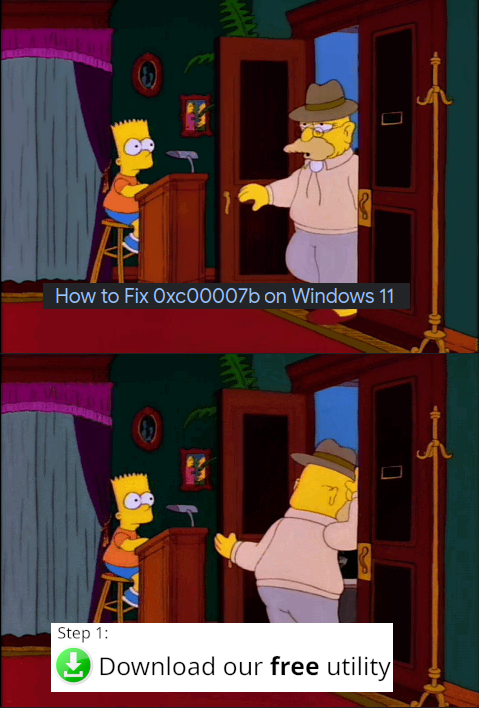
You're desperately searching for a solution to that cryptic Windows error code 0xc00007b (which is usually a DLL architecture mismatch or missing Visual C++ redistributables, btw), and Google leads you to some sketchy website promising a "free utility" that'll magically fix everything. Step 1: Download our totally-not-malware executable! The Simpsons format perfectly captures that moment of hesitation—you're at the door, ready to click download, but something feels... off. Is this legitimate software or am I about to install a crypto miner that'll turn my PC into a space heater? Spoiler: it's probably the latter. These "fix-it" utilities are either bundled with adware, completely useless registry cleaners, or straight-up malicious. Pro tip: The actual fix is usually just reinstalling the affected software or updating your Visual C++ redistributables from Microsoft's official site. But sure, let's trust RandomPCFixerPro2024.exe from a domain registered 3 days ago.
 AI
AI
 AWS
AWS
 Agile
Agile
 Algorithms
 Android
 Apple
Apple
 Azure
Azure
 Backend
 Bash
Bash
 C++
C++
 Cloud
Cloud