Password validation Memes

Posts tagged with Password validation
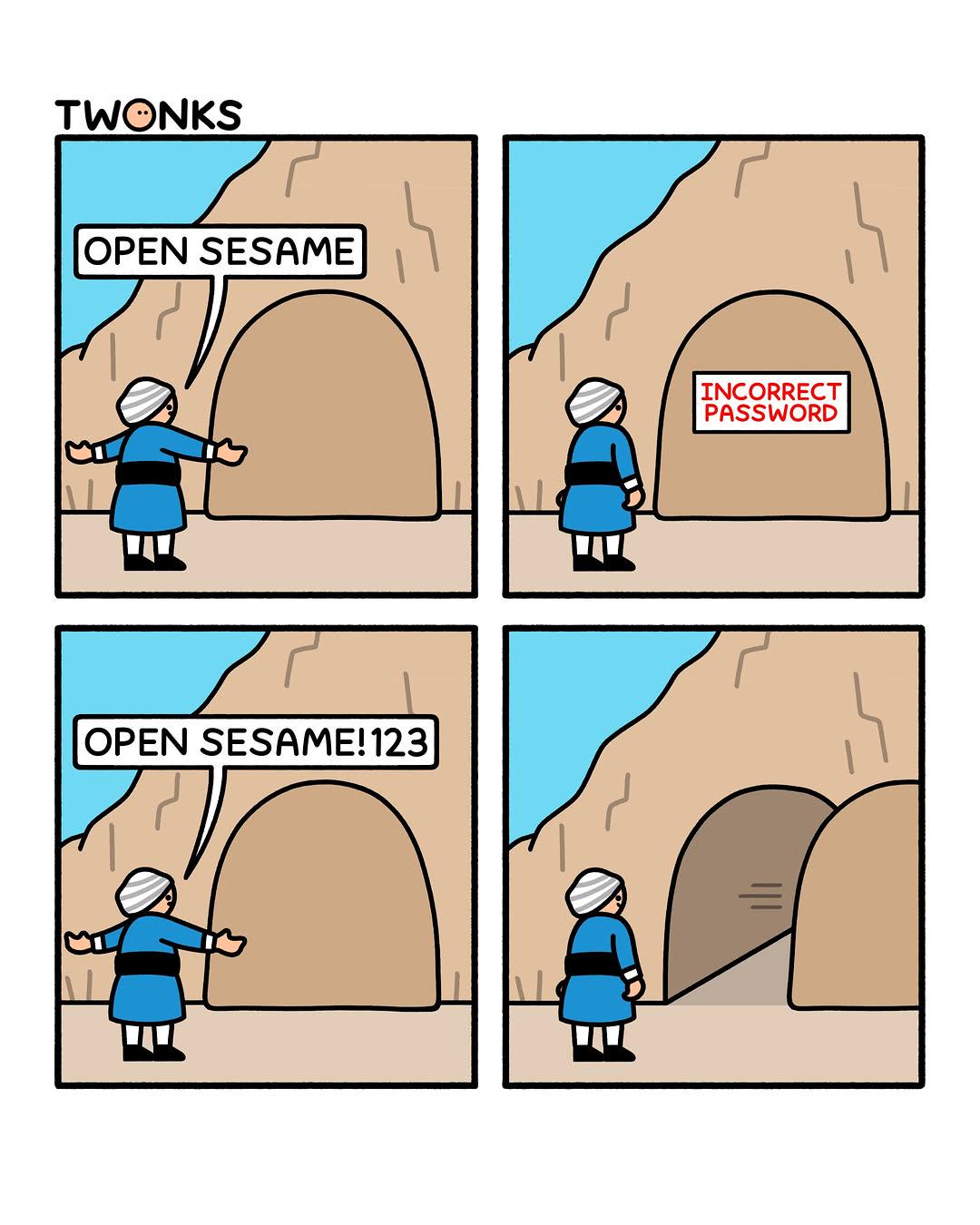
Open Sesame!

Open Sesame!
The ancient tale of Ali Baba gets a modern security update. Our hero tries the classic "Open Sesame" password and gets hit with the dreaded "INCORRECT PASSWORD" error. Classic rookie mistake—forgetting that your password requirements demand at least one number, one special character, and probably a blood sacrifice. So naturally, they pivot to "OpenSesame!123" and boom—the cave opens like it's been waiting for that sweet combination of uppercase, lowercase, and numbers all along. The cave door was basically running the same password validation as every corporate login system you've ever encountered. Fun fact: If Ali Baba's cave existed today, it would probably also require him to change his password every 90 days and wouldn't let him reuse any of his last 24 passwords. The treasure would've been long gone before he figured out "OpenSesame!123Winter2024$"

Improving Password Security With Czech

Improving Password Security With Czech
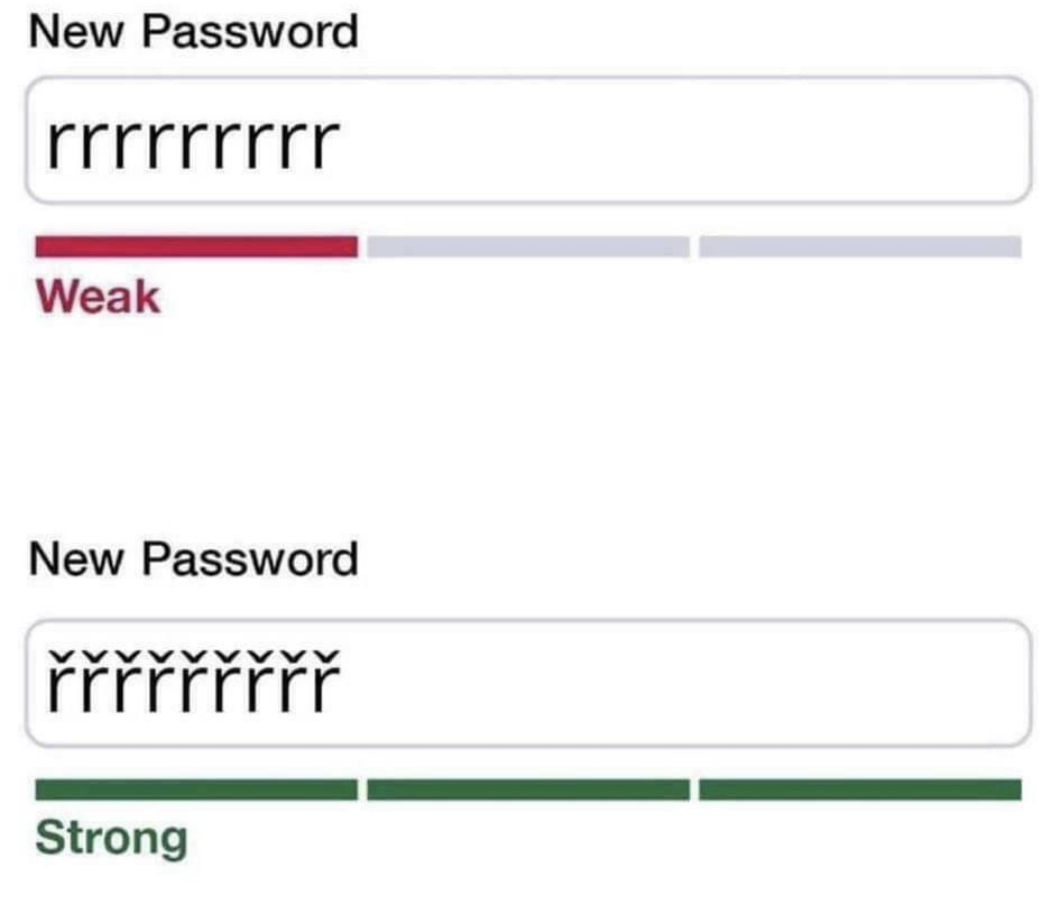
Security experts HATE this one weird trick! Just slap some Czech diacritics on your password and watch it transform from "pathetically weak" to "Fort Knox level security" instantly. Because apparently, adding those fancy little háčeks (the ˇ symbols) over your r's is the cybersecurity equivalent of adding RGB lights to your gaming PC—suddenly everything is 10x more powerful! The password strength algorithm is having an absolute MELTDOWN trying to comprehend these exotic Unicode characters. It went from judging your lazy "rrrrrrrrrr" password harder than a disappointed parent to rolling out the red carpet like you just created "Tr0ub4dor&3!xQz#9$pL" on steroids. Same exact password, just with a sprinkle of Eastern European flair, and boom—you're a security genius! Plot twist: This actually works because most password entropy calculators freak out when they see special Unicode characters and assume you're some kind of cryptographic mastermind. Spoiler alert—you're not fooling any actual hacker, just the validator.

Post Passkey Migration Blues

Post Passkey Migration Blues
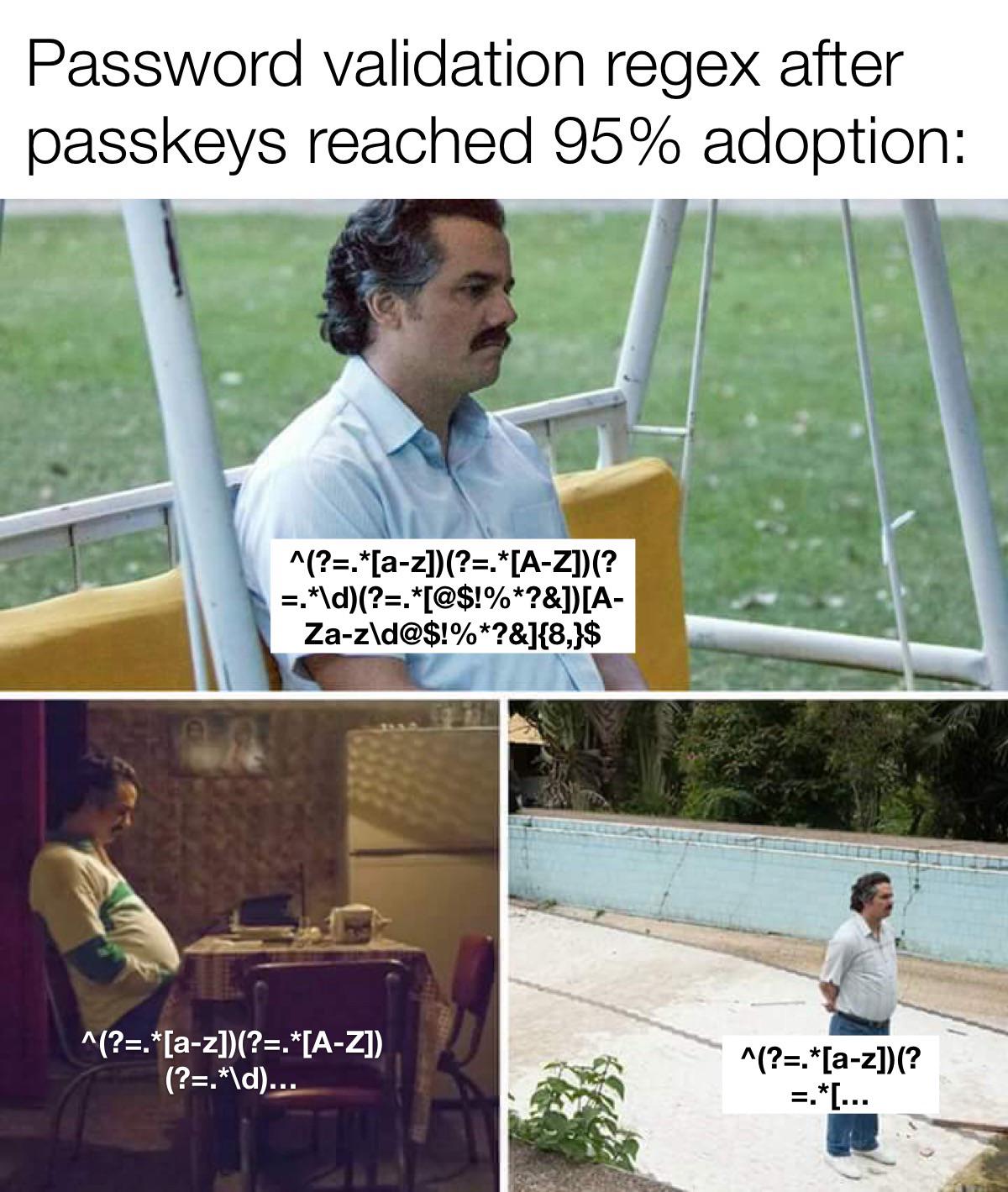
You spent YEARS crafting that beautiful, monstrous password validation regex that checks for uppercase, lowercase, numbers, special characters, minimum length, and probably your grandmother's maiden name. It was your magnum opus—a grotesque work of art that nobody could understand, not even you six months later. But now? Passkeys have taken over. Nobody needs passwords anymore because biometric authentication is the future, baby! So there sits your regex monster, completely obsolete, slowly decomposing in the codebase like a forgotten relic. You watch it fade away, getting simpler and simpler until it's just... gone. RIP to all those hours debugging why the regex rejected "P@ssw0rd!" but accepted "password123". Your legacy will be remembered in git history, where it belongs. 💀

Must Prevalidate All Fields

Must Prevalidate All Fields
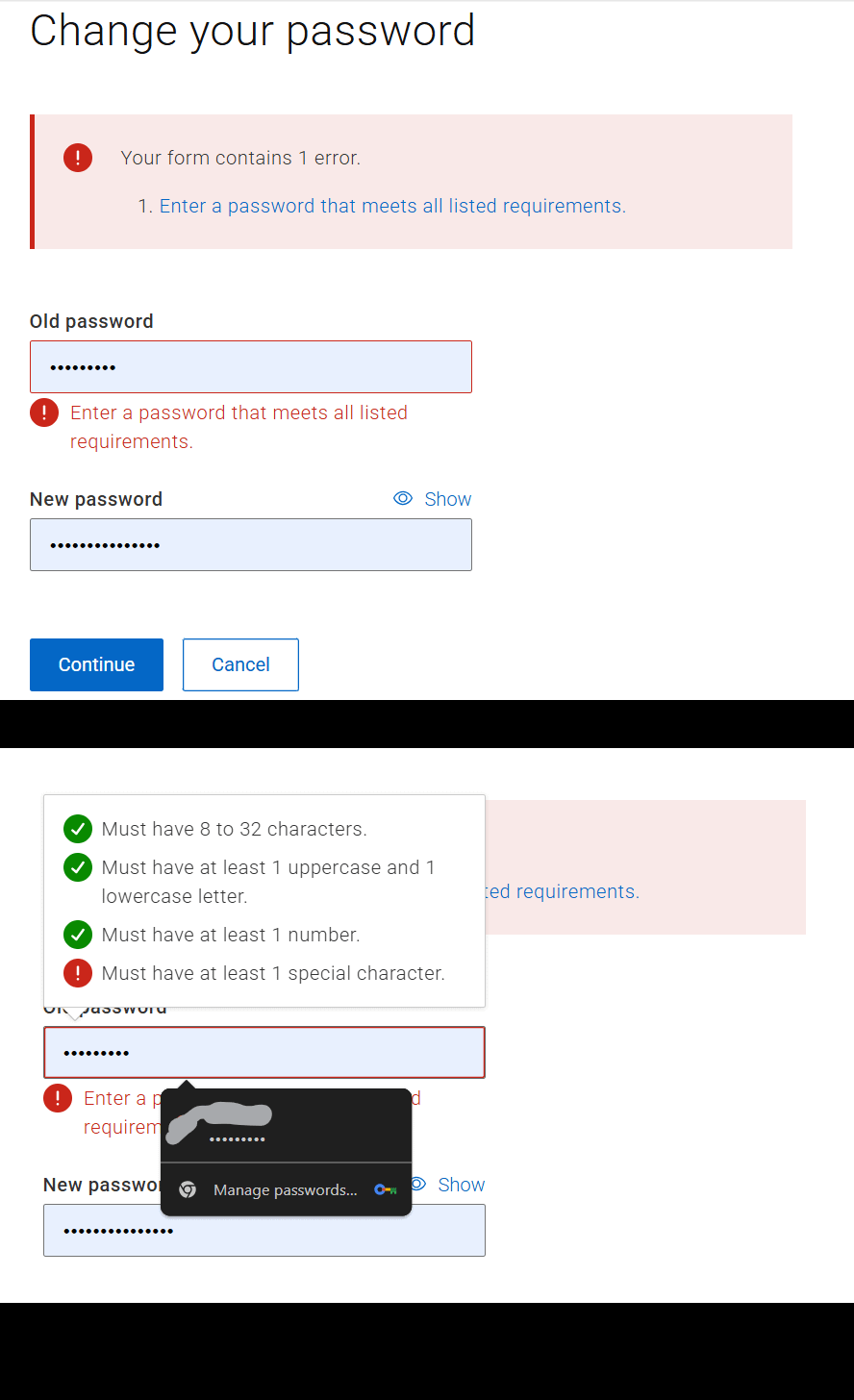
Ah yes, the classic "tell me what's wrong AFTER I've already filled out the form" UX nightmare. Nothing says "we hate our users" quite like hiding password requirements until AFTER you've failed validation. It's like a chef waiting until you've finished cooking to mention you needed paprika. And the cherry on top? That password manager popup suggesting "Hey, let me store this password that doesn't meet requirements and will never work!" Brilliant design strategy: frustrate users first, THEN show them how to succeed. Frontend developers everywhere are slow-clapping.

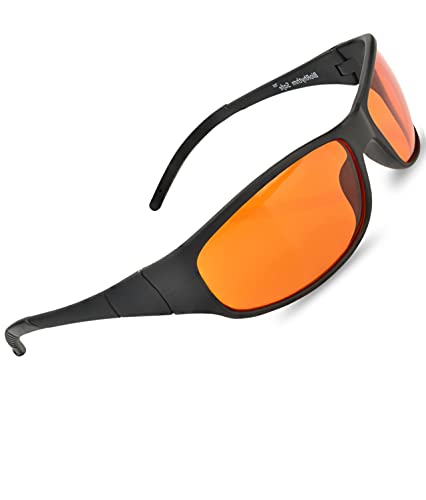
Blue Light Blocking Amber Glasses for Sleep 99.9 Percent Effective - Nighttime Eye Wear - Special Orange Tinted Glasses Help You Sleep and Relax Your Eyes

Blue Light Blocking Amber Glasses for Sleep 99.9 Percent Effective - Nighttime Eye Wear - Special Orange Tinted Glasses Help You Sleep and Relax Your Eyes
ULTRA-EFFECTIVE Blue Light Blocking: Blocks 99.9+% of light in the critical 450-510nm range, the most disruptive wavelength of light at night. · SPORTS FRAMES - Durable TR90 thermoplastic frames offe…

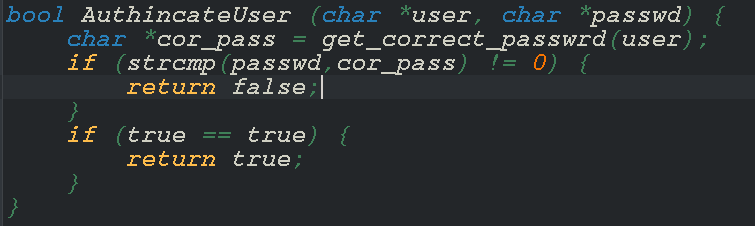
Terrible Auth: The Digital Doorman Who Always Says Yes

Terrible Auth: The Digital Doorman Who Always Says Yes
The first part of this authentication function is actually doing its job—checking if the password matches. But then comes the security masterpiece: if (true == true) . Congratulations, you've created the digital equivalent of a bouncer who checks your ID and then lets you in anyway because "yep, gravity still works!" This function will authenticate literally anyone who gets past the first check... or fails it and just keeps trying. Security experts hate this one weird trick!