Cable management Memes

Posts tagged with Cable management
Where Does This Scale On The Monitor Alignment Chart?

Where Does This Scale On The Monitor Alignment Chart?
Someone's Windows display settings got absolutely wrecked, and now they're being asked to identify which monitor is which in a lineup that looks like someone played Tetris with their screens while having a seizure. The monitors are numbered 1-12 in what appears to be the result of plugging in every display device you've ever owned simultaneously—probably after a driver update or unplugging the wrong HDMI cable. The best part? Monitor 11 is highlighted and positioned vertically like it's trying to escape this chaos. Someone's definitely running a setup that involves at least three different GPU outputs, two USB-C adapters that barely work, and one monitor that only turns on if you sacrifice a chicken to the display gods. The "Identify" button at the bottom is doing some heavy lifting here, because good luck figuring out which physical screen corresponds to number 7 without a PhD in spatial reasoning. Fun fact: Windows has supported up to 10 displays since Windows 7, but just because you *can* doesn't mean you *should*. This setup probably requires more cable management than a data center and draws enough power to dim the neighborhood lights.

What The Hell Is Going On

What The Hell Is Going On
Oh, just a casual Tuesday in the server room where someone decided to create a modern art installation titled "Ethernet Cable Massacre." Look at those poor RJ45 connectors just... existing in their half-crimped, wire-exposed glory, scattered around like the aftermath of a networking battlefield. Someone clearly had ONE job—crimp these cables properly—and instead chose violence. The MikroTik Cloud Router Switch sitting there all pristine and professional while surrounded by this absolute chaos of exposed twisted pairs is sending me. It's giving "I showed up to a black-tie event and everyone else came in pajamas" energy. Pro tip: This is what happens when you let the intern handle cable management after watching one YouTube tutorial at 2x speed. Those wires are more exposed than my code on GitHub, and just as embarrassing.

Only Setup You Need To Search For Cat Videos

Only Setup You Need To Search For Cat Videos
Someone built a literal Mac Mini data center just to browse the internet. That's right—dozens of Mac Minis, meticulously cabled and racked like they're running a Fortune 500 company's infrastructure, when in reality they're probably just streaming YouTube. The joke here is the absolutely insane overkill of creating a server farm with what appears to be 40+ Mac Minis (each costing a cool $600-$2000) for the most mundane task imaginable: watching cat videos. It's like hiring a NASA engineer to microwave your burrito. The cable management is actually pretty clean though, not gonna lie. Someone really said "if I'm going to waste an absurd amount of money on unnecessary hardware, I'm at least going to make it look professional." Respect the commitment to the bit, even if your electricity bill now rivals a small country's GDP.

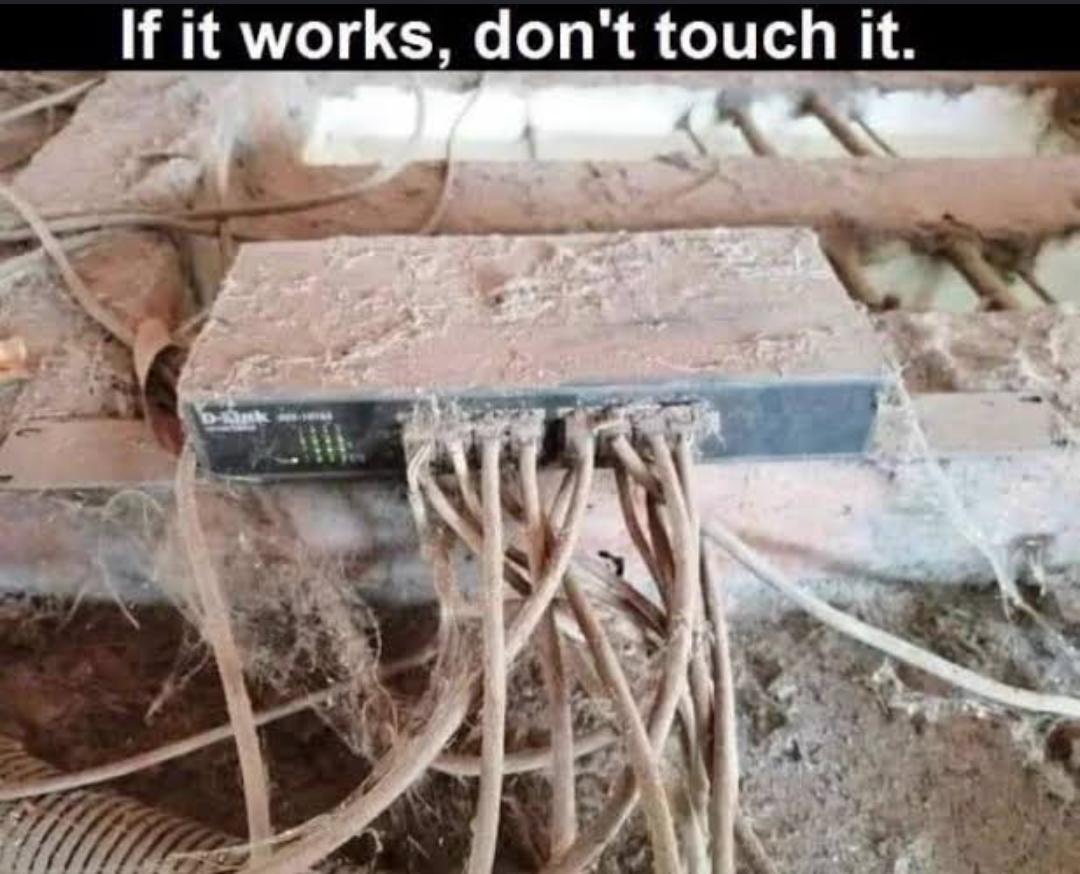
What Was The Craziest "If It Works, Don't Touch It" Projects Of Your Life

What Was The Craziest "If It Works, Don't Touch It" Projects Of Your Life
You know that legacy codebase held together by duct tape, prayers, and a single try-catch block? Yeah, this is its physical manifestation. Someone's got a VGA-to-PS/2 adapter chained to what looks like a USB converter, all dangling precariously from the back of a machine that's probably running critical production systems. The "there is always a WAY" caption captures that beautiful moment when you realize your Frankenstein solution actually works, and now you're too terrified to touch it. Nobody knows why it works. Nobody WANTS to know. The documentation is just a sticky note that says "DON'T UNPLUG." It's been running for 847 days straight. The company's entire billing system depends on it. And if you breathe on it wrong, the whole thing collapses like a poorly written recursive function without a base case.

How Do I Turn It Off

How Do I Turn It Off
When your PC case has so many RGB lights that it's basically achieved nuclear fusion. You just wanted a simple build, maybe a little accent lighting, but now your room looks like a rave venue and you're frantically searching through three different proprietary software suites (Corsair iCUE, ASUS Aura, MSI Mystic Light) trying to figure out which one controls the supernova happening under your desk. The worst part? There's probably no physical button to disable it. You'll need to boot into Windows, launch four different apps that all want to start on boot, navigate through unintuitive UIs, and pray they actually sync with each other. Or you could just... unplug it? But then you'd have to reach behind that cable management nightmare you spent three hours organizing. Fun fact: RGB lighting adds exactly 0 FPS to your build but somehow makes it feel 30% faster. Science.

They Can't See The Truth...

They Can't See The Truth...
Building a PC? Non-techies imagine you're some elite hacker typing furiously in a dark room, pulling off cyber heists. Reality check: you're just playing adult LEGO with expensive blocks, praying you don't bend any pins. And picking parts? They think you casually stroll into a store, grab what looks cool, and you're done. Nope. You're actually solving a multi-variable optimization problem that would make mathematicians weep. Will this CPU bottleneck the GPU? Is this RAM compatible with the motherboard? Does the PSU have enough wattage? Will it all fit in the case? Can I afford to eat this month? The cable management nightmare in the middle is just chef's kiss—because no matter how much you plan, it always ends up looking like a spaghetti factory exploded inside your case.

Not A Single Misplaced Cable

Not A Single Misplaced Cable
You know you've reached peak enlightenment when you successfully migrate your entire PC to a new case without creating a rat's nest of cables or accidentally plugging your GPU power into the CPU header. It's like performing open-heart surgery on yourself and waking up with better abs. The real flex isn't the RGB or the specs—it's that everything boots on the first try. No POST errors, no mysterious beeps, no "why is my SSD not showing up" panic. Just pure, unadulterated cable management perfection. You're basically a hardware whisperer at this point. Meanwhile, the rest of us are over here with our case panels barely closing because there's a spaghetti monster living behind the motherboard tray.

Built With Love, Closed With Fear

Built With Love, Closed With Fear
The duality of PC ownership perfectly captured. Top panel: RGB lighting synchronized to perfection, custom water cooling loops that could double as modern art, cable management so clean you could perform surgery in there. Bottom panel: a Lovecraftian horror of tangled cables, dust bunnies the size of actual bunnies, and a hard drive held in place by hopes and prayers. We all start with grand ambitions of maintaining that showroom aesthetic. Then reality hits: you need to swap a drive, add more RAM, or god forbid, troubleshoot something. Three years later, you're too terrified to open the case because you know what's waiting in there. The RGB still works though, and that's what counts when the side panel stays firmly screwed shut. Pro tip: if you never open it again, it stays beautiful in your memory.

What Do You Think Of This Cable Management?

What Do You Think Of This Cable Management?
When your GPU is sagging so hard it needs a support brace, but you're too broke for a proper bracket, so you just... braid the power cables into a structural support beam? This is the hardware equivalent of using duct tape to fix a production bug. The Radeon card is literally being held up by its own umbilical cord, fashioned into what looks like Rapunzel's hair after a bad day. Props for the craftsmanship though—that's a clean braid. But your GPU is now one sneeze away from ripping out the PCIe slot. This is what happens when you watch too many cable management tutorials and not enough structural engineering videos.

I Don't Usually Keep Mice In This Drawer

I Don't Usually Keep Mice In This Drawer
Ah yes, the classic hardware hoarding drawer that every IT person has. You know, the one where old power supplies go to retire alongside cables from 2003 that you're "definitely going to need someday." The pun here is chef's kiss – we're literally looking at a drawer with a computer mouse (or mice, if you're fancy), but the title plays innocent like it's some unusual occurrence. Meanwhile, we all know this drawer also contains: 47 USB cables of unknown origin, three dead hard drives you can't throw away because "what if there's data on them," and at least one IDE cable because apparently you're running a museum. The power supply sitting there like it owns the place is peak IT energy – broken? Maybe. Will you throw it away? Absolutely not.

What Is Your Opinion Is This True Or Not

What Is Your Opinion Is This True Or Not
Cloudflare protecting the entire internet from DDoS attacks while their own infrastructure is held together by technicians literally praying to the server gods. The gap between "let's start coding" and production reality has never been more accurately documented. Those cables look like they're one sneeze away from taking down half the internet. But hey, if it works, it works. Nobody tell management.

My PC Is Homer

My PC Is Homer
That gorgeous RGB-lit glass case with pristine cable management and perfect component placement? Yeah, that's the front-facing LinkedIn profile of your PC. But open the back panel and suddenly you're staring at Homer Simpson's gut—a chaotic nest of cables that looks like someone threw spaghetti at a wall and called it a day. It's the eternal struggle of PC building: spend 3 hours routing cables through the back panel with military precision for that Instagram-worthy front view, then just... stuff everything else behind the motherboard tray like you're hiding evidence. The glass side panel shows off your liquid cooling loop and RGB fans, while the other side is basically a crime scene that would make r/cablegore weep. Pro tip: if your case doesn't have a glass back panel, did the cable management even really happen? Schrödinger's cable mess—it's both organized and chaotic until someone opens the back.