Gaming laptop Memes

Posts tagged with Gaming laptop

Except On The Asus Zephyrus M 15, You Don't Have A Camera...

Except On The Asus Zephyrus M 15, You Don't Have A Camera...
Gaming laptop manufacturers really said "let's spend $2500 on RGB lighting, a nuclear reactor GPU, and mechanical keyboard switches" but completely forgot webcams exist. Meanwhile your budget phone from 2019 is out here taking crystal clear selfies. The Asus Zephyrus M15 is notorious for this—it's a beast of a machine that can render entire universes but can't give you a decent webcam for your daily standups. You're literally better off using your phone camera, which is both hilarious and deeply embarrassing when you're trying to justify that laptop purchase to your significant other. Pro tip: If you own one of these, you've definitely done the "sorry, my camera isn't working" excuse at least once when you just didn't feel like turning on video. Silver lining, I guess?

Why Is My Gaming Laptop Always On Fire?

Why Is My Gaming Laptop Always On Fire?
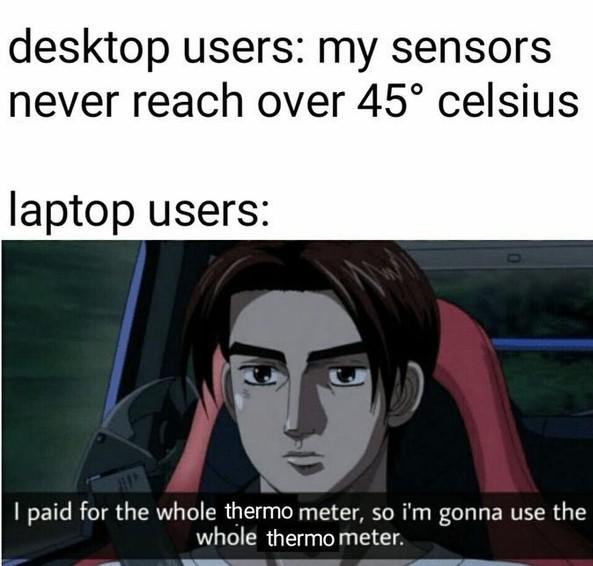
Desktop users living in blissful ignorance with their massive tower coolers and 12 case fans, barely breaking a sweat at 45°C. Meanwhile, laptop users are out here running their CPUs at a toasty 95°C because, hey, if the thermal throttling threshold is 100°C, that's just free real estate, right? The mentality is peak efficiency: "I paid for the whole thermal envelope, so I'm gonna use the whole thermal envelope." Why waste perfectly good heat dissipation capacity when you could be compiling at maximum clock speeds while your laptop doubles as a panini press? That thermal paste isn't gonna degrade itself... oh wait, it absolutely will. Fun fact: Gaming laptops often run hotter than desktops not just because of cramped spaces, but because manufacturers literally configure them with higher thermal limits. They're designed to run hot and throttle dynamically. It's not a bug, it's a feature! Your desk might disagree though.

If You Don't Have First Degree Burns On Your Legs, Are You Even Really Gaming?

If You Don't Have First Degree Burns On Your Legs, Are You Even Really Gaming?
PC gamers with their custom water-cooled rigs and seventeen RGB fans running whisper-quiet at 23°C under full load, looking down on everyone like they just invented computing. Meanwhile, laptop users are out here with a portable space heater that doubles as a computer, casually accepting that their thighs will be medium-rare by the end of a gaming session. The laptop just sits there, fans screaming like a jet engine taking off, pretending it's "thinking" while it's actually just converting electricity directly into thermal energy. The real flex isn't your FPS—it's your pain tolerance. Gaming laptops are basically commitment devices: if you can endure the noise and the heat, you've earned your victory royale. Desktop users will never understand the character-building experience of debugging code while your laptop threatens to achieve nuclear fusion on your lap.

It's Not A 'Gaming Laptop,' It's A 'High-Performance Portable Workstation'

It's Not A 'Gaming Laptop,' It's A 'High-Performance Portable Workstation'
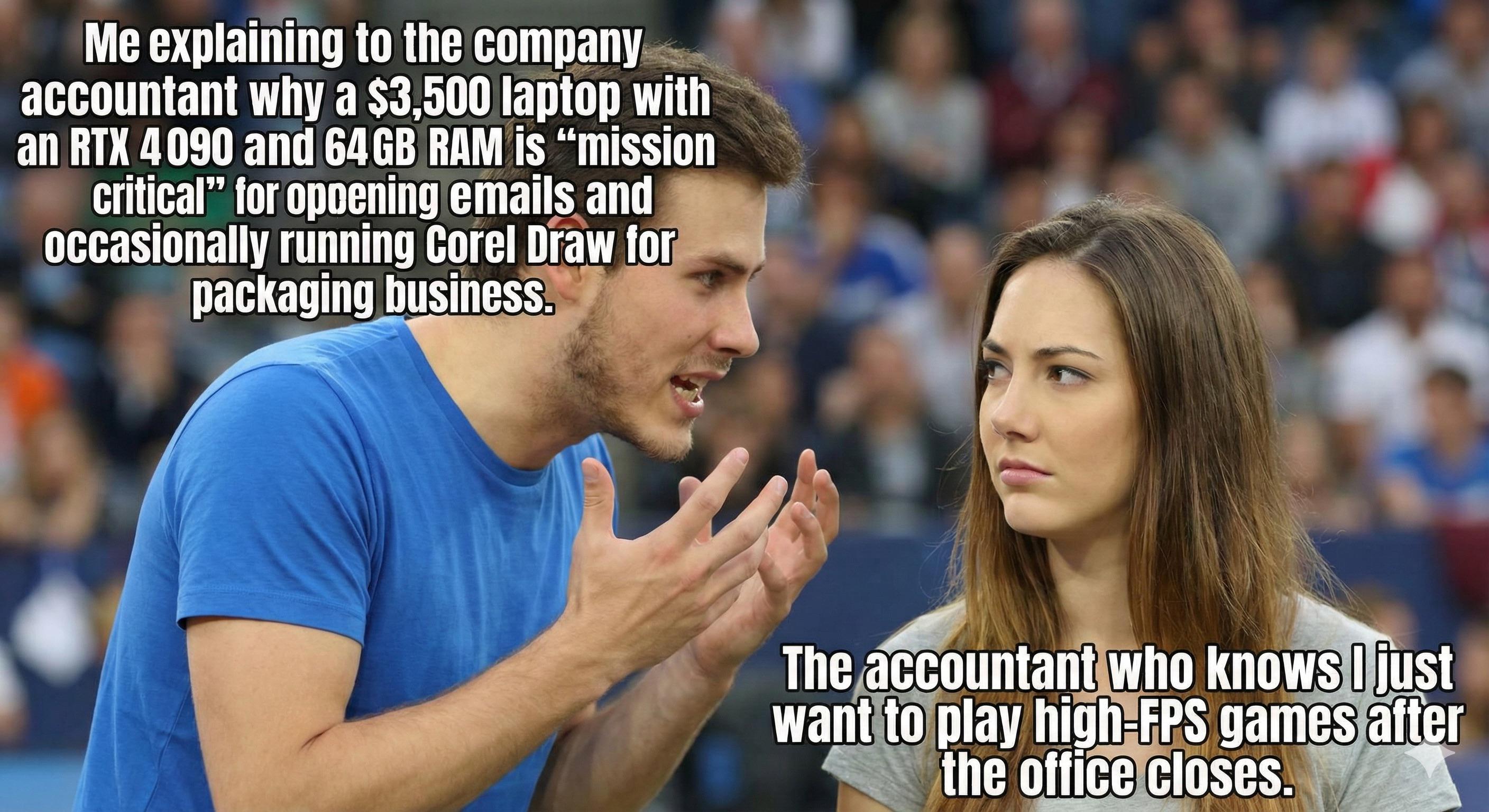
Nothing says "business necessity" quite like justifying an RTX 4090 and 64GB of RAM for checking Outlook and occasionally firing up Corel Draw. The accountant's face says it all—she's seen this exact pitch three times this quarter, and she knows full well that "mission critical" translates to "I need to maintain a 240fps competitive edge in Valorant during lunch breaks." The beauty of this expense report is the technical specificity. Nobody questions the RAM requirements when you throw around professional software names. Sure, Corel Draw could run on a potato from 2015, but try explaining that your current laptop can't handle the "complex rendering workflows" without breaking a sweat. The RGB lighting? That's for better visibility in low-light office conditions, obviously. Pro tip: Always mention "Docker containers" and "virtual machines" in your justification. Works every time. Well, almost every time.

Logitech C920e / C920 HD Webcam, Full HD 1080p Video Calling and Recording, Dual Stereo Audio, Stream Gaming - Black

Logitech C920e / C920 HD Webcam, Full HD 1080p Video Calling and Recording, Dual Stereo Audio, Stream Gaming - Black
"Comes with C920e package, the same version of the c920, the difference is that the package is more compact and environmentally friendly" · Full-HD video Webcam: The Logitech C920 HD Pro Webcam opera…

Priorities Of A True Developer

Priorities Of A True Developer
Oh. My. GAWD. The absolute TRUTH BOMB of developer economics! 💸 On the left, a glorious $3000+ gaming laptop with enough RGB to signal aliens, dual screens, and specs that could probably launch a rocket. On the right? A sad little jalopy that's one pothole away from becoming modern art. Because PRIORITIES, honey! Why have reliable transportation when you can compile code 0.002 seconds faster?! The car might get you to work, but that laptop IS your work, your entertainment center, and probably your emotional support device all rolled into one magnificent machine. Who needs a functioning vehicle when you've got 64GB of RAM?!

The Real Programmer's Investment Strategy

The Real Programmer's Investment Strategy
That $4,000 gaming laptop with dual screens and RGB everything sitting next to a car that's one pothole away from total collapse is the most accurate representation of developer priorities I've ever seen. Why spend money on transportation when you need those extra CPU cores to compile your side project that you'll abandon in two weeks? The car gets you to work, but the laptop is your work—and your Netflix machine, and your "I'm totally going to learn Rust this weekend" fantasy enabler.

How To Properly Cool Your Laptop!

How To Properly Cool Your Laptop!
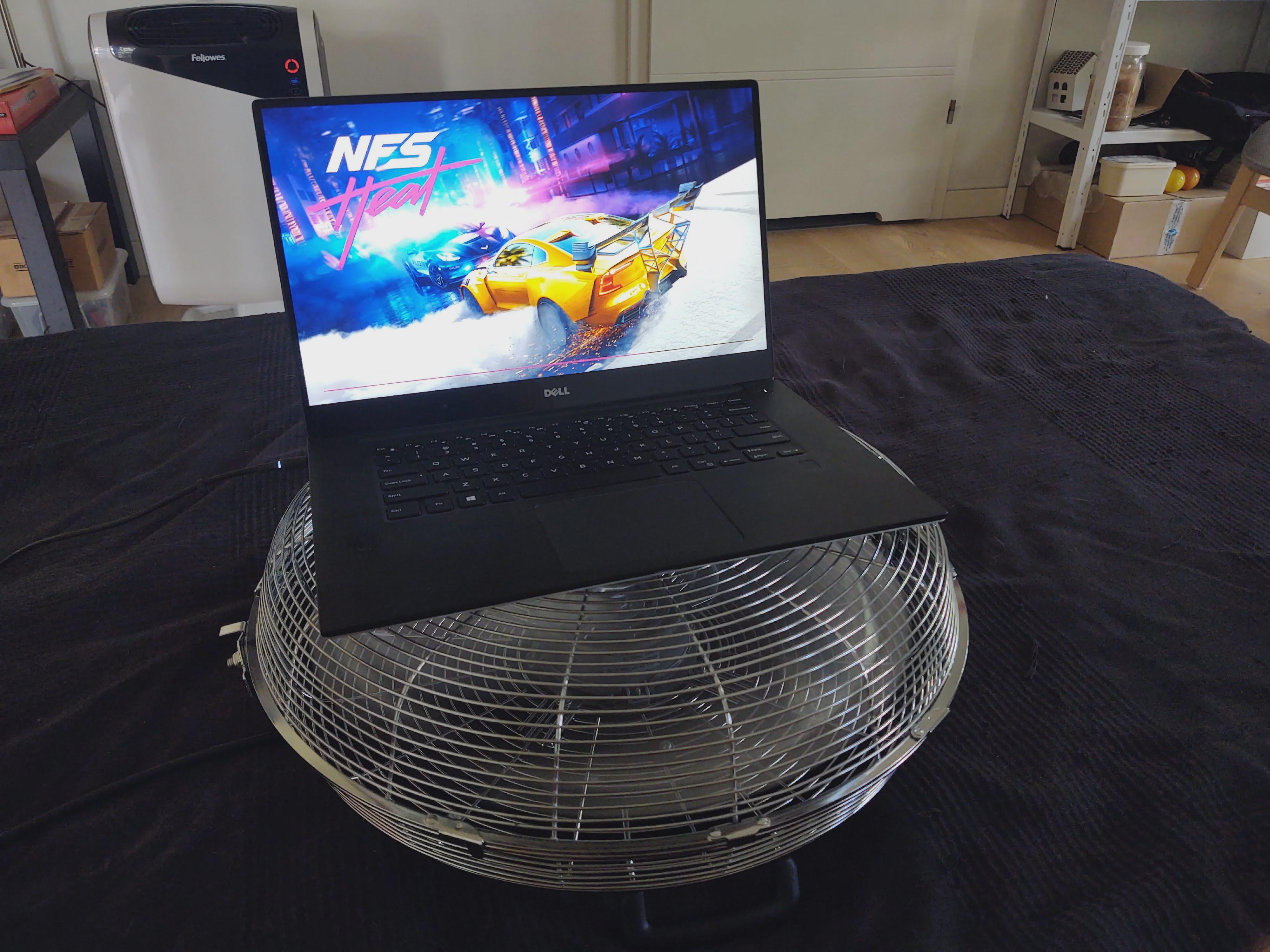
When your gaming laptop hits 9000°C but you're determined to finish that race without thermal throttling. Engineers at Dell never anticipated this level of problem-solving brilliance. Who needs fancy liquid cooling when you can balance your laptop on an industrial fan that probably uses more electricity than your entire neighborhood? Nothing says "I understand computer hardware" like positioning your device directly above what is essentially a tiny helicopter. The irony of running Need for Speed while ensuring your laptop doesn't actually burst into flames is just *chef's kiss*.

Keeps Those Laptop Temps Down

Keeps Those Laptop Temps Down
When your gaming laptop hits 90°C and the warranty doesn't cover "acts of stupidity." That moment when you've tried everything—closing Chrome tabs, elevating the laptop, praying to the silicon gods—and then you remember that ancient cooling technique from the Paleolithic era. Sure, squirting water directly onto electronics is basically baptizing your motherboard into the church of permanent damage, but hey, at least you'll have those 3 seconds of reduced temperature before the smoke signals start!

CalDigit E5 - Thunderbolt 5 Element 5 Hub - 9 Ports, 4 x Thunderbolt 5/USB4 v2, 3 x USB-A & 2 x USB-C 10Gb/s, Single 8K, Dual 6K/8K, or Two 4K@240Hz Displays, 90W Charging, 0.8m Cable 180W PSU

CalDigit E5 - Thunderbolt 5 Element 5 Hub - 9 Ports, 4 x Thunderbolt 5/USB4 v2, 3 x USB-A & 2 x USB-C 10Gb/s, Single 8K, Dual 6K/8K, or Two 4K@240Hz Displays, 90W Charging, 0.8m Cable 180W PSU
Works with Thunderbolt 5, USB4 v2, Thunderbolt 4, USB4, Mac Thunderbolt 3, and some USB-C computers, including Apple M1-M5 (Max, Pro & Ultra), Windows laptops, and Chrome OS devices. It is also compa…

CPU Fan Moving At 5.7% The Speed Of Light

CPU Fan Moving At 5.7% The Speed Of Light
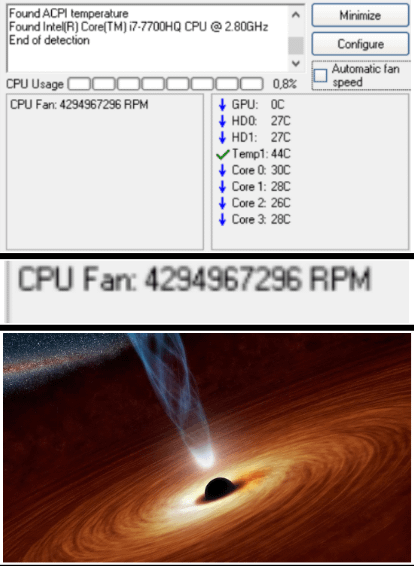
That moment when your laptop turns into a particle accelerator. 4.2 billion RPM? No wonder the bottom image shows a black hole—that's what your CPU is about to create in your lap. Intel should really add "can bend spacetime" to their marketing materials. On the bright side, you can now compile your code before you even wrote it. Temporal paradox? Nah, just another day with a gaming laptop on your thighs. The funniest part? CPU usage is only at 0.8%. Imagine if you tried to open Chrome.