Monitors Memes

Posts tagged with Monitors

Setup Reality

Setup Reality
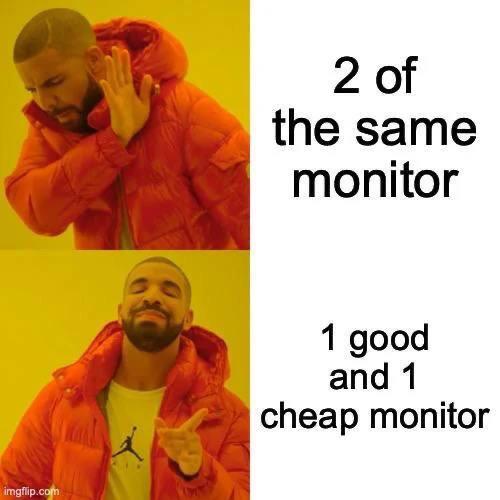
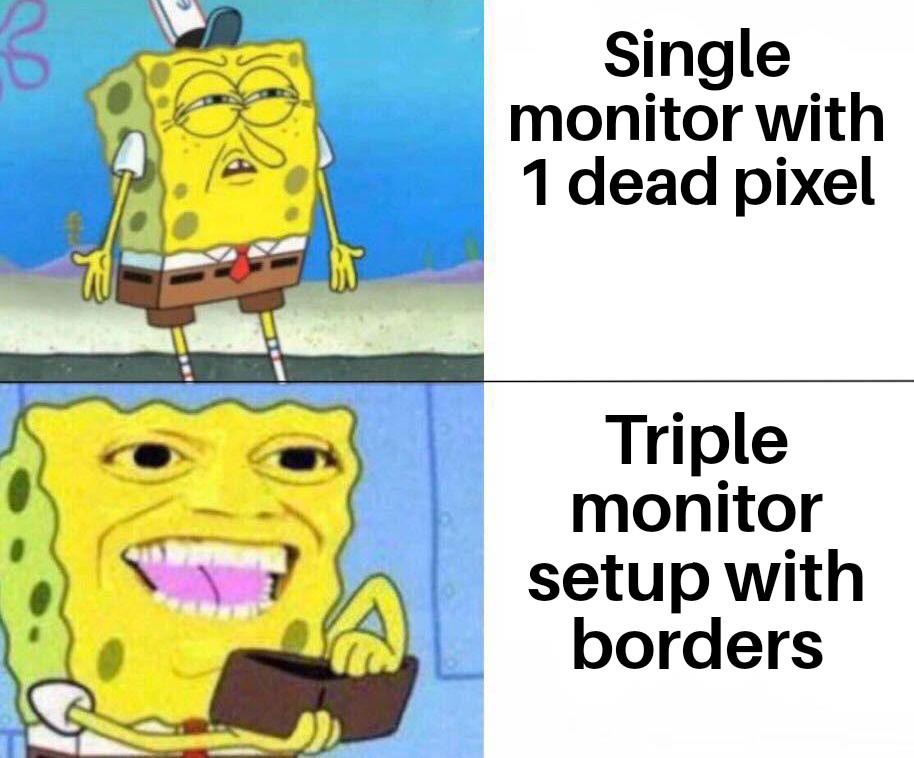
Look, I get it. You see those YouTubers with their perfectly symmetrical dual monitor setups and think "yeah, that's gonna be me." But then you remember rent exists and suddenly that $800 second monitor doesn't seem as essential. So you dig up that crusty 1080p display from 2012 that has one dead pixel and slightly yellow tint, pair it with your nice main monitor, and call it "character." The neck angle you develop from constantly looking at different height screens? That's just part of the developer aesthetic. Your chiropractor thanks you for the business.

Display Pain

Display Pain
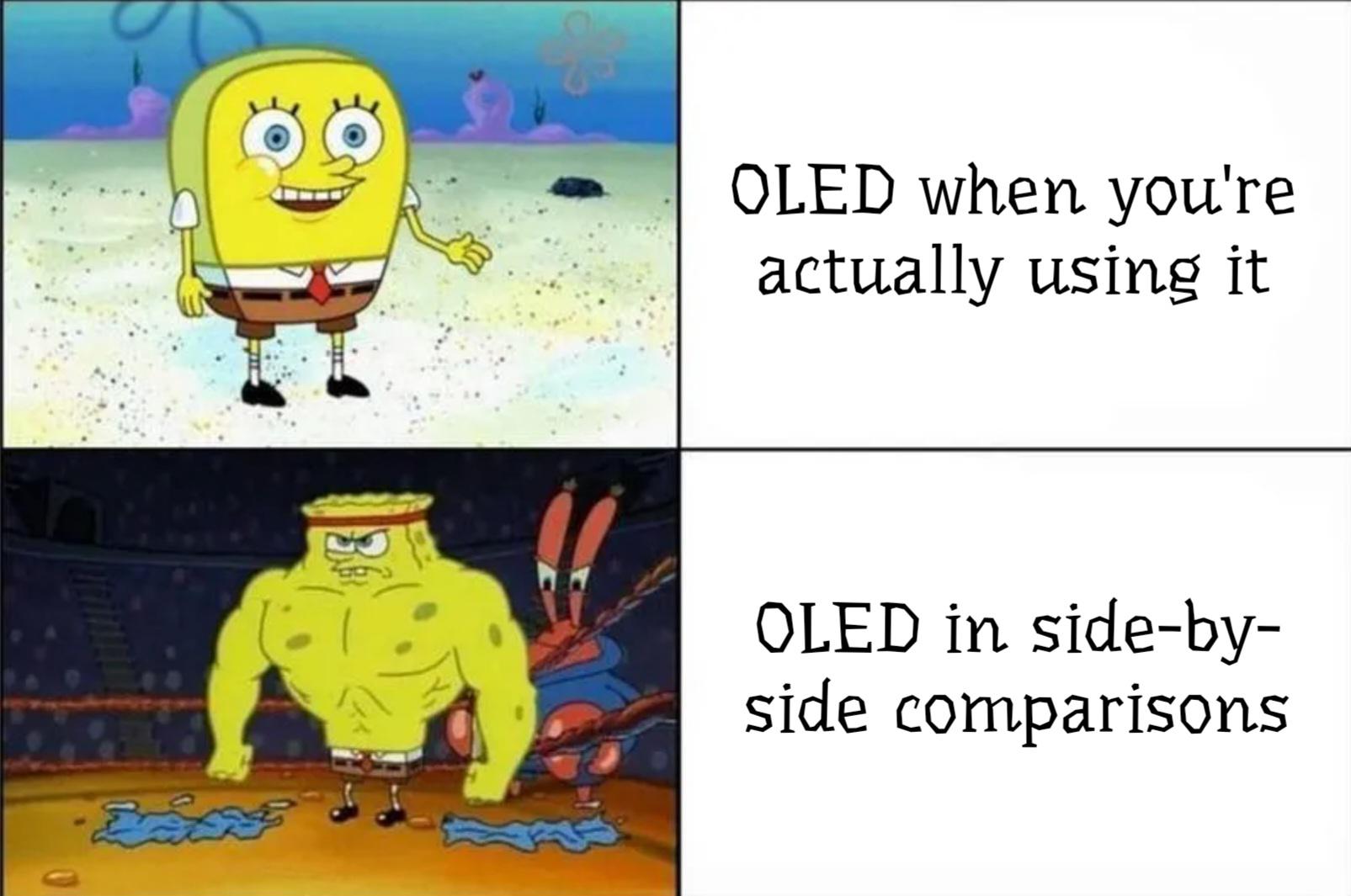
Every monitor technology is basically a "pick your poison" situation. IPS gives you backlight bleeding that makes dark scenes look like someone's shining a flashlight behind your screen. TN panels have color accuracy so bad you'll think your GPU is dying. VA displays turn into a smear fest the moment anything moves faster than a PowerPoint transition. And OLED? Sure, it looks gorgeous until you get permanent burn-in of your IDE's sidebar after six months. The eternal struggle of trying to find a monitor that doesn't suck in at least one critical way. You either pay $2000 for something that still has compromises or accept that your display will betray you in some fundamental manner. Choose your suffering wisely.

Display Lore

Display Lore
So you've got QLED as the tiny baby elephant, OLED as the massive chad elephant, and IPS just... standing there like a penguin. Because apparently in display technology evolution, IPS decided to take a completely different evolutionary path and said "nah, I'm good being a flightless bird." The old man's confusion is justified. You'd expect display tech to follow some logical progression, but IPS is out here breaking the phylogenetic tree. QLED and OLED are at least in the same family (LED-based), but IPS rolled up to the family reunion as a completely different species with its liquid crystal shenanigans. Fun fact: IPS (In-Plane Switching) is actually older than both QLED and OLED in terms of widespread adoption, so technically the penguin should be explaining things to the elephants. But here we are, with better viewing angles and wondering why we're not invited to the self-emissive party.

Monitor Names Is Actually Out Of Control!

Monitor Names Is Actually Out Of Control!
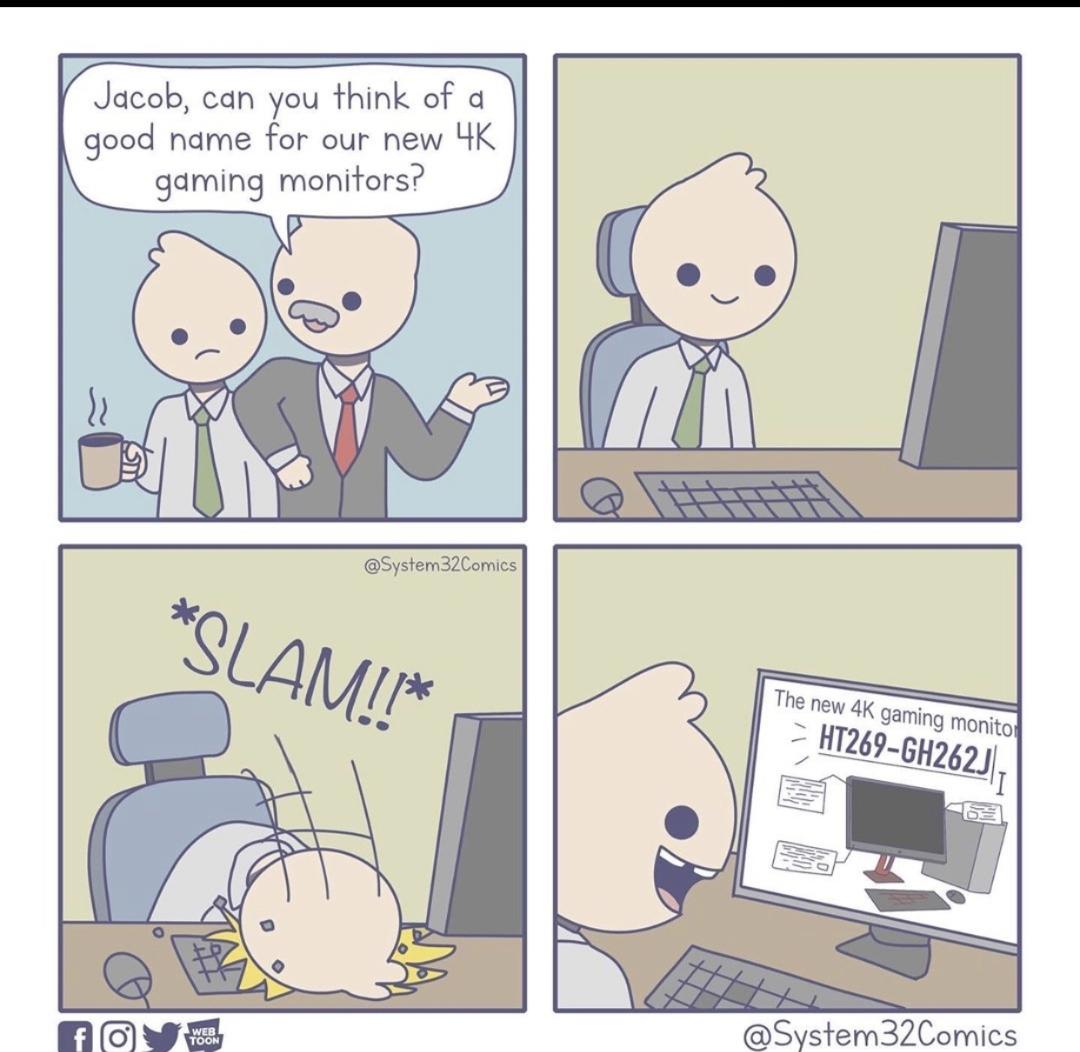
Boss asks Jacob to name a new 4K gaming monitor. Jacob proceeds to slam his face on the keyboard and comes up with "HT269-GH262J". Brilliant naming convention there, Jacob. Really rolls off the tongue. Hardware manufacturers have apparently been using this same technique for decades. Nothing says "premium gaming experience" quite like a product name that looks like someone's WiFi password from 2003. At least it's better than calling it "Monitor McMonitorface" or "UltraGamingXtreme Pro Plus Ultra 360 NoScope Edition". Meanwhile, Apple over here naming their stuff "Pro" and "Air" while the rest of the industry is playing alphanumeric bingo.

With All Due Respect To Vibe Coders, I Can't For The Life Of Me Figure Out The Use Case For A Computer That Hallucinates And Can't Do Basic Math In Software Engineering

With All Due Respect To Vibe Coders, I Can't For The Life Of Me Figure Out The Use Case For A Computer That Hallucinates And Can't Do Basic Math In Software Engineering
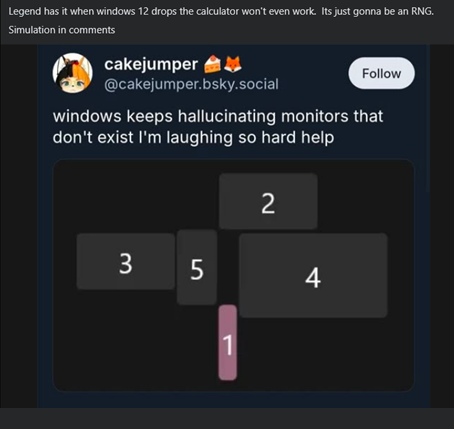
The absolute savagery of comparing Windows' multi-monitor detection to AI hallucinations is *chef's kiss*. Windows has been confidently detecting phantom monitors since the dawn of time, arranging them in configurations that defy the laws of physics and geometry. Look at that beautiful disaster: monitors 1-4 arranged like some kind of abstract art piece, with monitor 1 highlighted in pink like it's the chosen one. Spoiler alert: monitor 1 probably doesn't exist. Windows is just vibing, making up displays like a neural network on a creative writing binge. The title's roast of AI is perfect here because Windows literally invented the concept of confidently being wrong about hardware. Your cursor disappears into the void? That's because it's chilling on monitor 7 that you unplugged in 2019. Want to drag a window? Good luck finding which imaginary screen it yeeted itself to. At least when AI hallucinates, we can blame cutting-edge technology. Windows has been doing this for decades with zero excuse. It's the OG hallucinator, and it doesn't even need a GPU to do it.

CXK Open Ear Headphones with Mic, Bluetooth 5.4 Dual Noise Canceling Mic for Clear Calls, 23g Lightweight Headset with Mute Button, 12H Playtime Air Conduction Headphones for Call, Meeting, Drivingng

CXK Open Ear Headphones with Mic, Bluetooth 5.4 Dual Noise Canceling Mic for Clear Calls, 23g Lightweight Headset with Mute Button, 12H Playtime Air Conduction Headphones for Call, Meeting, Drivingng
[Open Ear Lightweight Comfort] Discover unparalleled comfort with our open ear headphones with mic. Weighing just 23g, open ear headphones feature a glasses-friendly, pressure-free design rest lightl…

It Ruins The Immersion

It Ruins The Immersion
You know what's funny? We'll drop $2000 on a GPU that can render photorealistic graphics at 240fps, but a single stuck pixel will haunt us like a ghost in the machine. Meanwhile, slap three monitors together with those chunky bezels cutting through your workspace like the Berlin Wall, and suddenly you're living your best life. The brain is weird—it'll ignore literal physical barriers bisecting your field of view, but one permanently red pixel? Instant OCD trigger. At least with the borders you can pretend you're looking through fancy windows at different dimensions of your codebase.

Virgin HDMI Vs Chad VGA

Virgin HDMI Vs Chad VGA
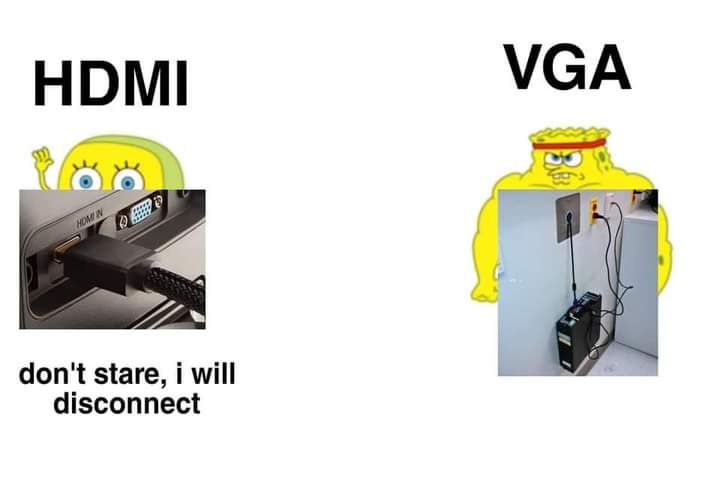
HDMI out here being all sensitive and high-maintenance, threatening to disconnect if you so much as breathe near it. Meanwhile, VGA is built like a tank with those screws that could probably survive a nuclear winter. You know that satisfying feeling when you tighten those thumbscrews and your monitor connection becomes more permanent than your last three relationships? That's VGA energy right there. Sure, it can't carry audio and the maximum resolution is stuck in 2005, but at least it won't abandon you mid-presentation because someone walked past your desk too aggressively.

The More, The Better

The More, The Better
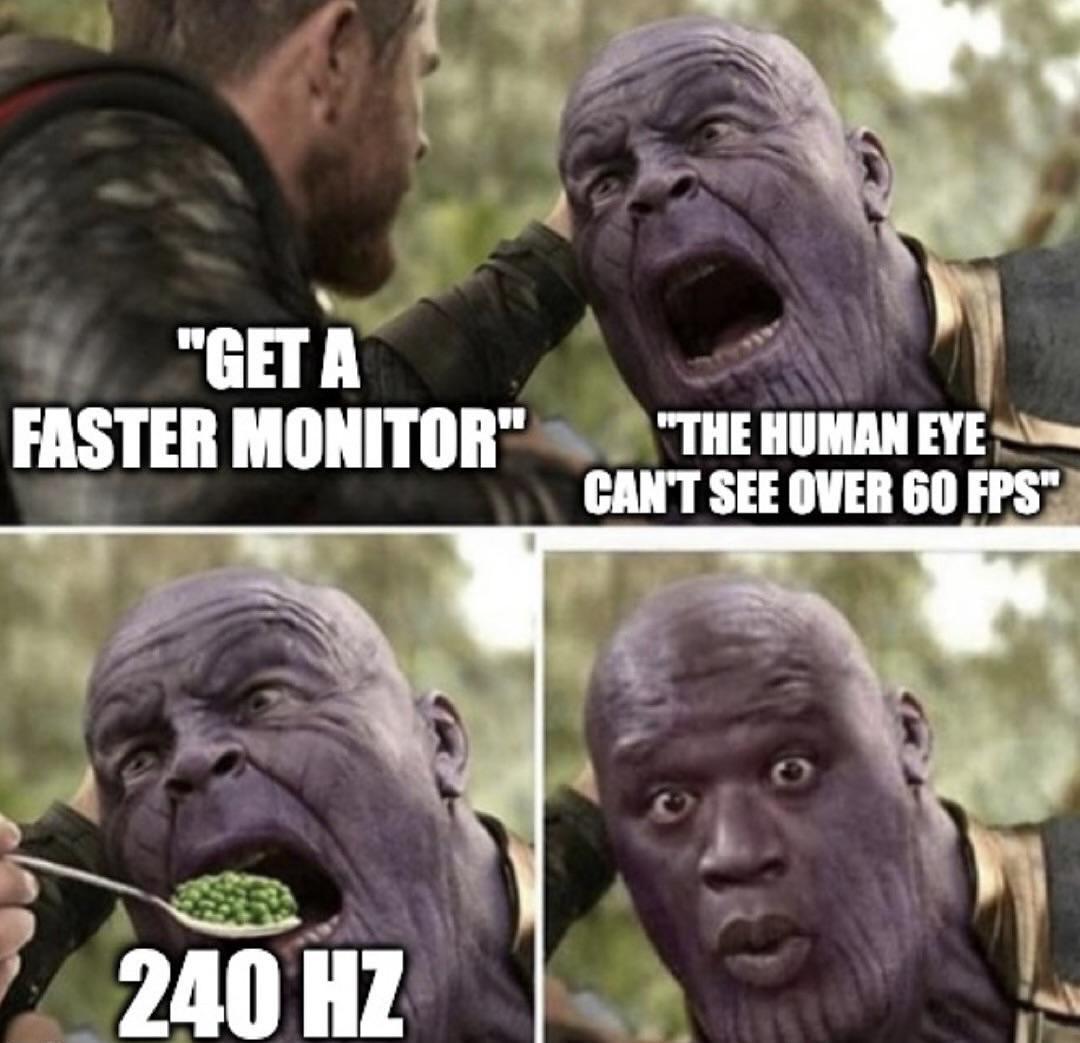
The eternal battle between marketing departments and biology. Someone suggests getting a faster monitor for better gaming performance, and the counterargument is that humans can't perceive anything above 60 FPS anyway. Then boom—240 Hz enters the chat and suddenly everyone's experiencing visual enlightenment they didn't know was possible. The "human eye can't see past 60 FPS" myth is the flat-earth theory of gaming. Sure, diminishing returns kick in hard after 144 Hz, but anyone who's moved their mouse cursor on a 240 Hz display knows the difference is real. Your brain might not consciously count frames, but it absolutely notices the buttery smoothness. It's like arguing you can't taste the difference between 30 and 60 ingredients in a recipe—technically your tongue has limits, but come on. Gamers will spend $800 on a monitor that shaves off 8 milliseconds of input lag just to still blame their deaths on "lag." Worth it? Absolutely.

No Offense But

No Offense But
So apparently your IQ is directly proportional to the number of monitors you own, and I'm here for this TOTALLY scientific chart. Single monitor peasants are chilling at 70 IQ, dual monitor users are flexing at 85 with their "balanced" setup, but BEHOLD the galaxy brain with 6+ monitors scoring a cool 100 IQ! But wait—there's a twist in this dramatic saga! The 34% of people rocking the gritted-teeth meme face? They're the dual monitor warriors DESPERATELY defending their setup choice. Meanwhile, the ultra-rare 0.1% with single monitors and the 0.1% with ALL THE MONITORS are just vibing in their respective dimensions, completely unbothered by this chaos. The real kicker? We ALL know that guy with the NASA mission control setup is just using 5 of those screens to display Stack Overflow tabs while one monitor actually does the work. But hey, at least they LOOK smart, right? 💀

New Monitor Technologies Are Crazy

New Monitor Technologies Are Crazy
So WOLED uses RGBW subpixels with color filters to create your display, which is perfectly reasonable engineering. But WOLOLOLED? That's just four blue subpixels passing through a "Wololololo Filter" consisting of... dancing wizards? For the uninitiated: "Wololo" is the iconic sound from Age of Empires where priests convert enemy units by chanting, and they literally change color to join your team. So instead of sophisticated color filter technology, WOLOLOLED just converts everything to blue through the power of medieval religious persuasion. The subpixel notation changes from *RGBW to *BBBB because why have color diversity when you can just convert everyone to Team Blue? Honestly, if Samsung or LG announced this at CES with a straight face, half the tech reviewers would probably write articles about it before realizing they'd been pranked. "Revolutionary new conversion-based display technology promises 100% blue accuracy."

Logitech G915 X Wired Mechanical Gaming Keyboard, Double-Shot PBT Keycaps, Fully Programmable Keys, RGB Backlit Mac/PC Gaming Keyboards, Aluminum Finish, GL Linear Switches, Black

Logitech G915 X Wired Mechanical Gaming Keyboard, Double-Shot PBT Keycaps, Fully Programmable Keys, RGB Backlit Mac/PC Gaming Keyboards, Aluminum Finish, GL Linear Switches, Black
Full-Size Wired Mechanical Keyboard for Gaming: The Logitech G915 X Wired Mechanical Keyboard Full Size with its next-gen engineering, double-shot PBT keycaps and a sleek sand-blasted aluminum top pl…

The Screen Brothers

The Screen Brothers
Two calico cats representing the display tech rivalry that keeps tech forums busy. IPS is your reliable workhorse with decent colors and viewing angles that won't betray you when you tilt your head. OLED is the flashy sibling with those perfect blacks and infinite contrast ratio that makes your wallet cry. Both get the job done, but OLED knows it looks better and isn't afraid to show off. The cats' matching patterns but different colorations pretty much nail the "same purpose, different approach" vibe. Also, good luck finding an affordable OLED monitor that doesn't burn-in after displaying your IDE's taskbar for 10,000 hours straight.

That's Just How It Is Now

That's Just How It Is Now
Gaming monitors have evolved faster than GPUs can keep up. You've got these absolute beasts pushing 4K at 200Hz, meanwhile your RTX 5080—supposedly a high-end card—is sitting there like a confused cat on a couch, barely managing 4K 60fps without begging AI upscaling (DLSS) to carry it across the finish line. The irony is delicious: we've built displays that our hardware can't actually drive at native resolution. So now we're dependent on neural networks to fake the pixels we can't render. The monitor is flexing its specs while the GPU is out here doing mental gymnastics just to pretend it belongs in the same room. Welcome to 2024, where your display writes checks your graphics card can't cash without algorithmic assistance.